Gangster Mafia City War Sim 3d

Gangster Mafia City War Sim 3d

Strategy

| VP Gaming Hub

Play on PC with BlueStacks or from our cloud

  • Overview
  • Game Features
  • How to Play

Page Modified On: September 18, 2026

Play Gangster Mafia City War Sim 3d on PC or Mac

Bring your A-game to Gangster Mafia City War Sim 3d, the Strategy game sensation from VP Gaming Hub. Give your gameplay the much-needed boost with precise game controls, high FPS graphics, and top-tier features on your PC or Mac with BlueStacks.

About the Game

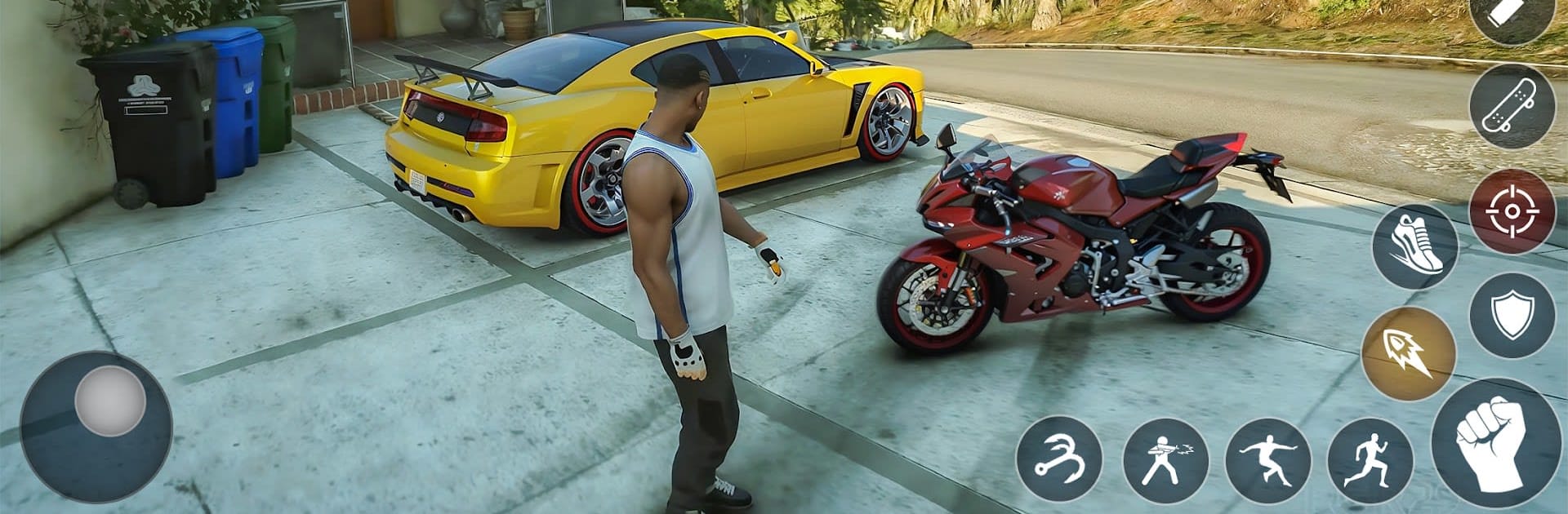
Gangster Mafia City War Sim 3d drops you into a sun-soaked city where hustle meets firepower and every block is a battleground. It’s a Strategy game about smart choices—who you recruit, what you control, and how you pull off risky jobs to grow your empire. Want a bigger view and smoother aiming? BlueStacks makes it easy without stealing the spotlight.

Game Features

  • Open-World Mayhem: Roam a bustling coastal city, poke around alleys and boulevards, and find trouble (or profit) on your own terms.
  • Story Jobs & Side Hustles: Knock out main missions to push the plot forward, then pick up quick gigs when you just want fast cash.
  • Crew Building: Recruit tough hitters and sharp drivers, assign roles, and turn a scrappy squad into a feared organization.
  • Heist Planning: Case the target, pick your route, prep the getaway, and execute clean—or improvise when it gets loud.
  • Territory Control: Capture neighborhoods, protect your rackets, and squeeze income from the streets you claim.
  • Vehicular Action: Slide behind the wheel, drift through tight corners, and outrun anyone who thinks they can block your escape.
  • Close-Quarters Combat: Throw hands, trade shots, and use cover to survive brawls with rival gangs that won’t play nice.
  • Gear and Upgrades: Spend your take on better weapons, armor, and rides that turn risky jobs into reliable paydays.
  • Empire Management: Track cash flow, prioritize operations, and balance expansion with defense to keep your grip on the city.
  • Rise to Boss: Earn respect, unlock new opportunities, and prove you’ve got the nerve—and the brains—to run the whole show.

Start your journey now. Download the game on BlueStacks, invite your friends, and march on a new adventure.


Game Features

Enhancements

  • Macros
  • Multi Instance
  • Multi Instance Sync
  • Eco Mode
  • Enhancements
Macros

Macros

Skip the boring parts of a game. Play Gangster Mafia City War Sim 3d with Macros and get the edge. Simply record a sequence of commands and execute them at any moment.
Multi Instance

Multi Instance

Why limit to one game on your phone when you can play many on your PC? Open multiple instances of Gangster Mafia City War Sim 3d at once with Multi-Instance. Leverage the power of different accounts by doing more.
Multi Instance Sync

Multi Instance Sync

Get the best out of Gangster Mafia City War Sim 3d with Multi-Instance Sync. Play the game from different accounts and build your own empire. Use Multi-instance sync to repeat the action in the main BlueStacks instance on all other instances.
Eco Mode

Eco Mode

Find the rarest heroes by making multiple summons in Gangster Mafia City War Sim 3d. And while you are at it, reduce your PC’s resource consumption with the Eco Mode. Farm efficiently. Get the best results.
Read More

How to Download and Play Gangster Mafia City War Sim 3d on PC or Mac

  • Download and install BlueStacks on your PC or Mac

  • Complete Google sign-in to access the Play Store, or do it later

  • Look for Gangster Mafia City War Sim 3d in the search bar at the top right corner

  • Click to install Gangster Mafia City War Sim 3d from the search results

  • Complete Google sign-in (if you skipped step 2) to install Gangster Mafia City War Sim 3d

  • Click the Gangster Mafia City War Sim 3d icon on the home screen to start playing

video
Watch Video

Minimum System Requirements

With BlueStacks 5, you can get started on a PC that fulfills the following requirements.

  • Operating System

    Microsoft Windows 7 or above, macOS 11 (Big Sur) or above

  • Processor

    Intel, AMD or Apple Silicon Processor

  • RAM

    at least 4GB

  • HDD

    10GB Free Disk Space

Note:

* You must be an Administrator on your PC. Up to date graphics drivers from Microsoft or the chipset vendor.

Gangster Mafia City War Sim 3d - FAQs

  • How to play Gangster Mafia City War Sim 3d on Windows PC & Mac?

    Play Gangster Mafia City War Sim 3d on your PC or Mac by following these simple steps.

    • Click on 'Play Gangster Mafia City War Sim 3d on PC’ to download BlueStacks
    • Install it and log-in to Google Play Store
    • Launch and play the game.
  • Why is BlueStacks the fastest and safest platform to play games on PC?

    BlueStacks respects your privacy and is always safe and secure to use. It does not carry any malware, spyware, or any sort of additional software that could harm your PC.

    It is engineered to optimize speed and performance for a seamless gaming experience.

  • What are Gangster Mafia City War Sim 3d PC requirements?

    Minimum requirement to run Gangster Mafia City War Sim 3d on your PC

    • OS: Microsoft Windows 7 or above MacOS 11 (Big Sur) or above
    • Processor: Intel, AMD or Apple Silicon Processor
    • RAM: Your PC must have at least 4GB of RAM. (Note that having 4GB or more disk space is not a substitute for RAM)
    • HDD: 10GB Free Disk Space.
    • You must be an Administrator on your PC.