王の盤陣:文字合戦
王の盤陣:文字合戦

王の盤陣:文字合戦

Strategy

| SFungames

Play on PC with BlueStacks or from our cloud

  • Overview
  • Game Features
  • How to Play

Page Modified On: October 23, 2026

Play 王の盤陣:文字合戦 on PC or Mac

Step into the World of 王の盤陣:文字合戦, a thrilling Strategy game from the house of SFungames. Play this Android game on BlueStacks App Player and experience immersive gaming on PC or Mac.

About the Game

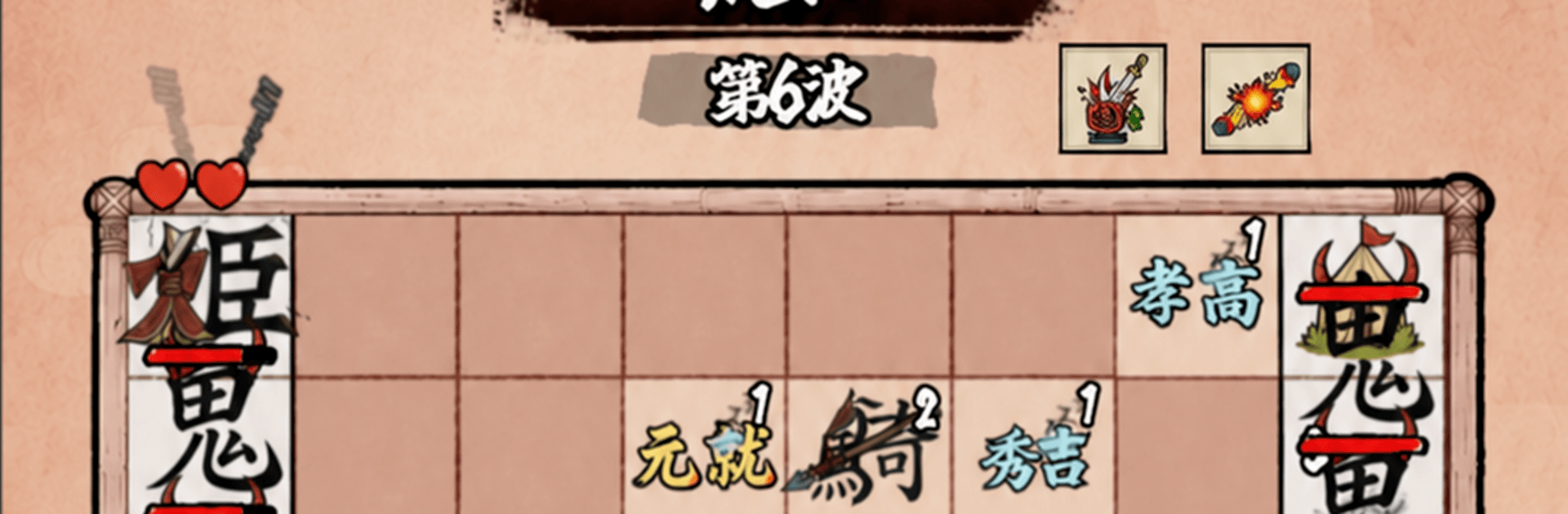
王の盤陣:文字合戦 is a clever Strategy battler that turns a simple grid into a high-stakes tug-of-war. You’ll place units, fuse matches into stronger heroes, and hold the line while enemy waves push toward the princess. Prefer a bigger view and crisp controls? It plays nicely on PC with BlueStacks.

Game Features

  • Grid-Based Tactics: Lay out your formation on a tiled board, choosing lanes, spacing, and timing to shape the battle before it even starts.
  • Live PvP Duels: Go head-to-head against real opponents, tweak your lineup on the fly, and outthink their positioning to punch through their defense first.
  • Merge-to-Evolve Heroes: Combine identical units to promote them into elite champions—think kings and legends—boosting stats and unlocking tougher plays.
  • Distinct Unit Roles: Spearmen hold the front, archers harass from distance, cavalry crash through openings, and knights anchor weak spots for clutch saves.
  • Princess Under Guard: Enemies march from their base straight for the princess—keep routes sealed, intercept threats, and prevent a last-second breach.
  • Drag-and-Drop Controls: Pull units from your bench and drop them right where they’re needed; quick, intuitive placement keeps the focus on strategy.
  • Hand-Drawn Style: A parchment-inspired look and sketchy character art give every clash a storybook vibe without sacrificing clarity.
  • Build Your Army: Mix unit types, chase key merges, and decide when to push upgrades versus spreading coverage across lanes.
  • Placement That Pays Off: Frontline walls, backline firepower, and gap-closing charges all matter—tiny shifts in tile choice can flip the entire match.

Ready to top the leaderboard? We bet you do. Let precise controls and sharp visuals optimized on BlueStacks lead you to victory.


Game Features

Enhancements

  • Macros
  • Multi Instance
  • Multi Instance Sync
  • Eco Mode
  • Enhancements
Macros

Macros

Skip the boring parts of a game. Play 王の盤陣:文字合戦 with Macros and get the edge. Simply record a sequence of commands and execute them at any moment.
Multi Instance

Multi Instance

Why limit to one game on your phone when you can play many on your PC? Open multiple instances of 王の盤陣:文字合戦 at once with Multi-Instance. Leverage the power of different accounts by doing more.
Multi Instance Sync

Multi Instance Sync

Get the best out of 王の盤陣:文字合戦 with Multi-Instance Sync. Play the game from different accounts and build your own empire. Use Multi-instance sync to repeat the action in the main BlueStacks instance on all other instances.
Eco Mode

Eco Mode

Find the rarest heroes by making multiple summons in 王の盤陣:文字合戦. And while you are at it, reduce your PC’s resource consumption with the Eco Mode. Farm efficiently. Get the best results.
Read More

How to Download and Play 王の盤陣:文字合戦 on PC or Mac

  • Download and install BlueStacks on your PC or Mac

  • Complete Google sign-in to access the Play Store, or do it later

  • Look for 王の盤陣:文字合戦 in the search bar at the top right corner

  • Click to install 王の盤陣:文字合戦 from the search results

  • Complete Google sign-in (if you skipped step 2) to install 王の盤陣:文字合戦

  • Click the 王の盤陣:文字合戦 icon on the home screen to start playing

video
Watch Video

Minimum System Requirements

With BlueStacks 5, you can get started on a PC that fulfills the following requirements.

  • Operating System

    Microsoft Windows 7 or above, macOS 11 (Big Sur) or above

  • Processor

    Intel, AMD or Apple Silicon Processor

  • RAM

    at least 4GB

  • HDD

    10GB Free Disk Space

Note:

* You must be an Administrator on your PC. Up to date graphics drivers from Microsoft or the chipset vendor.

王の盤陣:文字合戦 - FAQs

  • How to play 王の盤陣:文字合戦 on Windows PC & Mac?

    Play 王の盤陣:文字合戦 on your PC or Mac by following these simple steps.

    • Click on 'Play 王の盤陣:文字合戦 on PC’ to download BlueStacks
    • Install it and log-in to Google Play Store
    • Launch and play the game.
  • Why is BlueStacks the fastest and safest platform to play games on PC?

    BlueStacks respects your privacy and is always safe and secure to use. It does not carry any malware, spyware, or any sort of additional software that could harm your PC.

    It is engineered to optimize speed and performance for a seamless gaming experience.

  • What are 王の盤陣:文字合戦 PC requirements?

    Minimum requirement to run 王の盤陣:文字合戦 on your PC

    • OS: Microsoft Windows 7 or above MacOS 11 (Big Sur) or above
    • Processor: Intel, AMD or Apple Silicon Processor
    • RAM: Your PC must have at least 4GB of RAM. (Note that having 4GB or more disk space is not a substitute for RAM)
    • HDD: 10GB Free Disk Space.
    • You must be an Administrator on your PC.