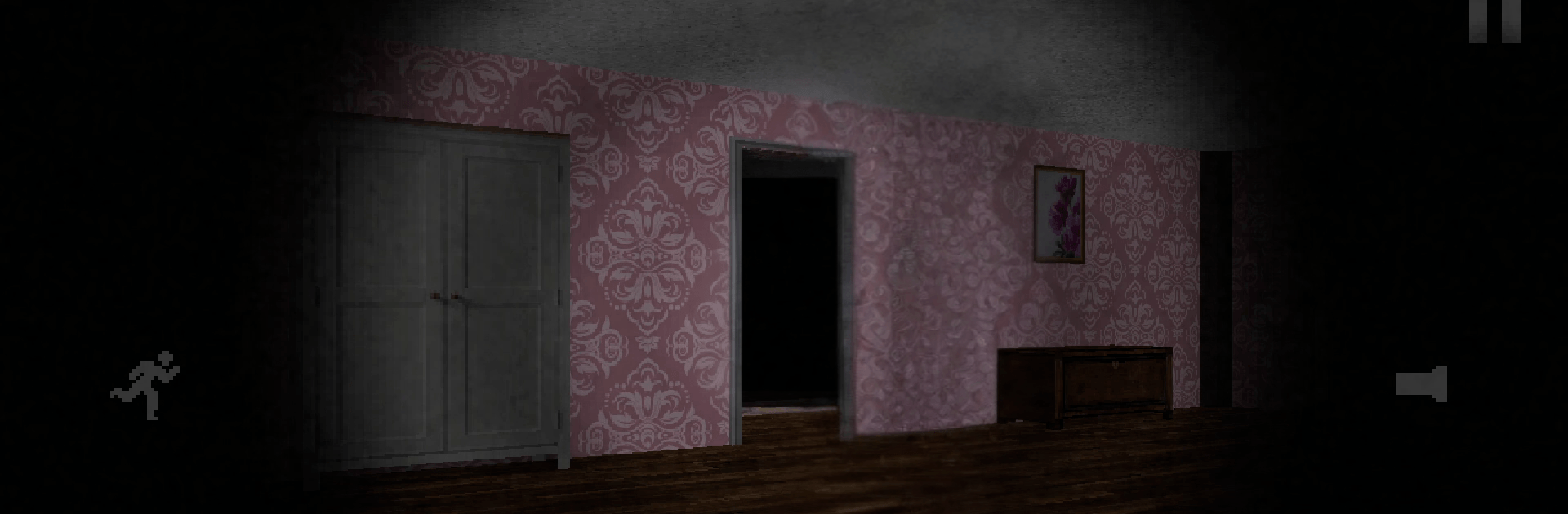
Mr. Hopp's Hunting Hour

Mr. Hopp's Hunting Hour

Strategy

| Moonbit

Play on PC with BlueStacks or from our cloud

  • Overview
  • Game Features
  • How to Play

Page Modified On: August 11, 2026

Play Mr. Hopp's Hunting Hour on PC or Mac

Explore a whole new adventure with Mr. Hopp’s Hunting Hour, a Strategy game created by Moonbit. Experience great gameplay with BlueStacks, the most popular gaming platform to play Android games on your PC or Mac.

About the Game

Mr. Hopp’s Hunting Hour is a Strategy thriller where a tossed-out rabbit doll won’t stay gone. You’re home alone, watching every entry point while something with a stitched-on smile tests your defenses. Think fast, stay quiet, and keep that door chain clicked—one careless step can give your position away.

Game Features

  • Guard Every Entry: Check doors, windows, and vents before they become a problem. Prioritize weak spots, circle back to what you’ve locked, and don’t lose track of the places you haven’t checked yet.
  • Sound Is Survival: Toys on the floor aren’t just clutter—they’re alarms you don’t control. Step wrong, make a noise, and you’ll draw attention. Careful paths and soft footsteps are your best tools.
  • Real-Time Pressure: You’re making calls on the fly as the threat shifts around the house. Do you rush to the back window or hold your ground by the front door? There’s never quite enough time.
  • Read the Room: The creak of a hinge, a brush against the wall, the hush between sounds—use subtle audio cues and dim lighting to sense where danger is moving.
  • Tense, Focused Gameplay: No grinding, no fluff. It’s you, a vulnerable home, and a relentless intruder who learns from hesitation.
  • Play Your Way: Smooth touch controls on mobile, or plug in with BlueStacks for clean keyboard-and-mouse patrols when you want tighter movement and quick reactions.

Start your journey now. Download the game on BlueStacks, invite your friends, and march on a new adventure.


Game Features

Enhancements

  • Macros
  • Multi Instance
  • Multi Instance Sync
  • Eco Mode
  • Enhancements
Macros

Macros

Skip the boring parts of a game. Play Mr. Hopp's Hunting Hour with Macros and get the edge. Simply record a sequence of commands and execute them at any moment.
Multi Instance

Multi Instance

Why limit to one game on your phone when you can play many on your PC? Open multiple instances of Mr. Hopp's Hunting Hour at once with Multi-Instance. Leverage the power of different accounts by doing more.
Multi Instance Sync

Multi Instance Sync

Get the best out of Mr. Hopp's Hunting Hour with Multi-Instance Sync. Play the game from different accounts and build your own empire. Use Multi-instance sync to repeat the action in the main BlueStacks instance on all other instances.
Eco Mode

Eco Mode

Find the rarest heroes by making multiple summons in Mr. Hopp's Hunting Hour. And while you are at it, reduce your PC’s resource consumption with the Eco Mode. Farm efficiently. Get the best results.
Read More

How to Download and Play Mr. Hopp's Hunting Hour on PC or Mac

  • Download and install BlueStacks on your PC or Mac

  • Complete Google sign-in to access the Play Store, or do it later

  • Look for Mr. Hopp's Hunting Hour in the search bar at the top right corner

  • Click to install Mr. Hopp's Hunting Hour from the search results

  • Complete Google sign-in (if you skipped step 2) to install Mr. Hopp's Hunting Hour

  • Click the Mr. Hopp's Hunting Hour icon on the home screen to start playing

video
Watch Video

Minimum System Requirements

With BlueStacks 5, you can get started on a PC that fulfills the following requirements.

  • Operating System

    Microsoft Windows 7 or above, macOS 11 (Big Sur) or above

  • Processor

    Intel, AMD or Apple Silicon Processor

  • RAM

    at least 4GB

  • HDD

    10GB Free Disk Space

Note:

* You must be an Administrator on your PC. Up to date graphics drivers from Microsoft or the chipset vendor.

Mr. Hopp's Hunting Hour - FAQs

  • How to play Mr. Hopp's Hunting Hour on Windows PC & Mac?

    Play Mr. Hopp's Hunting Hour on your PC or Mac by following these simple steps.

    • Click on 'Play Mr. Hopp's Hunting Hour on PC’ to download BlueStacks
    • Install it and log-in to Google Play Store
    • Launch and play the game.
  • Why is BlueStacks the fastest and safest platform to play games on PC?

    BlueStacks respects your privacy and is always safe and secure to use. It does not carry any malware, spyware, or any sort of additional software that could harm your PC.

    It is engineered to optimize speed and performance for a seamless gaming experience.

  • What are Mr. Hopp's Hunting Hour PC requirements?

    Minimum requirement to run Mr. Hopp's Hunting Hour on your PC

    • OS: Microsoft Windows 7 or above MacOS 11 (Big Sur) or above
    • Processor: Intel, AMD or Apple Silicon Processor
    • RAM: Your PC must have at least 4GB of RAM. (Note that having 4GB or more disk space is not a substitute for RAM)
    • HDD: 10GB Free Disk Space.
    • You must be an Administrator on your PC.