Offroad Bus Game: Bus Sim 3D

Offroad Bus Game: Bus Sim 3D

Strategy

| Gamix Fusion

Play on PC with BlueStacks or from our cloud

  • Overview
  • Game Features
  • How to Play

Page Modified On: April 07, 2026

Play Offroad Bus Game: Bus Sim 3D on PC or Mac

Offroad Bus Game: Bus Sim 3D brings the Strategy genre to life, and throws up exciting challenges for gamers. Developed by Gamix Fusion, this Android game is best experienced on BlueStacks, the World’s #1 app player for PC and Mac users.

About the Game

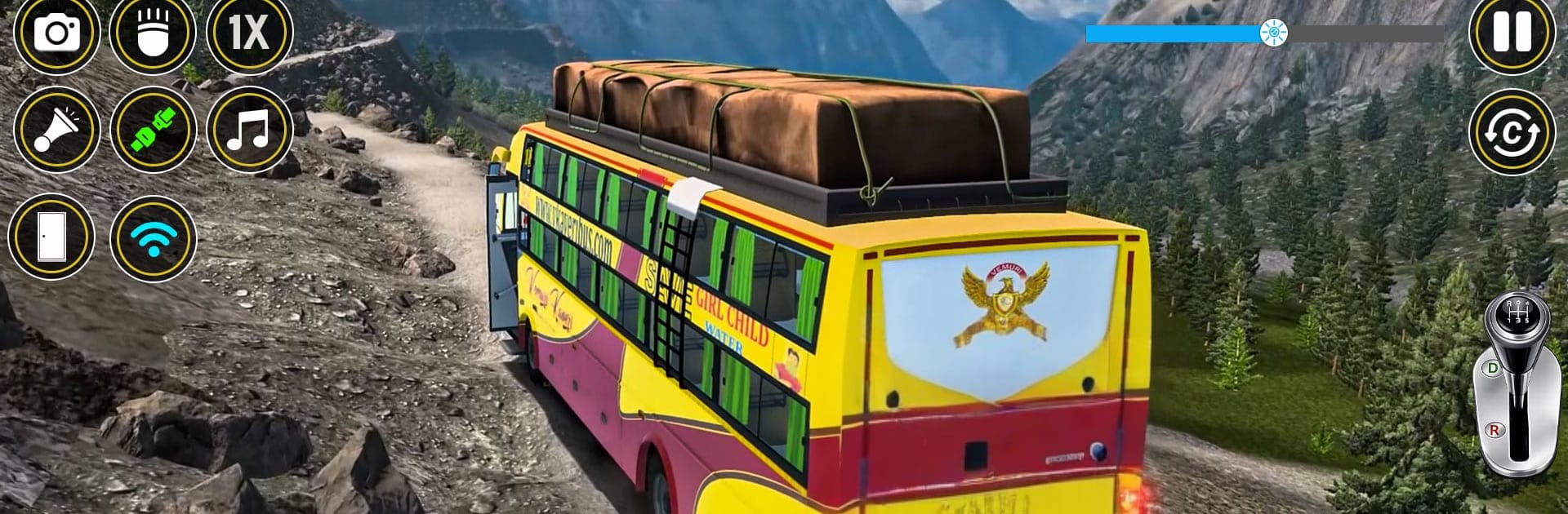
Offroad Bus Game: Bus Sim 3D from Gamix Fusion hands you a massive coach and asks a simple question: can you keep it steady when the road disappears under your wheels? It’s a Strategy-minded driving experience where timing your brakes, picking safe lines, and managing tight turns matter more than flooring it. Prefer a bigger view of those cliffside bends? It runs nicely on BlueStacks, too.

Game Features

  • Handcrafted Offroad Routes: Tackle a focused mode with five distinct stages, each built around tricky slopes, skinny paths, and hairpin turns that reward careful planning.
  • Authentic Bus Handling: Feel the vehicle’s weight on climbs and descents, with responsive steering and braking that make every corner a small strategy puzzle.
  • Flexible Controls: Drive your way with buttons, tilt, or a steering wheel layout. Fine-tune sensitivity and pick the setup that feels natural.
  • Smart Camera Options: Swap between multiple angles—close cabin views for precision or wider shots for better road awareness—whenever you need it.
  • Scenic, Lively Worlds: Wind along mountains, beaches, lakes, and quiet villages. Wildlife, moving water, and subtle ambient details make each route feel alive.
  • Rich Audio Ambience: Gentle background music, birdsong, and the rush of waterfalls pair with engine rumble for a relaxing yet focused vibe.
  • Parking Stops with Mini-Games: Pull over at marked points to break up long drives with quick side activities—think market errands or rhythm-style drum taps.
  • Adjustable Lighting: Brighten things up or go moodier to match your style and improve visibility on those narrow cliff roads.
  • Accessible Yet Demanding: Easy-to-grasp controls welcome newcomers, while tougher segments and tight deadlines keep seasoned drivers on their toes in true Strategy fashion.

Get ready for a buttery smooth, high-performance gaming action only on BlueStacks.

Game Features

Enhancements

  • Macros
  • Multi Instance
  • Multi Instance Sync
  • Eco Mode
  • Enhancements
Macros

Macros

Skip the boring parts of a game. Play Offroad Bus Game: Bus Sim 3D with Macros and get the edge. Simply record a sequence of commands and execute them at any moment.
Multi Instance

Multi Instance

Why limit to one game on your phone when you can play many on your PC? Open multiple instances of Offroad Bus Game: Bus Sim 3D at once with Multi-Instance. Leverage the power of different accounts by doing more.
Multi Instance Sync

Multi Instance Sync

Get the best out of Offroad Bus Game: Bus Sim 3D with Multi-Instance Sync. Play the game from different accounts and build your own empire. Use Multi-instance sync to repeat the action in the main BlueStacks instance on all other instances.
Eco Mode

Eco Mode

Find the rarest heroes by making multiple summons in Offroad Bus Game: Bus Sim 3D. And while you are at it, reduce your PC’s resource consumption with the Eco Mode. Farm efficiently. Get the best results.
Read More

How to Download and Play Offroad Bus Game: Bus Sim 3D on PC or Mac

  • Download and install BlueStacks on your PC or Mac

  • Complete Google sign-in to access the Play Store, or do it later

  • Look for Offroad Bus Game: Bus Sim 3D in the search bar at the top right corner

  • Click to install Offroad Bus Game: Bus Sim 3D from the search results

  • Complete Google sign-in (if you skipped step 2) to install Offroad Bus Game: Bus Sim 3D

  • Click the Offroad Bus Game: Bus Sim 3D icon on the home screen to start playing

video
Watch Video

Minimum System Requirements

With BlueStacks 5, you can get started on a PC that fulfills the following requirements.

  • Operating System

    Microsoft Windows 7 or above, macOS 11 (Big Sur) or above

  • Processor

    Intel, AMD or Apple Silicon Processor

  • RAM

    at least 4GB

  • HDD

    10GB Free Disk Space

Note:

* You must be an Administrator on your PC. Up to date graphics drivers from Microsoft or the chipset vendor.

Offroad Bus Game: Bus Sim 3D - FAQs

  • How to play Offroad Bus Game: Bus Sim 3D on Windows PC & Mac?

    Play Offroad Bus Game: Bus Sim 3D on your PC or Mac by following these simple steps.

    • Click on 'Play Offroad Bus Game: Bus Sim 3D on PC’ to download BlueStacks
    • Install it and log-in to Google Play Store
    • Launch and play the game.
  • Why is BlueStacks the fastest and safest platform to play games on PC?

    BlueStacks respects your privacy and is always safe and secure to use. It does not carry any malware, spyware, or any sort of additional software that could harm your PC.

    It is engineered to optimize speed and performance for a seamless gaming experience.

  • What are Offroad Bus Game: Bus Sim 3D PC requirements?

    Minimum requirement to run Offroad Bus Game: Bus Sim 3D on your PC

    • OS: Microsoft Windows 7 or above MacOS 11 (Big Sur) or above
    • Processor: Intel, AMD or Apple Silicon Processor
    • RAM: Your PC must have at least 4GB of RAM. (Note that having 4GB or more disk space is not a substitute for RAM)
    • HDD: 10GB Free Disk Space.
    • You must be an Administrator on your PC.