Real Car Racing: Car Game 3D

Real Car Racing: Car Game 3D

Strategy

| XuXu Games

Play on PC with BlueStacks or from our cloud

  • Overview
  • Game Features
  • How to Play

Page Modified On: September 18, 2026

Play Real Car Racing: Car Game 3D on PC or Mac

Real Car Racing: Car Game 3D by XuXu Games has plenty to keep you busy. BlueStacks lets you play it on PC or Mac with more screen space, better control, and fewer mobile limits.

About the Game

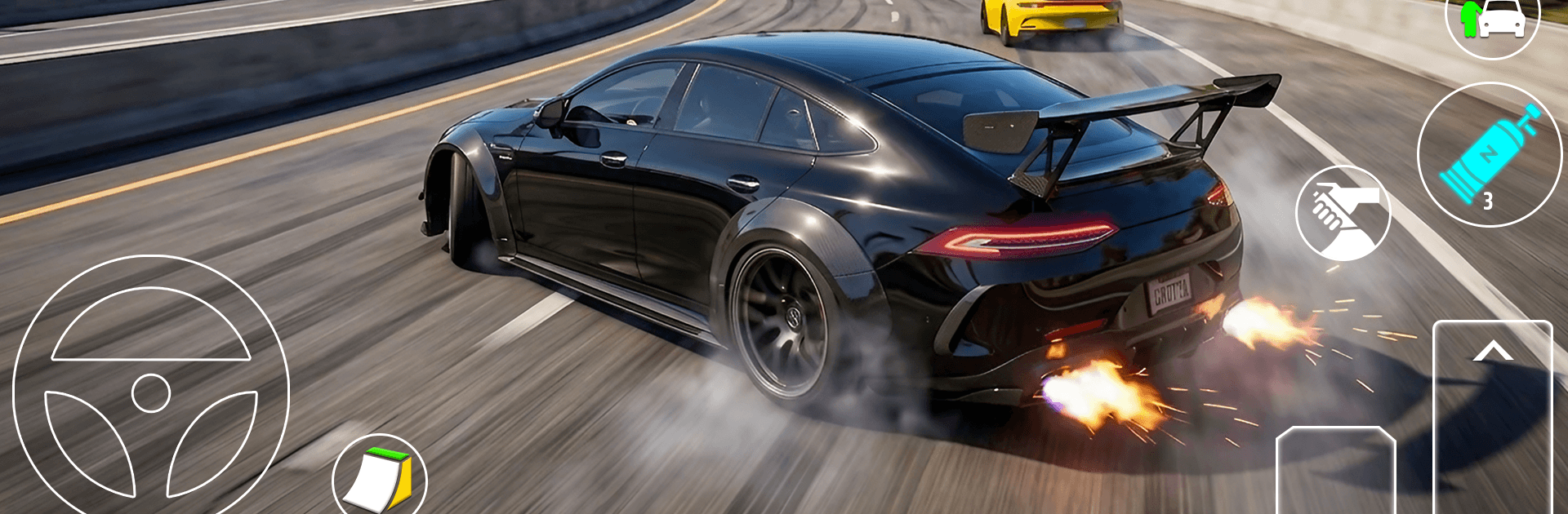
Real Car Racing: Car Game 3D drops you into a huge city built for speed, stunts, and messing around with anything on wheels. It mixes grounded driving physics with wild challenges, so every choice—vehicle, route, pace—matters, adding a little Strategy to the rush. Prefer playing on a different setup? It runs smoothly on BlueStacks too.

Game Features

  • Open-city playground: Roam a sprawling urban map filled with ramps, shortcuts, alleyways, and purpose-built tracks to master.
  • True-to-life handling: Feel the weight of your ride, the bite of the tires, and convincing impacts that make every scrape memorable.
  • Instant drift assist: An auto-drift system kicks in at the right moment, so you can slide cleanly through corners without fiddling with toggles.
  • Race your way: Jump into circuit sprints, head-to-head drag duels, or time trials that reward smooth lines and fearless overtakes.
  • Big-air stunts: Hit giant ramps, throw flips and rolls, and try to stick those sketchy landings—yes, the physics will call you out.
  • Switch on the fly: Walk the streets, hop into a car, swap to a bike, fire up an ATV, or roll out on a kick scooter in seconds.
  • Two-wheel thrills: Take on motorcycle events, off-road stretches, and stunt-focused bike challenges with responsive, confidence-boosting control.
  • Crash feedback that matters: Botch a landing or clip a barrier and feel it—crash physics sell the moment without slowing the pace.
  • Smooth, flexible controls: Steering feels steady, brakes bite when you need them, and acceleration stays predictable across every vehicle type.
  • Sandbox discoveries: Hunt for hidden routes, sneaky jumps, and optional challenges dotted around the city for quick-hit fun between races.

Get ready for a buttery smooth, high-performance gaming action only on BlueStacks.

Game Features

Enhancements

  • Macros
  • Multi Instance
  • Multi Instance Sync
  • Eco Mode
  • Enhancements
Macros

Macros

Skip the boring parts of a game. Play Real Car Racing: Car Game 3D with Macros and get the edge. Simply record a sequence of commands and execute them at any moment.
Multi Instance

Multi Instance

Why limit to one game on your phone when you can play many on your PC? Open multiple instances of Real Car Racing: Car Game 3D at once with Multi-Instance. Leverage the power of different accounts by doing more.
Multi Instance Sync

Multi Instance Sync

Get the best out of Real Car Racing: Car Game 3D with Multi-Instance Sync. Play the game from different accounts and build your own empire. Use Multi-instance sync to repeat the action in the main BlueStacks instance on all other instances.
Eco Mode

Eco Mode

Find the rarest heroes by making multiple summons in Real Car Racing: Car Game 3D. And while you are at it, reduce your PC’s resource consumption with the Eco Mode. Farm efficiently. Get the best results.
Read More

How to Download and Play Real Car Racing: Car Game 3D on PC or Mac

  • Download and install BlueStacks on your PC or Mac

  • Complete Google sign-in to access the Play Store, or do it later

  • Look for Real Car Racing: Car Game 3D in the search bar at the top right corner

  • Click to install Real Car Racing: Car Game 3D from the search results

  • Complete Google sign-in (if you skipped step 2) to install Real Car Racing: Car Game 3D

  • Click the Real Car Racing: Car Game 3D icon on the home screen to start playing

video
Watch Video

Minimum System Requirements

With BlueStacks 5, you can get started on a PC that fulfills the following requirements.

  • Operating System

    Microsoft Windows 7 or above, macOS 11 (Big Sur) or above

  • Processor

    Intel, AMD or Apple Silicon Processor

  • RAM

    at least 4GB

  • HDD

    10GB Free Disk Space

Note:

* You must be an Administrator on your PC. Up to date graphics drivers from Microsoft or the chipset vendor.

Real Car Racing: Car Game 3D - FAQs

  • How to play Real Car Racing: Car Game 3D on Windows PC & Mac?

    Play Real Car Racing: Car Game 3D on your PC or Mac by following these simple steps.

    • Click on 'Play Real Car Racing: Car Game 3D on PC’ to download BlueStacks
    • Install it and log-in to Google Play Store
    • Launch and play the game.
  • Why is BlueStacks the fastest and safest platform to play games on PC?

    BlueStacks respects your privacy and is always safe and secure to use. It does not carry any malware, spyware, or any sort of additional software that could harm your PC.

    It is engineered to optimize speed and performance for a seamless gaming experience.

  • What are Real Car Racing: Car Game 3D PC requirements?

    Minimum requirement to run Real Car Racing: Car Game 3D on your PC

    • OS: Microsoft Windows 7 or above MacOS 11 (Big Sur) or above
    • Processor: Intel, AMD or Apple Silicon Processor
    • RAM: Your PC must have at least 4GB of RAM. (Note that having 4GB or more disk space is not a substitute for RAM)
    • HDD: 10GB Free Disk Space.
    • You must be an Administrator on your PC.