Open World Mafia Crime Game

Open World Mafia Crime Game

Strategy

| XuXu Games

Play on PC with BlueStacks or from our cloud

  • Overview
  • Game Features
  • How to Play

Page Modified On: September 18, 2026

Play Open World Mafia Crime Game on PC or Mac

Explore a whole new adventure with Open World Mafia Crime Game, a Strategy game created by XuXu Games. Experience great gameplay with BlueStacks, the most popular gaming platform to play Android games on your PC or Mac.

About the Game

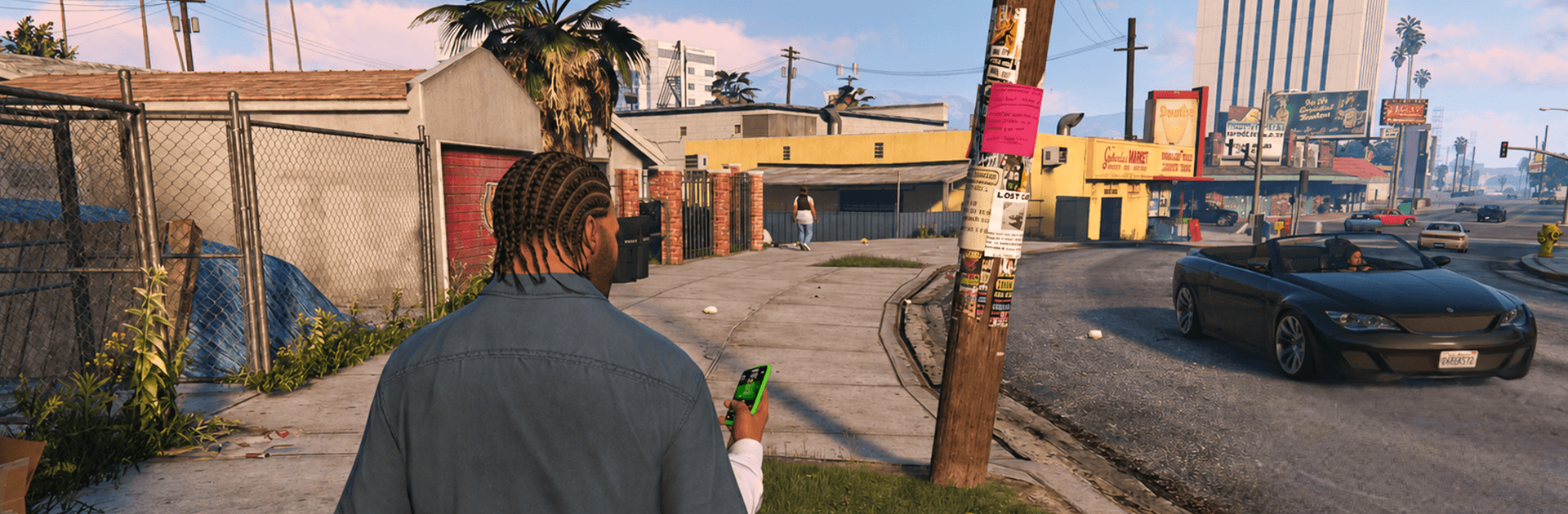
Open World Mafia Crime Game drops you into a sprawling city where every block feels like a fresh opportunity—or a close call. It’s a Strategy take on street power: plan your routes, time your moves, and outthink whoever’s chasing you. You’ll scrape your way up from small-time jobs to big, flashy scores while learning the rhythm of a living metropolis that’s always watching.

Game Features

  • Living, reactive city: Cruise crowded avenues, slip through back alleys, and test rooftops and tunnels while patrols roam and the world responds to your chaos.
  • White‑knuckle pursuits: Outrun cruisers, shake aerial spotlights, and use quick turns, hidden cut‑throughs, and split‑second decisions to make every escape feel earned.
  • Wheels, wings, and everything between: Jump into sleek cars, agile bikes, heavy trucks, or lift off in helicopters—each with its own feel and purpose.
  • Smooth action with style: Enjoy responsive driving and on‑foot movement paired with cinematic camera moments that make big stunts and narrow getaways pop.
  • Your rise, your rules: Take risky gigs or lay low, stir trouble or scout quietly—pick the jobs that match your playstyle and build a reputation your way.
  • Character customization: Mix outfits and looks to suit the moment, from low‑profile streetwear to loud statements that say you run this block.
  • Secrets worth chasing: Hunt down hidden spots, off‑map routes, and tucked‑away stashes that reward curiosity with new tools and fresh angles.
  • Tactically open gameplay: Case a neighborhood, map an escape, switch vehicles mid‑run—smart planning before the action turns close calls into clean exits.
  • Plays great on BlueStacks: Prefer a different setup? The game runs smoothly on BlueStacks, making tight driving and quick maneuvers feel even snappier.

BlueStacks gives you more room to focus on the game and less time adjusting around mobile limitations.


Game Features

Enhancements

  • Macros
  • Multi Instance
  • Multi Instance Sync
  • Eco Mode
  • Enhancements
Macros

Macros

Skip the boring parts of a game. Play Open World Mafia Crime Game with Macros and get the edge. Simply record a sequence of commands and execute them at any moment.
Multi Instance

Multi Instance

Why limit to one game on your phone when you can play many on your PC? Open multiple instances of Open World Mafia Crime Game at once with Multi-Instance. Leverage the power of different accounts by doing more.
Multi Instance Sync

Multi Instance Sync

Get the best out of Open World Mafia Crime Game with Multi-Instance Sync. Play the game from different accounts and build your own empire. Use Multi-instance sync to repeat the action in the main BlueStacks instance on all other instances.
Eco Mode

Eco Mode

Find the rarest heroes by making multiple summons in Open World Mafia Crime Game. And while you are at it, reduce your PC’s resource consumption with the Eco Mode. Farm efficiently. Get the best results.
Read More

How to Download and Play Open World Mafia Crime Game on PC or Mac

  • Download and install BlueStacks on your PC or Mac

  • Complete Google sign-in to access the Play Store, or do it later

  • Look for Open World Mafia Crime Game in the search bar at the top right corner

  • Click to install Open World Mafia Crime Game from the search results

  • Complete Google sign-in (if you skipped step 2) to install Open World Mafia Crime Game

  • Click the Open World Mafia Crime Game icon on the home screen to start playing

video
Watch Video

Minimum System Requirements

With BlueStacks 5, you can get started on a PC that fulfills the following requirements.

  • Operating System

    Microsoft Windows 7 or above, macOS 11 (Big Sur) or above

  • Processor

    Intel, AMD or Apple Silicon Processor

  • RAM

    at least 4GB

  • HDD

    10GB Free Disk Space

Note:

* You must be an Administrator on your PC. Up to date graphics drivers from Microsoft or the chipset vendor.

Open World Mafia Crime Game - FAQs

  • How to play Open World Mafia Crime Game on Windows PC & Mac?

    Play Open World Mafia Crime Game on your PC or Mac by following these simple steps.

    • Click on 'Play Open World Mafia Crime Game on PC’ to download BlueStacks
    • Install it and log-in to Google Play Store
    • Launch and play the game.
  • Why is BlueStacks the fastest and safest platform to play games on PC?

    BlueStacks respects your privacy and is always safe and secure to use. It does not carry any malware, spyware, or any sort of additional software that could harm your PC.

    It is engineered to optimize speed and performance for a seamless gaming experience.

  • What are Open World Mafia Crime Game PC requirements?

    Minimum requirement to run Open World Mafia Crime Game on your PC

    • OS: Microsoft Windows 7 or above MacOS 11 (Big Sur) or above
    • Processor: Intel, AMD or Apple Silicon Processor
    • RAM: Your PC must have at least 4GB of RAM. (Note that having 4GB or more disk space is not a substitute for RAM)
    • HDD: 10GB Free Disk Space.
    • You must be an Administrator on your PC.