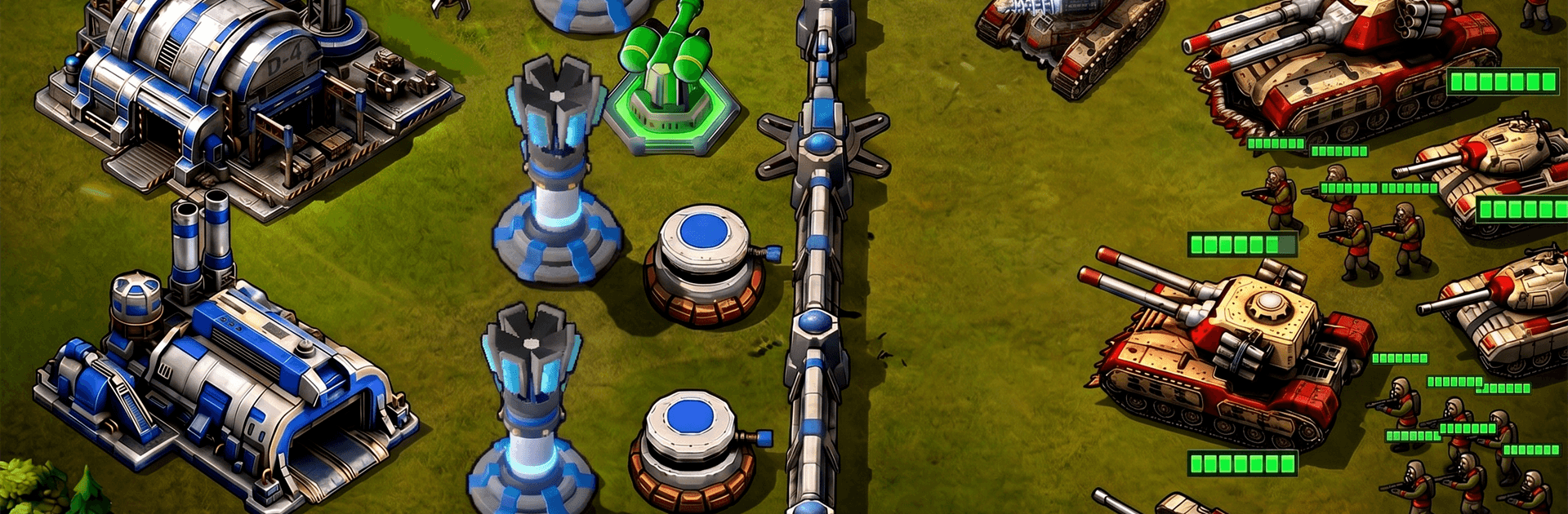
Red Command - War Alert RTS

Red Command - War Alert RTS

Strategy

| TINYSOFT - slots, slot machines & casino games

Play on PC with BlueStacks or from our cloud

  • Overview
  • Game Features
  • How to Play

Page Modified On: June 09, 2026

Play Red Command - War Alert RTS on PC or Mac

Explore a whole new adventure with Red Command – War Alert RTS, a Strategy game created by TINYSOFT – slots, slot machines & casino games. Experience great gameplay with BlueStacks, the most popular gaming platform to play Android games on your PC or Mac.

About the Game

Red Command – War Alert RTS drops you into a modern battlefield where every second counts and every order matters. It’s a Strategy game built around quick, satisfying real-time fights, smart unit combos, and the thrill of outmaneuvering a stubborn enemy force. Want the classic RTS feel without the clunky menus? This one keeps things punchy while still letting you flex your inner commander.

Game Features

  • Real-time decisions: Battles play out live, so positioning, timing, and quick calls can flip a losing fight into a clean win.
  • Commanders that matter: Unlock and enhance battlefield leaders whose unique abilities can anchor your frontline or set up clever flanks.
  • Combined-arms gameplay: Mix infantry, tanks, artillery, and more to counter what the enemy brings. It’s not just “more units”—it’s the right units, used well.
  • A full campaign: March through a sequence of missions that steadily turn up the pressure, introducing new challenges as your army grows.
  • Meaningful progression: Improve troops, tune loadouts, and invest in upgrades that actually change how you approach each encounter.
  • Smarter opposition: Face enemy generals who push back with their own tactics, forcing you to adapt rather than coast.
  • Classic energy, mobile pace: Old-school RTS vibes with streamlined controls and snappy matches—easy to start, tricky to truly master.
  • Competitive rankings: Climb a leaderboard that rewards consistency, sharp strategies, and cool heads under fire.
  • PC-friendly option: Prefer a bigger screen and precise clicks? You can play Red Command – War Alert RTS on BlueStacks while keeping your progress synced.

Start your journey now. Download the game on BlueStacks, invite your friends, and march on a new adventure.


Game Features

Enhancements

  • Macros
  • Multi Instance
  • Multi Instance Sync
  • Eco Mode
  • Enhancements
Macros

Macros

Skip the boring parts of a game. Play Red Command - War Alert RTS with Macros and get the edge. Simply record a sequence of commands and execute them at any moment.
Multi Instance

Multi Instance

Why limit to one game on your phone when you can play many on your PC? Open multiple instances of Red Command - War Alert RTS at once with Multi-Instance. Leverage the power of different accounts by doing more.
Multi Instance Sync

Multi Instance Sync

Get the best out of Red Command - War Alert RTS with Multi-Instance Sync. Play the game from different accounts and build your own empire. Use Multi-instance sync to repeat the action in the main BlueStacks instance on all other instances.
Eco Mode

Eco Mode

Find the rarest heroes by making multiple summons in Red Command - War Alert RTS. And while you are at it, reduce your PC’s resource consumption with the Eco Mode. Farm efficiently. Get the best results.
Read More

How to Download and Play Red Command - War Alert RTS on PC or Mac

  • Download and install BlueStacks on your PC or Mac

  • Complete Google sign-in to access the Play Store, or do it later

  • Look for Red Command - War Alert RTS in the search bar at the top right corner

  • Click to install Red Command - War Alert RTS from the search results

  • Complete Google sign-in (if you skipped step 2) to install Red Command - War Alert RTS

  • Click the Red Command - War Alert RTS icon on the home screen to start playing

video
Watch Video

Minimum System Requirements

With BlueStacks 5, you can get started on a PC that fulfills the following requirements.

  • Operating System

    Microsoft Windows 7 or above, macOS 11 (Big Sur) or above

  • Processor

    Intel, AMD or Apple Silicon Processor

  • RAM

    at least 4GB

  • HDD

    10GB Free Disk Space

Note:

* You must be an Administrator on your PC. Up to date graphics drivers from Microsoft or the chipset vendor.

Red Command - War Alert RTS - FAQs

  • How to play Red Command - War Alert RTS on Windows PC & Mac?

    Play Red Command - War Alert RTS on your PC or Mac by following these simple steps.

    • Click on 'Play Red Command - War Alert RTS on PC’ to download BlueStacks
    • Install it and log-in to Google Play Store
    • Launch and play the game.
  • Why is BlueStacks the fastest and safest platform to play games on PC?

    BlueStacks respects your privacy and is always safe and secure to use. It does not carry any malware, spyware, or any sort of additional software that could harm your PC.

    It is engineered to optimize speed and performance for a seamless gaming experience.

  • What are Red Command - War Alert RTS PC requirements?

    Minimum requirement to run Red Command - War Alert RTS on your PC

    • OS: Microsoft Windows 7 or above MacOS 11 (Big Sur) or above
    • Processor: Intel, AMD or Apple Silicon Processor
    • RAM: Your PC must have at least 4GB of RAM. (Note that having 4GB or more disk space is not a substitute for RAM)
    • HDD: 10GB Free Disk Space.
    • You must be an Administrator on your PC.