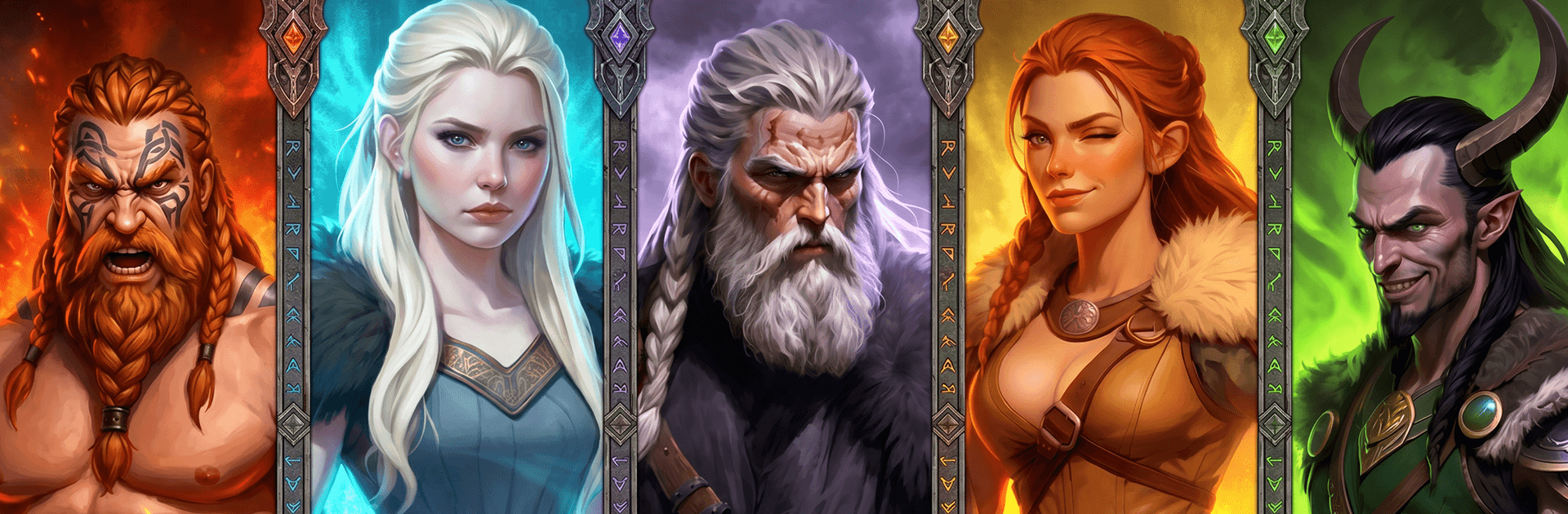
Viking Legends: Rise of Clans

Viking Legends: Rise of Clans

Strategy

| TINYSOFT - slots, slot machines & casino games

Play on PC with BlueStacks or from our cloud

  • Overview
  • Game Features
  • How to Play

Page Modified On: June 17, 2026

Play Viking Legends: Rise of Clans on PC or Mac

Explore a whole new adventure with Viking Legends: Rise of Clans, a Strategy game created by TINYSOFT – slots, slot machines & casino games. Experience great gameplay with BlueStacks, the most popular gaming platform to play Android games on your PC or Mac.

About the Game

Viking Legends: Rise of Clans drops you into a harsh northern frontier where fractured clans fight, ancient wonders sleep under the ice, and the gods don’t always answer. It’s a Strategy experience built around storytelling and tactical battles, with a creeping Frostborn curse pushing you to unite warriors, outthink rivals, and survive the long winter. Prefer playing on a bigger screen? It runs smoothly on BlueStacks.

Game Features

  • Story-driven Norse saga: March with warbands while a gritty narrative unfolds—omens of Ragnarok, whispers of Loki, and hard choices that test your claim to leadership.
  • A world carved in ice: Scout frozen forests, ruined halls, and rune-marked temples to uncover secrets, resources, and enemies buried beneath the snow.
  • Command heroes and warbands: Recruit tough Viking fighters alongside legendary champions inspired by myth, then pair their skills for devastating synergies.
  • Strategy over brute force: Positioning, timing, and the right mix of steel and sorcery matter more than raw numbers; a clever plan can crack even a stronger foe.
  • Myth and magic in combat: Call on spells and relics rooted in Norse lore to turn the tide against monsters, cursed foes, and rival clans.
  • Build strength your way: Upgrade units, refine hero abilities, and shape a clan that fits your playstyle—relentless offense, iron defense, or cunning ambushes.
  • Explore for truth and treasure: Track the Frostborn curse across forgotten kingdoms, piecing together a mystery while claiming loot that actually changes your next fight.
  • Glory won the hard way: Victories echo in legend, defeats leave scars, and every battle writes another line in your clan’s saga.

Ready to top the leaderboard? We bet you do. Let precise controls and sharp visuals optimized on BlueStacks lead you to victory.


Game Features

Enhancements

  • Macros
  • Multi Instance
  • Multi Instance Sync
  • Eco Mode
  • Enhancements
Macros

Macros

Skip the boring parts of a game. Play Viking Legends: Rise of Clans with Macros and get the edge. Simply record a sequence of commands and execute them at any moment.
Multi Instance

Multi Instance

Why limit to one game on your phone when you can play many on your PC? Open multiple instances of Viking Legends: Rise of Clans at once with Multi-Instance. Leverage the power of different accounts by doing more.
Multi Instance Sync

Multi Instance Sync

Get the best out of Viking Legends: Rise of Clans with Multi-Instance Sync. Play the game from different accounts and build your own empire. Use Multi-instance sync to repeat the action in the main BlueStacks instance on all other instances.
Eco Mode

Eco Mode

Find the rarest heroes by making multiple summons in Viking Legends: Rise of Clans. And while you are at it, reduce your PC’s resource consumption with the Eco Mode. Farm efficiently. Get the best results.
Read More

How to Download and Play Viking Legends: Rise of Clans on PC or Mac

  • Download and install BlueStacks on your PC or Mac

  • Complete Google sign-in to access the Play Store, or do it later

  • Look for Viking Legends: Rise of Clans in the search bar at the top right corner

  • Click to install Viking Legends: Rise of Clans from the search results

  • Complete Google sign-in (if you skipped step 2) to install Viking Legends: Rise of Clans

  • Click the Viking Legends: Rise of Clans icon on the home screen to start playing

video
Watch Video

Minimum System Requirements

With BlueStacks 5, you can get started on a PC that fulfills the following requirements.

  • Operating System

    Microsoft Windows 7 or above, macOS 11 (Big Sur) or above

  • Processor

    Intel, AMD or Apple Silicon Processor

  • RAM

    at least 4GB

  • HDD

    10GB Free Disk Space

Note:

* You must be an Administrator on your PC. Up to date graphics drivers from Microsoft or the chipset vendor.

Viking Legends: Rise of Clans - FAQs

  • How to play Viking Legends: Rise of Clans on Windows PC & Mac?

    Play Viking Legends: Rise of Clans on your PC or Mac by following these simple steps.

    • Click on 'Play Viking Legends: Rise of Clans on PC’ to download BlueStacks
    • Install it and log-in to Google Play Store
    • Launch and play the game.
  • Why is BlueStacks the fastest and safest platform to play games on PC?

    BlueStacks respects your privacy and is always safe and secure to use. It does not carry any malware, spyware, or any sort of additional software that could harm your PC.

    It is engineered to optimize speed and performance for a seamless gaming experience.

  • What are Viking Legends: Rise of Clans PC requirements?

    Minimum requirement to run Viking Legends: Rise of Clans on your PC

    • OS: Microsoft Windows 7 or above MacOS 11 (Big Sur) or above
    • Processor: Intel, AMD or Apple Silicon Processor
    • RAM: Your PC must have at least 4GB of RAM. (Note that having 4GB or more disk space is not a substitute for RAM)
    • HDD: 10GB Free Disk Space.
    • You must be an Administrator on your PC.