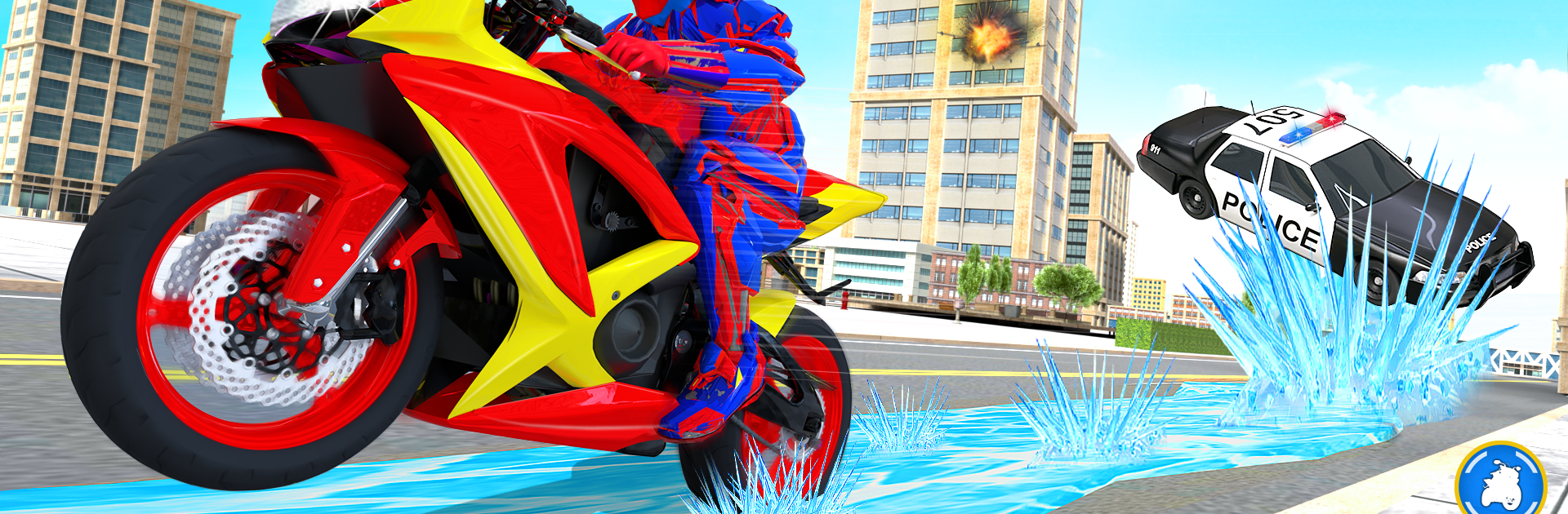
Snow Bike Transform Robot Game

Snow Bike Transform Robot Game

Strategy

| Fun Games Studioz

Play on PC with BlueStacks or from our cloud

  • Overview
  • Game Features
  • How to Play

Page Modified On: December 09, 2025

Play Snow Bike Transform Robot Game on PC or Mac

Join millions to experience Snow Bike Transform Robot Game, an exciting Strategy game from Fun Games Studioz. With BlueStacks App Player, you are always a step ahead of your opponent, ready to outplay them with faster gameplay and better control with the mouse and keyboard on your PC or Mac.

About the Game

Snow Bike Transform Robot Game is a wild mash-up of icy chases, heavy firepower, and tactical decisions. You’re a high-tech snow leopard mech that flips into a turbo snow bike, taking on robotic invaders across frozen peaks. It’s a Strategy game from Fun Games Studioz that asks you to think fast, switch forms smartly, and protect people caught in the chaos.

Game Features

  • On-the-Fly Transformation: Swap between a nimble snow bike for high-speed pursuits and a powerful leopard robot for close-range brawls and big guns. Pick the form that fits the fight.

  • Tactical Objectives: Rescue stranded civilians, intercept raiding squads, and hold key routes on slippery mountain passes. Planning matters as much as shooting.

  • Futuristic Firepower: Unleash heavy weapons to break enemy lines, from rapid-fire setups to explosive blasts. Aim clean, manage pressure, and keep the swarm under control.

  • Snowbound Battlegrounds: Icy roads, deep drifts, and steep climbs change how you move and fight. Use the terrain to set traps or stage quick getaways.

  • Adaptive Enemies: Face robotic bikes and mech-style foes that attack in waves and formations. Read their patterns, then counter with smart positioning.

  • Rescue and Protect: Clear threats, secure zones, and keep civilians safe while the invasion rages on. Your choices decide who makes it out.

  • Play Your Way: Prefer a bigger view and steady controls? Snow Bike Transform Robot Game also runs smoothly on BlueStacks for comfortable PC play.

  • Think, Then Strike: Lure enemies with the bike’s speed, transform at the perfect moment, and finish the job with precision.

Start your journey now. Download the game on BlueStacks, invite your friends, and march on a new adventure.

Game Features

Enhancements

  • Macros
  • Multi Instance
  • Multi Instance Sync
  • Eco Mode
  • Enhancements
Macros

Macros

Skip the boring parts of a game. Play Snow Bike Transform Robot Game with Macros and get the edge. Simply record a sequence of commands and execute them at any moment.
Multi Instance

Multi Instance

Why limit to one game on your phone when you can play many on your PC? Open multiple instances of Snow Bike Transform Robot Game at once with Multi-Instance. Leverage the power of different accounts by doing more.
Multi Instance Sync

Multi Instance Sync

Get the best out of Snow Bike Transform Robot Game with Multi-Instance Sync. Play the game from different accounts and build your own empire. Use Multi-instance sync to repeat the action in the main BlueStacks instance on all other instances.
Eco Mode

Eco Mode

Find the rarest heroes by making multiple summons in Snow Bike Transform Robot Game. And while you are at it, reduce your PC’s resource consumption with the Eco Mode. Farm efficiently. Get the best results.
Read More

How to Download and Play Snow Bike Transform Robot Game on PC or Mac

  • Download and install BlueStacks on your PC or Mac

  • Complete Google sign-in to access the Play Store, or do it later

  • Look for Snow Bike Transform Robot Game in the search bar at the top right corner

  • Click to install Snow Bike Transform Robot Game from the search results

  • Complete Google sign-in (if you skipped step 2) to install Snow Bike Transform Robot Game

  • Click the Snow Bike Transform Robot Game icon on the home screen to start playing

video
Watch Video

Minimum System Requirements

With BlueStacks 5, you can get started on a PC that fulfills the following requirements.

  • Operating System

    Microsoft Windows 7 or above, macOS 11 (Big Sur) or above

  • Processor

    Intel, AMD or Apple Silicon Processor

  • RAM

    at least 4GB

  • HDD

    10GB Free Disk Space

Note:

* You must be an Administrator on your PC. Up to date graphics drivers from Microsoft or the chipset vendor.

Snow Bike Transform Robot Game - FAQs

  • How to play Snow Bike Transform Robot Game on Windows PC & Mac?

    Play Snow Bike Transform Robot Game on your PC or Mac by following these simple steps.

    • Click on 'Play Snow Bike Transform Robot Game on PC’ to download BlueStacks
    • Install it and log-in to Google Play Store
    • Launch and play the game.
  • Why is BlueStacks the fastest and safest platform to play games on PC?

    BlueStacks respects your privacy and is always safe and secure to use. It does not carry any malware, spyware, or any sort of additional software that could harm your PC.

    It is engineered to optimize speed and performance for a seamless gaming experience.

  • What are Snow Bike Transform Robot Game PC requirements?

    Minimum requirement to run Snow Bike Transform Robot Game on your PC

    • OS: Microsoft Windows 7 or above MacOS 11 (Big Sur) or above
    • Processor: Intel, AMD or Apple Silicon Processor
    • RAM: Your PC must have at least 4GB of RAM. (Note that having 4GB or more disk space is not a substitute for RAM)
    • HDD: 10GB Free Disk Space.
    • You must be an Administrator on your PC.