Starguard: Evo Merge TD

Starguard: Evo Merge TD

Strategy

| ONDI TECHNOLOGY JSC

Play on PC with BlueStacks or from our cloud

Click here to Pre-Register for Starguard: Evo Merge TD
  • Overview
  • Features
  • How to Play

Page Modified On: June 18, 2026

Play Starguard: Evo Merge TD on PC or Mac

Starguard: Evo Merge TD by ONDI TECHNOLOGY JSC has plenty to keep you busy. BlueStacks lets you play it on PC or Mac with more screen space, better control, and fewer mobile limits.

About the Game

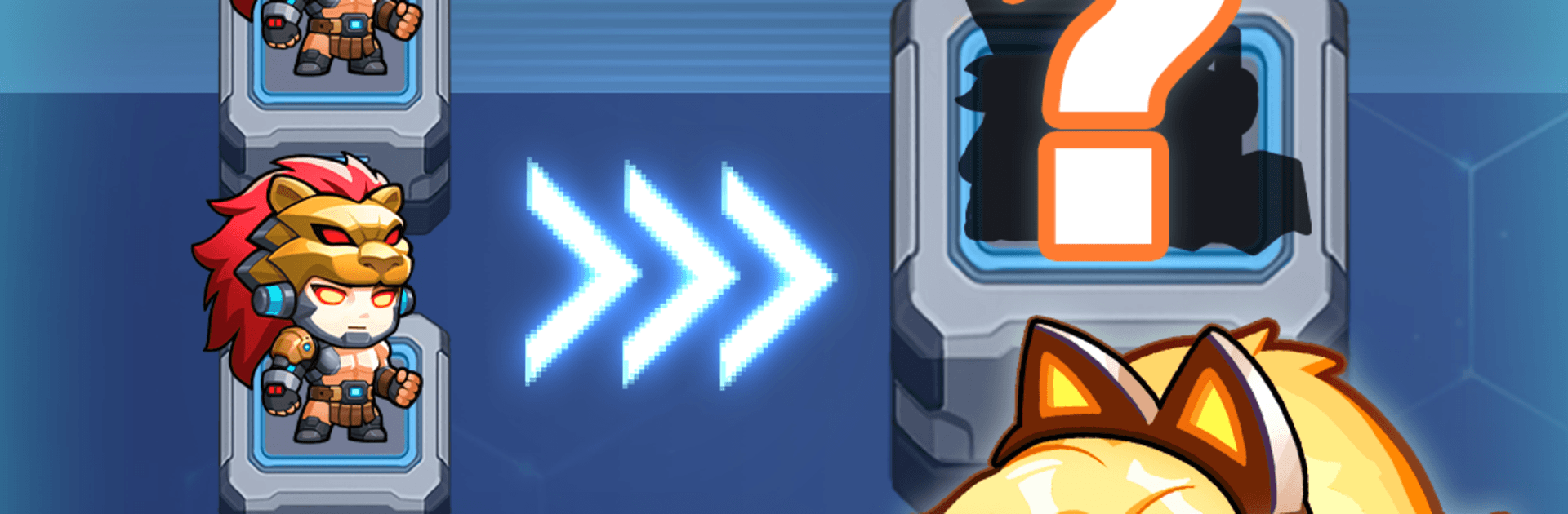
Starguard: Evo Merge TD is a Strategy take on sci‑fi tower defense where you command a squad of tiny-but-tough troopers against a relentless machine invasion. Battles hinge on smart placement, snap decisions, and on-the-spot merging that can flip a bad wave into a clean win. Build out your Captain, square off with hulking bosses, and jump between solo play, co-op, and PvP whenever you’re in the mood.

Game Features

  • Merge-on-the-fly: Combine units mid-battle to evolve your troopers instantly, react to the wave in front of you, and chase that satisfying “perfect roll.”
  • Boss encounters: Tackle zone-based chapters capped by colossal mechanical threats that punish sloppy timing and reward sharp targeting and skill use.
  • Captain loadouts: Equip high-tech Gear, Drones, and Cloaks; slot Tactical Chips; and fuse equipment to push your Captain to higher tiers that boost the whole squad.
  • Co-op defense: Team up in real time, cover each other’s lanes, and line up merges and abilities for clutch saves during tougher waves.
  • Arena PvP: Put your build and reflexes to the test against other players, climb the rankings, and refine strategies with every match.
  • Resource mining: Send units to the Mining Facility to gather materials while you’re away, then invest in upgrades or expand your roster when you’re back.
  • Snappy progression: Short, punchy rounds with meaningful upgrades keep runs lively while still leaving room for long-term planning.
  • Playful sci‑fi style: Clean 2D visuals and chibi troops mix cute with chrome for a fresh, polished look.
  • PC-friendly touch: Runs smoothly on BlueStacks if you like a bigger screen and comfy controls.

Ready to top the leaderboard? We bet you do. Let precise controls and sharp visuals optimized on BlueStacks lead you to victory.


Features

  • Macros

    Skip the boring parts of a game. Play Starguard: Evo Merge TD with Macros and get the edge. Simply record a sequence of commands and execute them at any moment.

  • Multi Instance

    Why limit to one game on your phone when you can play many on your PC? Open multiple instances of Starguard: Evo Merge TD at once with Multi-Instance. Leverage the power of different accounts by doing more.

  • Multi Instance Sync

    Get the best out of Starguard: Evo Merge TD with Multi-Instance Sync. Play the game from different accounts and build your own empire. Use Multi-instance sync to repeat the action in the main BlueStacks instance on all other instances.

  • Eco Mode

    Find the rarest heroes by making multiple summons in Starguard: Evo Merge TD. And while you are at it, reduce your PC’s resource consumption with the Eco Mode. Farm efficiently. Get the best results.

How to Download and Play Starguard: Evo Merge TD on PC or Mac

  • Download and install BlueStacks on your PC or Mac

  • Complete Google sign-in to access the Play Store, or do it later

  • Look for Starguard: Evo Merge TD in the search bar at the top right corner

  • Click to install Starguard: Evo Merge TD from the search results

  • Complete Google sign-in (if you skipped step 2) to install Starguard: Evo Merge TD

  • Click the Starguard: Evo Merge TD icon on the home screen to start playing

video
Watch Video

Minimum System Requirements

With BlueStacks 5, you can get started on a PC that fulfills the following requirements.

  • Operating System

    Microsoft Windows 7 or above, macOS 11 (Big Sur) or above

  • Processor

    Intel, AMD or Apple Silicon Processor

  • RAM

    at least 4GB

  • HDD

    10GB Free Disk Space

Note:

* You must be an Administrator on your PC. Up to date graphics drivers from Microsoft or the chipset vendor.

Exclusive Gaming Content. And More.

Get the latest updates on the BlueStacks Blog.

See More
Starguard: Evo Merge TD

Be among the first to play Starguard: Evo Merge TD on PC

Get notified when the Game launches

Starguard: Evo Merge TD - FAQs

  • How to play Starguard: Evo Merge TD on Windows PC & Mac?

    Play Starguard: Evo Merge TD on your PC or Mac by following these simple steps.

    • Click on 'Play Starguard: Evo Merge TD on PC’ to download BlueStacks
    • Install it and log-in to Google Play Store
    • Launch and play the game.
  • Why is BlueStacks the fastest and safest platform to play games on PC?

    BlueStacks respects your privacy and is always safe and secure to use. It does not carry any malware, spyware, or any sort of additional software that could harm your PC.

    It is engineered to optimize speed and performance for a seamless gaming experience.

  • What are Starguard: Evo Merge TD PC requirements?

    Minimum requirement to run Starguard: Evo Merge TD on your PC

    • OS: Microsoft Windows 7 or above MacOS 11 (Big Sur) or above
    • Processor: Intel, AMD or Apple Silicon Processor
    • RAM: Your PC must have at least 4GB of RAM. (Note that having 4GB or more disk space is not a substitute for RAM)
    • HDD: 10GB Free Disk Space.
    • You must be an Administrator on your PC.