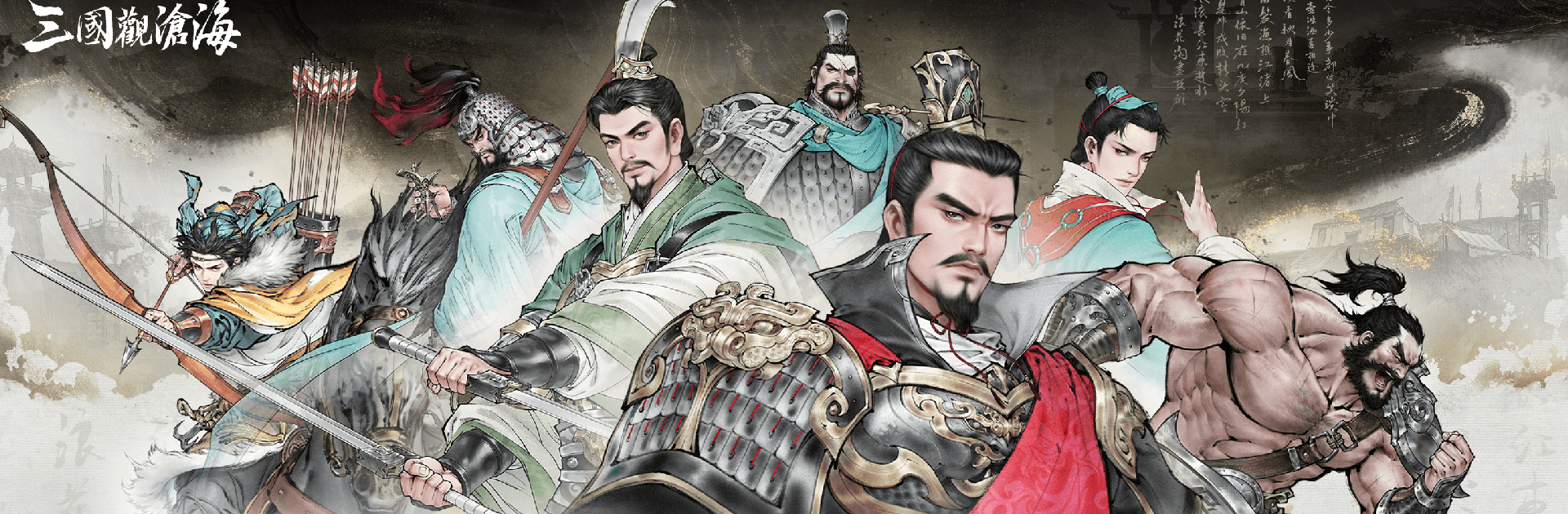
三國觀滄海:水墨風三國戰棋
三國觀滄海:水墨風三國戰棋

三國觀滄海:水墨風三國戰棋

Strategy

| TBG LIMITED

Play on PC with BlueStacks or from our cloud

  • Overview
  • Game Features
  • How to Play

Page Modified On: August 24, 2026

Play 三國觀滄海:水墨風三國戰棋 on PC or Mac

三國觀滄海:水墨風三國戰棋 brings the Strategy genre to life, and throws up exciting challenges for gamers. Developed by TBG LIMITED, this Android game is best experienced on BlueStacks, the World’s #1 app player for PC and Mac users.

About the Game

三國觀滄海:水墨風三國戰棋 turns the clash of kingdoms into a living ink painting. You’ll guide legendary commanders across sprawling battle maps, outmaneuver rival lords, and replay pivotal moments from a turbulent age through smart planning and bold calls. Genre: Strategy. Prefer a bigger canvas for your campaigns? It plays smoothly on BlueStacks with sharp visuals and comfy controls.

Game Features

  • Ink-Wash Aesthetics: Battles unfold like brushstrokes on rice paper—from misty rivers to fortress walls—giving every move a distinct, hand-painted flair.
  • Historic Scenarios, New Perspectives: Step into the boots of famed leaders—experience campaigns from Cao Cao’s viewpoint, revisit the clash at Guandu, and explore other hero arcs like Liu Bei’s long road to restoration.
  • Flanking Combos That Click: Surround an enemy to trigger synchronized strikes between paired generals, rewarding clean positioning and well-timed advances.
  • Fire, Flood, and Feints: Set camps ablaze, divert waters to break sieges, or spring ambushes when outnumbered—special tactics let you unpick tough defenses in clever ways.
  • Duels You Direct: Take manual control in tense one-on-one showdowns, from cutting down fearsome foes like Hua Xiong to endurance matches worthy of Ma Chao and Xu Chu—your timing decides the victor.
  • Terrain That Tells the Story: Choke points, bridges, and city ramparts shape every engagement, inviting bait-and-trap plays and decisive encirclements.
  • Synergy-Driven Armies: Recruit and pair complementary generals to unlock powerful follow-ups, then tailor formations to match each battlefield’s quirks.
  • BlueStacks-Friendly Play: Enjoy crisp ink detail and precise clicks on a larger screen while keeping the core feel intact and responsive.

BlueStacks gives you more room to focus on the game and less time adjusting around mobile limitations.


Game Features

Enhancements

  • Macros
  • Multi Instance
  • Multi Instance Sync
  • Eco Mode
  • Enhancements
Macros

Macros

Skip the boring parts of a game. Play 三國觀滄海:水墨風三國戰棋 with Macros and get the edge. Simply record a sequence of commands and execute them at any moment.
Multi Instance

Multi Instance

Why limit to one game on your phone when you can play many on your PC? Open multiple instances of 三國觀滄海:水墨風三國戰棋 at once with Multi-Instance. Leverage the power of different accounts by doing more.
Multi Instance Sync

Multi Instance Sync

Get the best out of 三國觀滄海:水墨風三國戰棋 with Multi-Instance Sync. Play the game from different accounts and build your own empire. Use Multi-instance sync to repeat the action in the main BlueStacks instance on all other instances.
Eco Mode

Eco Mode

Find the rarest heroes by making multiple summons in 三國觀滄海:水墨風三國戰棋. And while you are at it, reduce your PC’s resource consumption with the Eco Mode. Farm efficiently. Get the best results.
Read More

How to Download and Play 三國觀滄海:水墨風三國戰棋 on PC or Mac

  • Download and install BlueStacks on your PC or Mac

  • Complete Google sign-in to access the Play Store, or do it later

  • Look for 三國觀滄海:水墨風三國戰棋 in the search bar at the top right corner

  • Click to install 三國觀滄海:水墨風三國戰棋 from the search results

  • Complete Google sign-in (if you skipped step 2) to install 三國觀滄海:水墨風三國戰棋

  • Click the 三國觀滄海:水墨風三國戰棋 icon on the home screen to start playing

video
Watch Video

Minimum System Requirements

With BlueStacks 5, you can get started on a PC that fulfills the following requirements.

  • Operating System

    Microsoft Windows 7 or above, macOS 11 (Big Sur) or above

  • Processor

    Intel, AMD or Apple Silicon Processor

  • RAM

    at least 4GB

  • HDD

    10GB Free Disk Space

Note:

* You must be an Administrator on your PC. Up to date graphics drivers from Microsoft or the chipset vendor.

三國觀滄海:水墨風三國戰棋 - FAQs

  • How to play 三國觀滄海:水墨風三國戰棋 on Windows PC & Mac?

    Play 三國觀滄海:水墨風三國戰棋 on your PC or Mac by following these simple steps.

    • Click on 'Play 三國觀滄海:水墨風三國戰棋 on PC’ to download BlueStacks
    • Install it and log-in to Google Play Store
    • Launch and play the game.
  • Why is BlueStacks the fastest and safest platform to play games on PC?

    BlueStacks respects your privacy and is always safe and secure to use. It does not carry any malware, spyware, or any sort of additional software that could harm your PC.

    It is engineered to optimize speed and performance for a seamless gaming experience.

  • What are 三國觀滄海:水墨風三國戰棋 PC requirements?

    Minimum requirement to run 三國觀滄海:水墨風三國戰棋 on your PC

    • OS: Microsoft Windows 7 or above MacOS 11 (Big Sur) or above
    • Processor: Intel, AMD or Apple Silicon Processor
    • RAM: Your PC must have at least 4GB of RAM. (Note that having 4GB or more disk space is not a substitute for RAM)
    • HDD: 10GB Free Disk Space.
    • You must be an Administrator on your PC.