Titan Fury
Titan Fury

Titan Fury

Strategy

| Nightmarket Games

Play on PC with BlueStacks or from our cloud

  • Overview
  • Game Features
  • How to Play

Page Modified On: January 09, 2026

Play Titan Fury on PC or Mac

Step into the World of Titan Fury, a thrilling Strategy game from the house of Nightmarket Games. Play this Android game on BlueStacks App Player and experience immersive gaming on PC or Mac.

About the Game

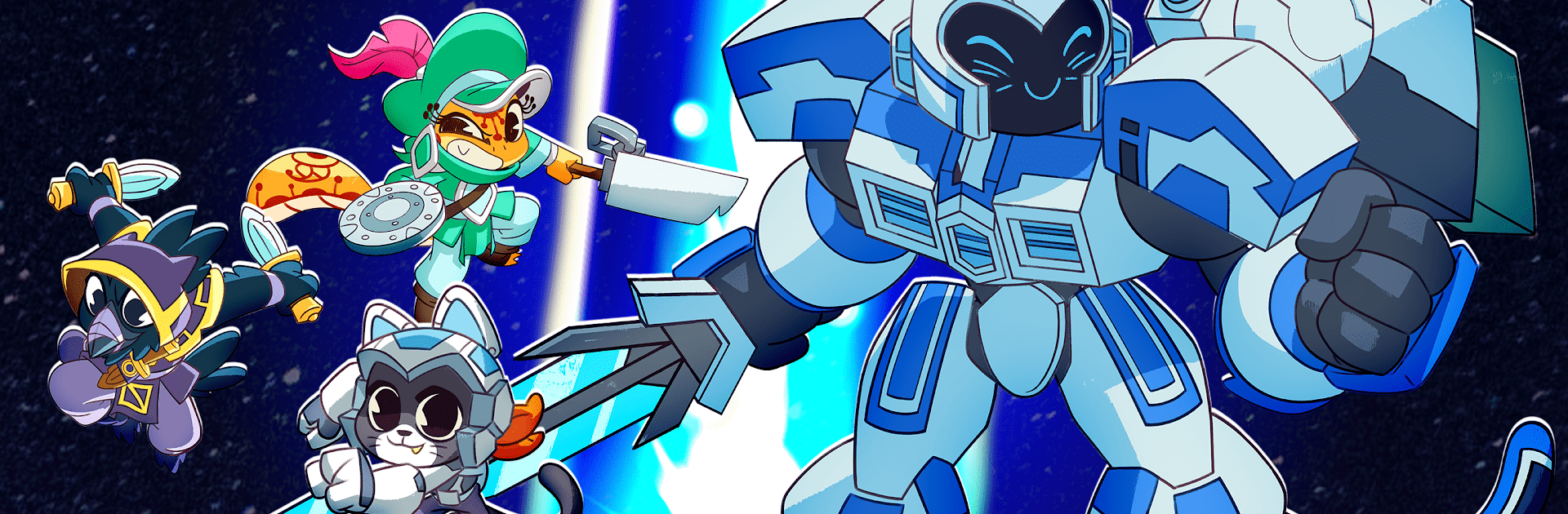
Titan Fury from Nightmarket Games is a real-time Strategy battler where you call the shots and giant Titans answer. You’ll field mechs, infantry, and colossal champions while shoring up defenses and timing flashy abilities to turn the tide. It’s fast, tactical, and surprisingly personal—every move matters when Aurica’s fate is on the line.

Game Features

  • Command Titans: Lead towering legends with distinct playstyles and explosive skills—think fiery slams or corrosive traps that completely change an engagement.
  • Real-Time Tactics: React on the fly as fronts shift. Swap targets, reposition lines, and chain abilities to punish mistakes or create openings.
  • Build and Counter: Set up towers, lay down defensive lines, and mix infantry swarms, mechs, and Titans to counter what the enemy brings.
  • Collect and Upgrade: Unlock a roster of legendary Titans and tune your lineup. Upgrades sharpen strengths and open up new team synergies.
  • Story Campaign: Fight through a single-player journey to save Aurica, with escalating scenarios that test planning, timing, and unit composition.
  • Co-op Multiplayer: Team up with friends, split roles, and coordinate pushes. A well-timed combo or surprise flank can flip a seemingly lost fight.
  • Big, Crunchy Battles: Large-scale clashes with screen-shaking moments, tight choke points, and room to pull off clever maneuvers.
  • Skill-Based Abilities: Drop decisive powers at the right second—stall a push, melt a bunker, or force a retreat. Great timing feels incredible.
  • Play Your Way: Prefer a bigger view and mouse controls? Titan Fury runs smoothly on PC with BlueStacks, without changing the core feel.

Make your gaming sessions memorable with precise controls that give you an edge in close combats and visuals that pop up, bringing every character to life.


Game Features

Enhancements

  • Macros
  • Multi Instance
  • Multi Instance Sync
  • Eco Mode
  • Enhancements
Macros

Macros

Skip the boring parts of a game. Play Titan Fury with Macros and get the edge. Simply record a sequence of commands and execute them at any moment.
Multi Instance

Multi Instance

Why limit to one game on your phone when you can play many on your PC? Open multiple instances of Titan Fury at once with Multi-Instance. Leverage the power of different accounts by doing more.
Multi Instance Sync

Multi Instance Sync

Get the best out of Titan Fury with Multi-Instance Sync. Play the game from different accounts and build your own empire. Use Multi-instance sync to repeat the action in the main BlueStacks instance on all other instances.
Eco Mode

Eco Mode

Find the rarest heroes by making multiple summons in Titan Fury. And while you are at it, reduce your PC’s resource consumption with the Eco Mode. Farm efficiently. Get the best results.
Read More

How to Download and Play Titan Fury on PC or Mac

  • Download and install BlueStacks on your PC or Mac

  • Complete Google sign-in to access the Play Store, or do it later

  • Look for Titan Fury in the search bar at the top right corner

  • Click to install Titan Fury from the search results

  • Complete Google sign-in (if you skipped step 2) to install Titan Fury

  • Click the Titan Fury icon on the home screen to start playing

video
Watch Video

Minimum System Requirements

With BlueStacks 5, you can get started on a PC that fulfills the following requirements.

  • Operating System

    Microsoft Windows 7 or above, macOS 11 (Big Sur) or above

  • Processor

    Intel, AMD or Apple Silicon Processor

  • RAM

    at least 4GB

  • HDD

    10GB Free Disk Space

Note:

* You must be an Administrator on your PC. Up to date graphics drivers from Microsoft or the chipset vendor.

Titan Fury - FAQs

  • How to play Titan Fury on Windows PC & Mac?

    Play Titan Fury on your PC or Mac by following these simple steps.

    • Click on 'Play Titan Fury on PC’ to download BlueStacks
    • Install it and log-in to Google Play Store
    • Launch and play the game.
  • Why is BlueStacks the fastest and safest platform to play games on PC?

    BlueStacks respects your privacy and is always safe and secure to use. It does not carry any malware, spyware, or any sort of additional software that could harm your PC.

    It is engineered to optimize speed and performance for a seamless gaming experience.

  • What are Titan Fury PC requirements?

    Minimum requirement to run Titan Fury on your PC

    • OS: Microsoft Windows 7 or above MacOS 11 (Big Sur) or above
    • Processor: Intel, AMD or Apple Silicon Processor
    • RAM: Your PC must have at least 4GB of RAM. (Note that having 4GB or more disk space is not a substitute for RAM)
    • HDD: 10GB Free Disk Space.
    • You must be an Administrator on your PC.