World War II: Pacific American vs Japan Wars

World War II: Pacific American vs Japan Wars

Strategy

| Ladik Apps & Games

Play on PC with BlueStacks or from our cloud

  • Overview
  • Game Features
  • How to Play

Page Modified On: September 05, 2025

Play World War II: Pacific American vs Japan Wars on PC or Mac

Bring your A-game to World War II: Pacific American vs Japan Wars, the Strategy game sensation from Ladik Apps & Games. Give your gameplay the much-needed boost with precise game controls, high FPS graphics, and top-tier features on your PC or Mac with BlueStacks.

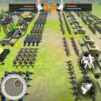
World War II: Pacific American vs Japan Wars is a straightforward real time strategy game that puts the focus on the Pacific theater. It plays like a classic tap-to-deploy RTS where players pick units like infantry, bombers, carriers, and battleships, then place them inside friendly zones and push lines forward. The flow is a mix of defending key spots such as bases, ports, and islands while staging invasions on the next shore. It is more about positioning, timing, and knowing which unit answers what threat than twitchy micro. On BlueStacks the mouse control makes dropping units and selecting targets feel clean, and the bigger screen helps read the map without squinting.

The campaign rolls through famous battles like Pearl Harbor, Midway, Guadalcanal, Iwo Jima, and Okinawa, with a simple historical framing that lets players see how the front shifts across the ocean. There is a map where they choose what to tackle next, so it is not just a straight line of missions. Units have a lot of variations and there are many equipment combinations, so experimenting is part of the fun. Matches start easy, then enemy waves hit harder and punish sloppy placements. Visuals and effects are clear rather than flashy, which actually suits a game where clarity matters. Anyone who likes easy to grasp, map-based strategy and the push-pull of naval and air battles will get what this is going for.

Slay your opponents with your epic moves. Play it your way on BlueStacks and dominate the battlefield.


Game Features

Enhancements

  • Macros
  • Multi Instance
  • Multi Instance Sync
  • Eco Mode
  • Enhancements
Macros

Macros

Skip the boring parts of a game. Play World War II: Pacific American vs Japan Wars with Macros and get the edge. Simply record a sequence of commands and execute them at any moment.
Multi Instance

Multi Instance

Why limit to one game on your phone when you can play many on your PC? Open multiple instances of World War II: Pacific American vs Japan Wars at once with Multi-Instance. Leverage the power of different accounts by doing more.
Multi Instance Sync

Multi Instance Sync

Get the best out of World War II: Pacific American vs Japan Wars with Multi-Instance Sync. Play the game from different accounts and build your own empire. Use Multi-instance sync to repeat the action in the main BlueStacks instance on all other instances.
Eco Mode

Eco Mode

Find the rarest heroes by making multiple summons in World War II: Pacific American vs Japan Wars. And while you are at it, reduce your PC’s resource consumption with the Eco Mode. Farm efficiently. Get the best results.
Read More

How to Download and Play World War II: Pacific American vs Japan Wars on PC or Mac

  • Download and install BlueStacks on your PC or Mac

  • Complete Google sign-in to access the Play Store, or do it later

  • Look for World War II: Pacific American vs Japan Wars in the search bar at the top right corner

  • Click to install World War II: Pacific American vs Japan Wars from the search results

  • Complete Google sign-in (if you skipped step 2) to install World War II: Pacific American vs Japan Wars

  • Click the World War II: Pacific American vs Japan Wars icon on the home screen to start playing

video
Watch Video

Minimum System Requirements

With BlueStacks 5, you can get started on a PC that fulfills the following requirements.

  • Operating System

    Microsoft Windows 7 or above, macOS 11 (Big Sur) or above

  • Processor

    Intel, AMD or Apple Silicon Processor

  • RAM

    at least 4GB

  • HDD

    10GB Free Disk Space

Note:

* You must be an Administrator on your PC. Up to date graphics drivers from Microsoft or the chipset vendor.

World War II: Pacific American vs Japan Wars - FAQs

  • How to play World War II: Pacific American vs Japan Wars on Windows PC & Mac?

    Play World War II: Pacific American vs Japan Wars on your PC or Mac by following these simple steps.

    • Click on 'Play World War II: Pacific American vs Japan Wars on PC’ to download BlueStacks
    • Install it and log-in to Google Play Store
    • Launch and play the game.
  • Why is BlueStacks the fastest and safest platform to play games on PC?

    BlueStacks respects your privacy and is always safe and secure to use. It does not carry any malware, spyware, or any sort of additional software that could harm your PC.

    It is engineered to optimize speed and performance for a seamless gaming experience.

  • What are World War II: Pacific American vs Japan Wars PC requirements?

    Minimum requirement to run World War II: Pacific American vs Japan Wars on your PC

    • OS: Microsoft Windows 7 or above MacOS 11 (Big Sur) or above
    • Processor: Intel, AMD or Apple Silicon Processor
    • RAM: Your PC must have at least 4GB of RAM. (Note that having 4GB or more disk space is not a substitute for RAM)
    • HDD: 10GB Free Disk Space.
    • You must be an Administrator on your PC.