Stick Epic War Simulator RTS

Stick Epic War Simulator RTS

Strategy

| Ladik Apps & Games

Play on PC with BlueStacks or from our cloud

  • Overview
  • Game Features
  • How to Play

Page Modified On: September 12, 2025

Play Stick Epic War Simulator RTS on PC or Mac

From the innovators and creators at Ladik Apps & Games, Stick Epic War Simulator RTS is another fun addition to the World of Strategy games. Go beyond your mobile screen and play it bigger and better on your PC or Mac. An immersive experience awaits you.

About the Game

Stick Epic War Simulator RTS is a no-nonsense Strategy sandbox where you set the plan and watch it play out in chaotic, stick-figure glory. Pick your army, spend your gold wisely, and position every unit before the clash begins. Battles unfold in real time, so a smart formation or a tiny tweak can flip the outcome fast.

Game Features

  • Tactical Sandbox Battles: Place units on the field, consider angles and spacing, then hit start and see your plan come to life.
  • Smart Enemy Behavior: Units react on the fly, pushing, flanking, or holding lines in ways that make each skirmish feel fresh.
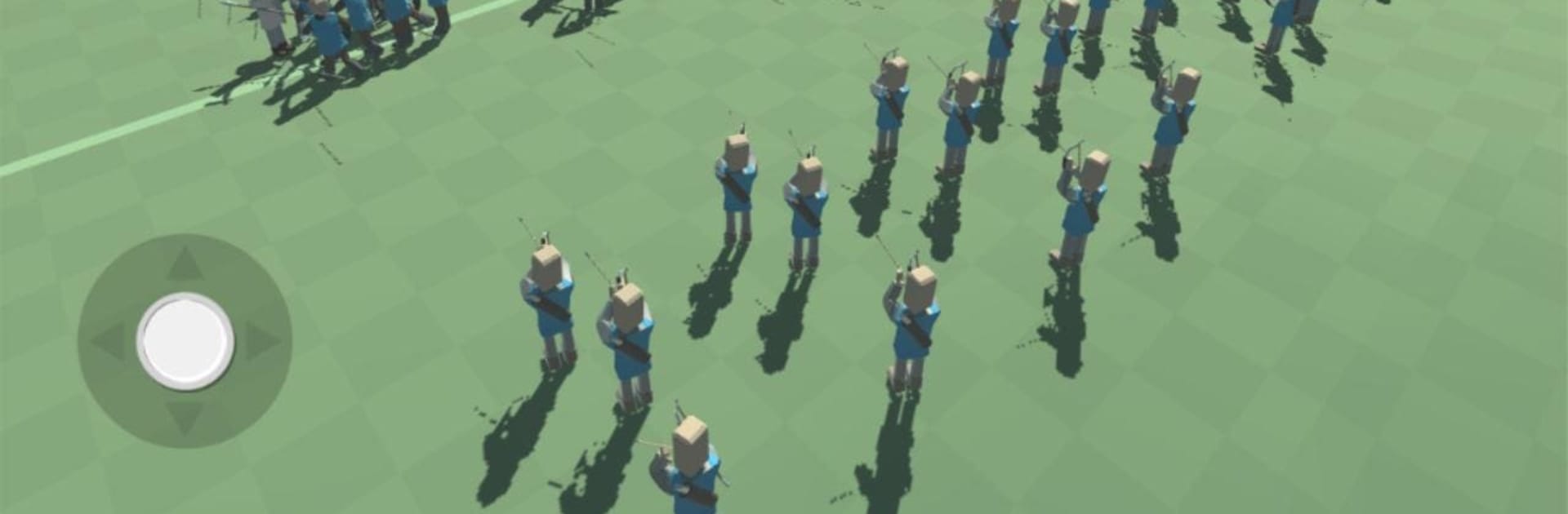
  • Big Roster of Troops: Build your force with archers, spearmen, cavalry, giants, goblins, and classic soldiers, each with strengths that invite experimentation.
  • 36 Handcrafted Missions: Tackle a growing set of scenarios that challenge different strategies—from tight choke points to wide, messy brawls.
  • Easy to Learn, Fun to Master: Simple controls and quick setups keep things moving, while timing and placement reward careful thinking.
  • Play Offline: No connection? No problem. You can run missions and test lineups whenever you want.
  • Clean Stickman Style: Minimal, cartoon-style visuals make it easy to read the battlefield and spot what went right (or wrong).
  • Resource Management: Work within a gold budget, mixing cheap units with heavy hitters to create a squad that actually works.
  • PC-Friendly Option: Prefer a bigger screen and mouse control? You can play Stick Epic War Simulator RTS on your PC using BlueStacks.
  • From Ladik Apps & Games: A focused Strategy experience built for quick battles and satisfying outcomes.

Make your gaming sessions memorable with precise controls that give you an edge in close combats and visuals that pop up, bringing every character to life.


Game Features

Enhancements

  • Macros
  • Multi Instance
  • Multi Instance Sync
  • Eco Mode
  • Enhancements
Macros

Macros

Skip the boring parts of a game. Play Stick Epic War Simulator RTS with Macros and get the edge. Simply record a sequence of commands and execute them at any moment.
Multi Instance

Multi Instance

Why limit to one game on your phone when you can play many on your PC? Open multiple instances of Stick Epic War Simulator RTS at once with Multi-Instance. Leverage the power of different accounts by doing more.
Multi Instance Sync

Multi Instance Sync

Get the best out of Stick Epic War Simulator RTS with Multi-Instance Sync. Play the game from different accounts and build your own empire. Use Multi-instance sync to repeat the action in the main BlueStacks instance on all other instances.
Eco Mode

Eco Mode

Find the rarest heroes by making multiple summons in Stick Epic War Simulator RTS. And while you are at it, reduce your PC’s resource consumption with the Eco Mode. Farm efficiently. Get the best results.
Read More

How to Download and Play Stick Epic War Simulator RTS on PC or Mac

  • Download and install BlueStacks on your PC or Mac

  • Complete Google sign-in to access the Play Store, or do it later

  • Look for Stick Epic War Simulator RTS in the search bar at the top right corner

  • Click to install Stick Epic War Simulator RTS from the search results

  • Complete Google sign-in (if you skipped step 2) to install Stick Epic War Simulator RTS

  • Click the Stick Epic War Simulator RTS icon on the home screen to start playing

video
Watch Video

Minimum System Requirements

With BlueStacks 5, you can get started on a PC that fulfills the following requirements.

  • Operating System

    Microsoft Windows 7 or above, macOS 11 (Big Sur) or above

  • Processor

    Intel, AMD or Apple Silicon Processor

  • RAM

    at least 4GB

  • HDD

    10GB Free Disk Space

Note:

* You must be an Administrator on your PC. Up to date graphics drivers from Microsoft or the chipset vendor.

Stick Epic War Simulator RTS - FAQs

  • How to play Stick Epic War Simulator RTS on Windows PC & Mac?

    Play Stick Epic War Simulator RTS on your PC or Mac by following these simple steps.

    • Click on 'Play Stick Epic War Simulator RTS on PC’ to download BlueStacks
    • Install it and log-in to Google Play Store
    • Launch and play the game.
  • Why is BlueStacks the fastest and safest platform to play games on PC?

    BlueStacks respects your privacy and is always safe and secure to use. It does not carry any malware, spyware, or any sort of additional software that could harm your PC.

    It is engineered to optimize speed and performance for a seamless gaming experience.

  • What are Stick Epic War Simulator RTS PC requirements?

    Minimum requirement to run Stick Epic War Simulator RTS on your PC

    • OS: Microsoft Windows 7 or above MacOS 11 (Big Sur) or above
    • Processor: Intel, AMD or Apple Silicon Processor
    • RAM: Your PC must have at least 4GB of RAM. (Note that having 4GB or more disk space is not a substitute for RAM)
    • HDD: 10GB Free Disk Space.
    • You must be an Administrator on your PC.