
AndFTP File Manager
AndFTP File Manager

AndFTP File Manager

Tools

| LYSESOFT

Play on PC with BlueStacks or from our cloud

  • Overview
  • How to Download

Page Modified On: January 02, 2026

Run AndFTP File Manager on PC or Mac

Upgrade your experience. Try AndFTP File Manager, the fantastic Tools app from LYSESOFT, from the comfort of your laptop, PC, or Mac, only on BlueStacks.

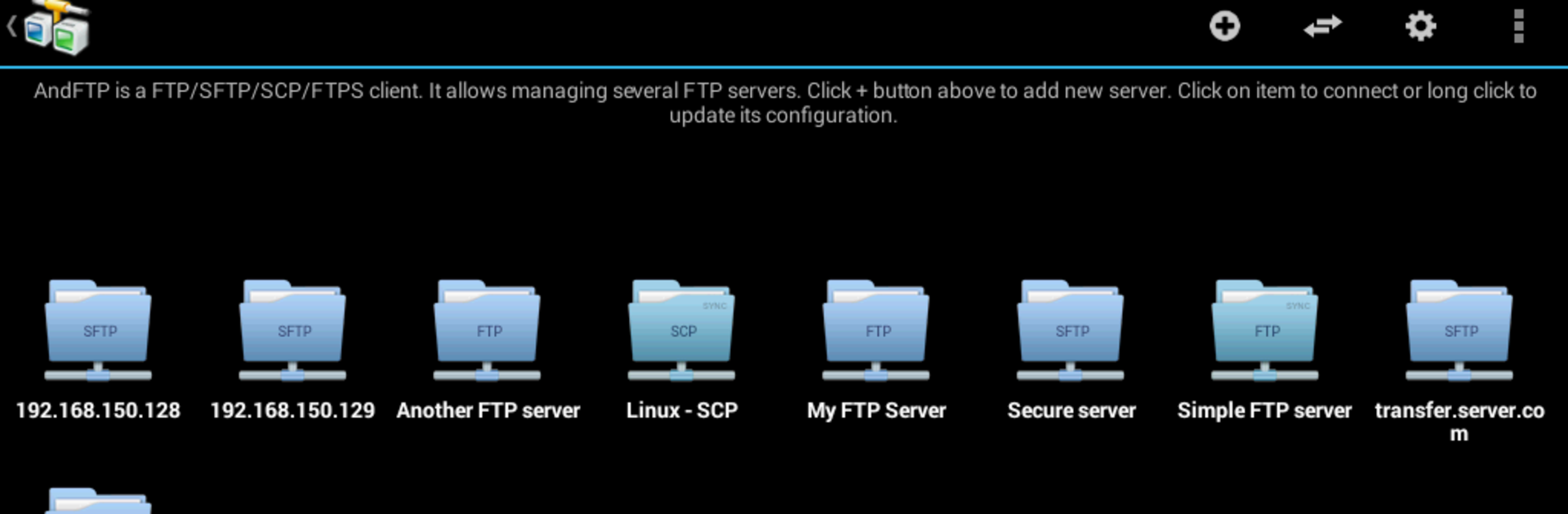
AndFTP feels like a straight to the point file mover for anyone who deals with servers. It handles FTP, SFTP, SCP, and FTPS without fuss, and it can store several site profiles so switching between a staging box and a live one is quick. The app works as both a local and remote file manager, so copying from phone storage to a server feels like shuffling files between two folders. Transfers support pause and resume, which helps when a connection drops, and there is a basic sync tool for keeping a folder matched up if that is all someone needs. What stands out is how direct the controls are. Open files on the device or on the server, rename, delete, tweak permissions with chmod, even run custom commands when a host needs something specific.

Security stuff is covered too, with SSH keys supported, RSA or DSA, so logging in without passwords is easy to set up. Sharing a photo or video straight from the gallery to a server is there, and other apps can hand off files to AndFTP via intents, so workflows do not feel broken. On a PC with BlueStacks, the bigger window, a proper keyboard, and drag selection make batch renames and permission edits a lot less fiddly. Folder synchronization that runs the whole directory is in the Pro upgrade only, so anyone who wants automated mirroring should know that before diving in. The rest is tight, fast to learn, and stays out of the way.

Big screen. Bigger performance. Use BlueStacks on your PC or Mac to run your favorite apps.

How to Download and Run AndFTP File Manager on PC or Mac

  • Download and install BlueStacks on your PC or Mac

  • Complete Google sign-in to access the Play Store, or do it later

  • Look for AndFTP File Manager in the search bar at the top right corner

  • Click to install AndFTP File Manager from the search results

  • Complete Google sign-in (if you skipped step 2) to install AndFTP File Manager

  • Click the AndFTP File Manager icon on the home screen to start playing

video
Watch Video

Minimum System Requirements

With BlueStacks 5, you can get started on a PC that fulfills the following requirements.

  • Operating System

    Microsoft Windows 7 or above, macOS 11 (Big Sur) or above

  • Processor

    Intel, AMD or Apple Silicon Processor

  • RAM

    at least 4GB

  • HDD

    10GB Free Disk Space

Note:

* You must be an Administrator on your PC. Up to date graphics drivers from Microsoft or the chipset vendor.

AndFTP File Manager - FAQs

  • How to Run AndFTP File Manager on Windows PC & Mac?

    Run AndFTP File Manager on your PC or Mac by following these simple steps.

    • Click on ‘Download AndFTP File Manager on PC’ to download BlueStacks
    • Install it and log-in to Google Play Store
    • Launch and run the app.
  • Why is BlueStacks the fastest and safest platform to play games on PC?

    BlueStacks respects your privacy and is always safe and secure to use. It does not carry any malware, spyware, or any sort of additional software that could harm your PC.

    It is engineered to optimize speed and performance for a seamless gaming experience.

  • What are AndFTP File Manager PC requirements?

    Minimum requirement to run AndFTP File Manager on your PC

    • OS: Microsoft Windows 7 and above:
    • Processor: Intel or AMD Processor:
    • RAM: Your PC must have at least 2GB of RAM. (Note that having 2GB or more disk space is not a substitute for RAM):
    • HDD: 5GB Free Disk Space.
    • You must be an Administrator on your PC.




