
New Recruit
New Recruit

New Recruit

Tools

| New Recruit

Play on PC with BlueStacks or from our cloud

  • Overview
  • How to Download

Page Modified On: May 29, 2025

Run New Recruit on PC or Mac

Get freedom from your phone’s obvious limitations. Use New Recruit, made by New Recruit, a Tools app on your PC or Mac with BlueStacks, and level up your experience.

About the App

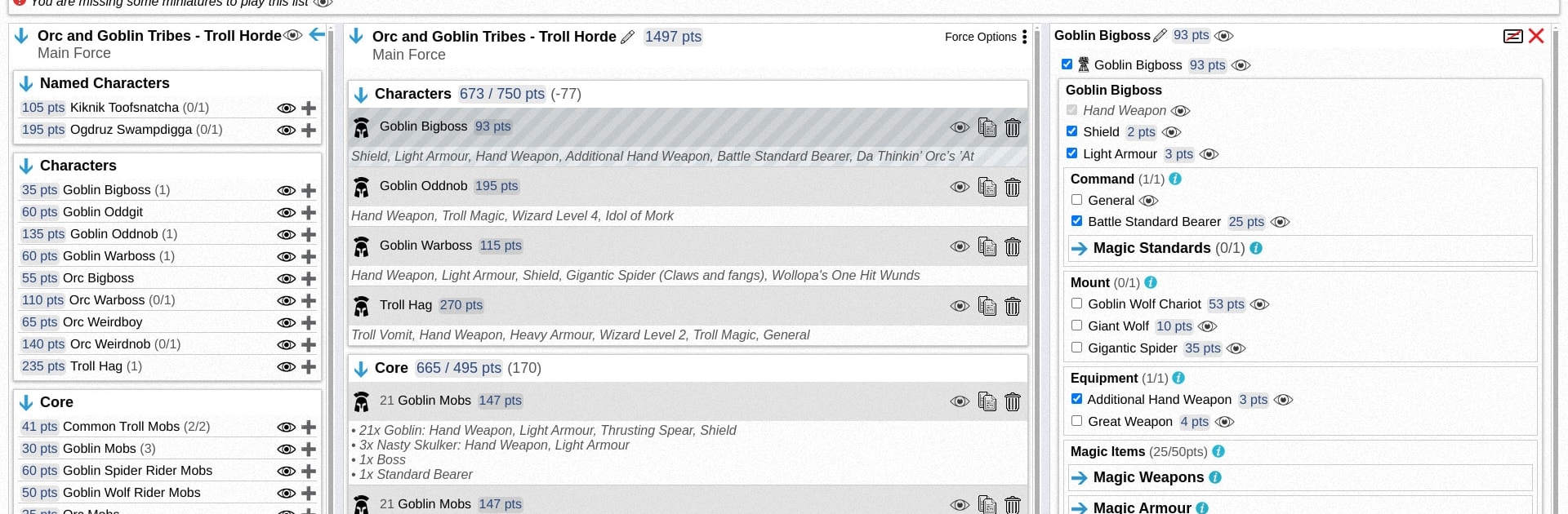
Ever get lost trying to keep track of all your tabletop armies, tournament pairings, and game stats? New Recruit makes the nitty-gritty of army list building and managing your games a whole lot easier. Whether you’re gearing up for Warhammer 40,000, The Old World, or something entirely different, this app helps you stay organized so you can focus more on rolling dice and having a good time.

App Features

  • Army List Builder

    • Easily build and manage detailed army lists for a bunch of tabletop games. New Recruit plays nicely with Battlescribe files, making it a snap to import your old lists—just drop in those .ros or .rosz files.
  • Tournament Organizer

    • Planning a big game night or a full-on tournament? Run events using formats like swiss rounds, double elimination, or direct knockout. The app handles all the pairings and brackets, so you don’t have to.
  • Game Result Tracking

    • Want to see how you’re actually doing? Keep records of all your games—whether they’re competitive tournaments or just friendly matches at home.
  • Stat Breakdown

    • Dive into your own stats whenever you’re curious. Check your win rates by faction, see which units are MVPs, and get a better feel for your strengths (or weaknesses).

And yes—if you like running your gaming tools on BlueStacks, New Recruit works smoothly there too, letting you manage everything right from your desktop.

BlueStacks gives you the much-needed freedom to experience your favorite apps on a bigger screen. Get it now.


How to Download and Run New Recruit on PC or Mac

  • Download and install BlueStacks on your PC or Mac

  • Complete Google sign-in to access the Play Store, or do it later

  • Look for New Recruit in the search bar at the top right corner

  • Click to install New Recruit from the search results

  • Complete Google sign-in (if you skipped step 2) to install New Recruit

  • Click the New Recruit icon on the home screen to start playing

video
Watch Video

Minimum System Requirements

With BlueStacks 5, you can get started on a PC that fulfills the following requirements.

  • Operating System

    Microsoft Windows 7 or above, macOS 11 (Big Sur) or above

  • Processor

    Intel, AMD or Apple Silicon Processor

  • RAM

    at least 4GB

  • HDD

    10GB Free Disk Space

Note:

* You must be an Administrator on your PC. Up to date graphics drivers from Microsoft or the chipset vendor.

New Recruit - FAQs

  • How to Run New Recruit on Windows PC & Mac?

    Run New Recruit on your PC or Mac by following these simple steps.

    • Click on ‘Download New Recruit on PC’ to download BlueStacks
    • Install it and log-in to Google Play Store
    • Launch and run the app.
  • Why is BlueStacks the fastest and safest platform to play games on PC?

    BlueStacks respects your privacy and is always safe and secure to use. It does not carry any malware, spyware, or any sort of additional software that could harm your PC.

    It is engineered to optimize speed and performance for a seamless gaming experience.

  • What are New Recruit PC requirements?

    Minimum requirement to run New Recruit on your PC

    • OS: Microsoft Windows 7 and above:
    • Processor: Intel or AMD Processor:
    • RAM: Your PC must have at least 2GB of RAM. (Note that having 2GB or more disk space is not a substitute for RAM):
    • HDD: 5GB Free Disk Space.
    • You must be an Administrator on your PC.



