BlueAI Skills: Give Your AI Worker More Ways to Get Things Done
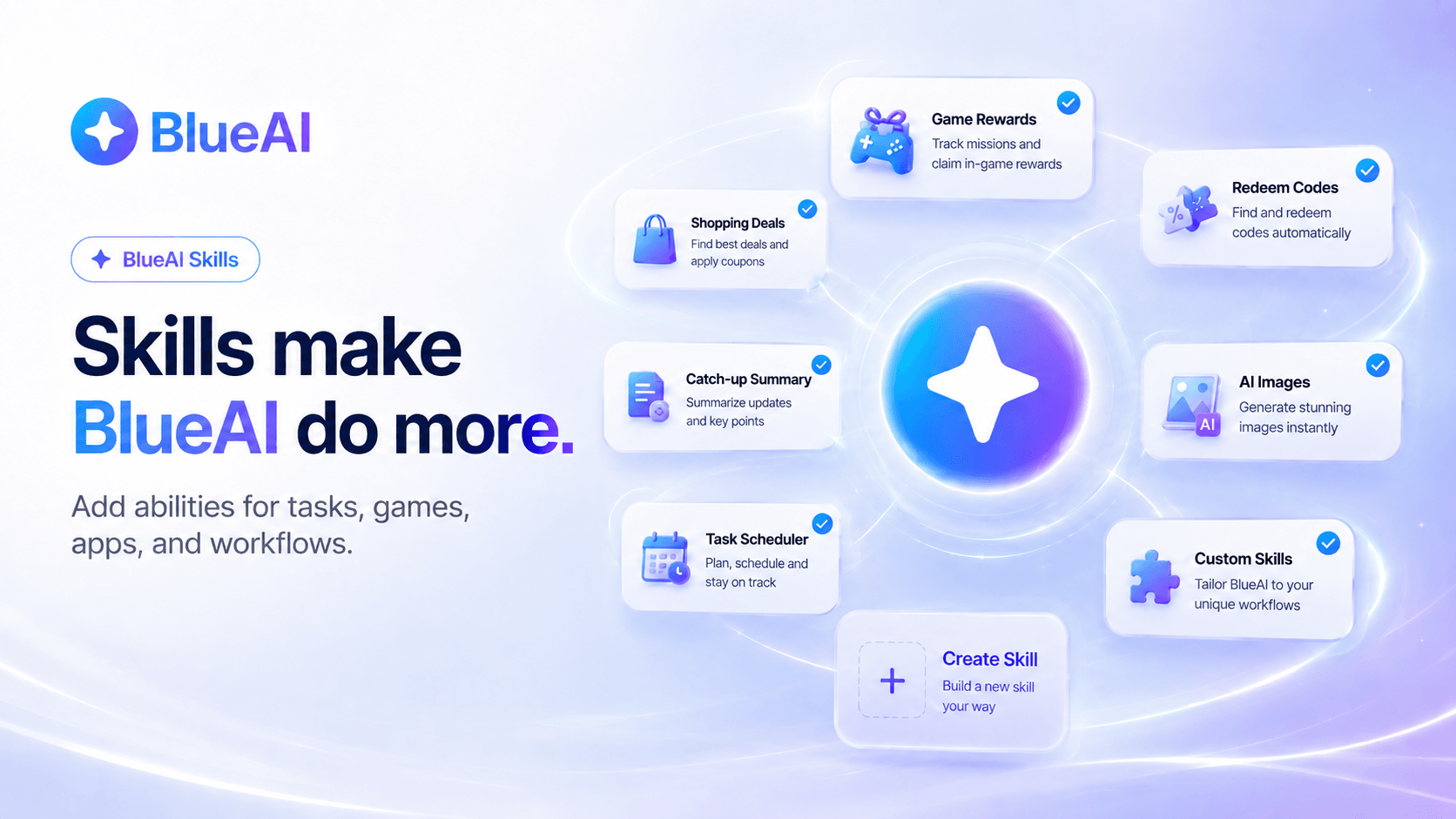
BlueAI is built to help you get more done without doing every step yourself. But the real power of BlueAI starts with Skills. A Skill is a focused ability that helps BlueAI handle a specific task more consistently, so you do not have to explain the same workflow again and again.
Think of it this way: if BlueAI is your AI worker, Skills are the things it learns to do well. One Skill can help check rewards in a supported game. Another can find redeem codes. Another can summarize updates, compare deals, draft replies, generate images, or run a task later on a schedule.
What are BlueAI Skills?
BlueAI Skills are reusable instructions that tell BlueAI how to complete a specific task. Each Skill has a name, description, and step-by-step instructions. When you ask BlueAI for something, it can use the right Skill based on what you want to get done.
This makes BlueAI more useful than a normal chatbot. Instead of starting from scratch every time, you can save repeat workflows as Skills and use them whenever needed.
Why Skills matter
Everyday digital work is full of small repeat tasks: checking rewards, finding guides, comparing offers, catching up on messages, creating posts, saving notes, or setting reminders. These tasks are not always hard, but they take time because you keep switching between apps, pages, and tools.
Skills help reduce that repeated effort. They give BlueAI focused abilities for the work you actually do, so tasks can move faster from prompt to progress.
What can BlueAI Skills help you do?
BlueAI Skills can support many everyday tasks across apps, games, social, shopping, content, productivity, and workflows.
- Job search: Find matching roles, shortlist openings, prepare applications, and help with job search workflows where supported.
- AI video creation: Turn a topic into scripts, visuals, captions, voiceover, and short-form video ideas for channels, reels, or explainers.
- Market analysis: Review watchlists, holdings, or stock data and explain market signals for education only, without placing trades.
- Prediction market alerts: Track selected odds or event markets, monitor movement, and send alerts when probabilities change, without placing bets.
- Game routines: Check available rewards, find redeem codes, look up guides, track events, and get quick strategy help where supported.
- Shopping and deals: Compare prices, check offers, and find better options before you buy.
- Catch-ups: Summarize chats, creators, communities, pages, or updates you missed.
- Content and replies: Draft cleaner replies, prepare captions, summarize content, or create post ideas.
- AI images: Generate or refine image prompts and create visuals faster.
- Scheduling: Run supported prompts later or turn repeated actions into scheduled workflows.
- Custom workflows: Create your own Skill for a task you repeat often.
The goal is simple: give BlueAI a task once, then make it easier to run again.
Create your own Skill
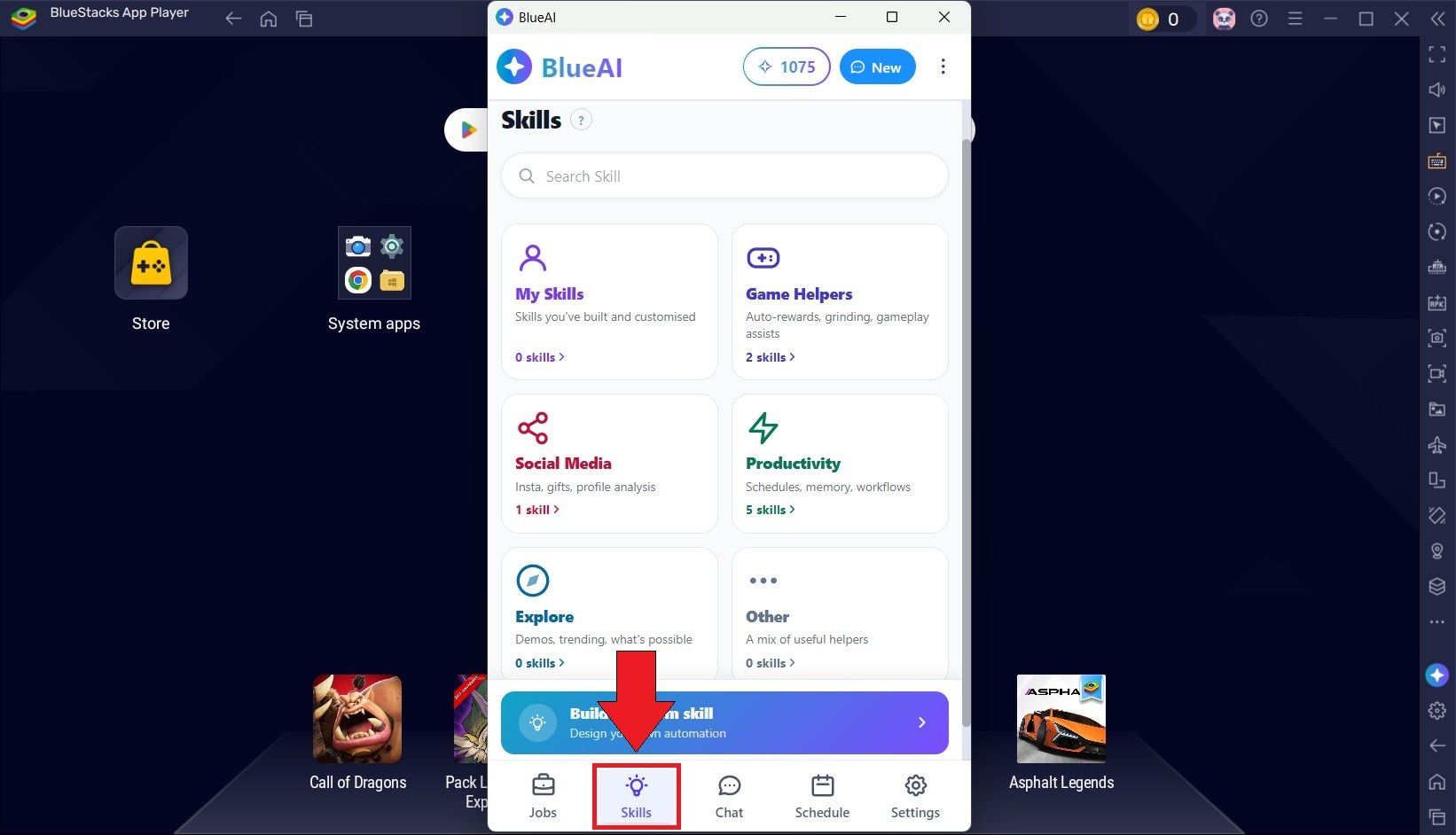
You can also create your own Skills in BlueAI. Open the Skills section, click + New, add a clear name, describe when the Skill should be used, and write the steps BlueAI should follow.
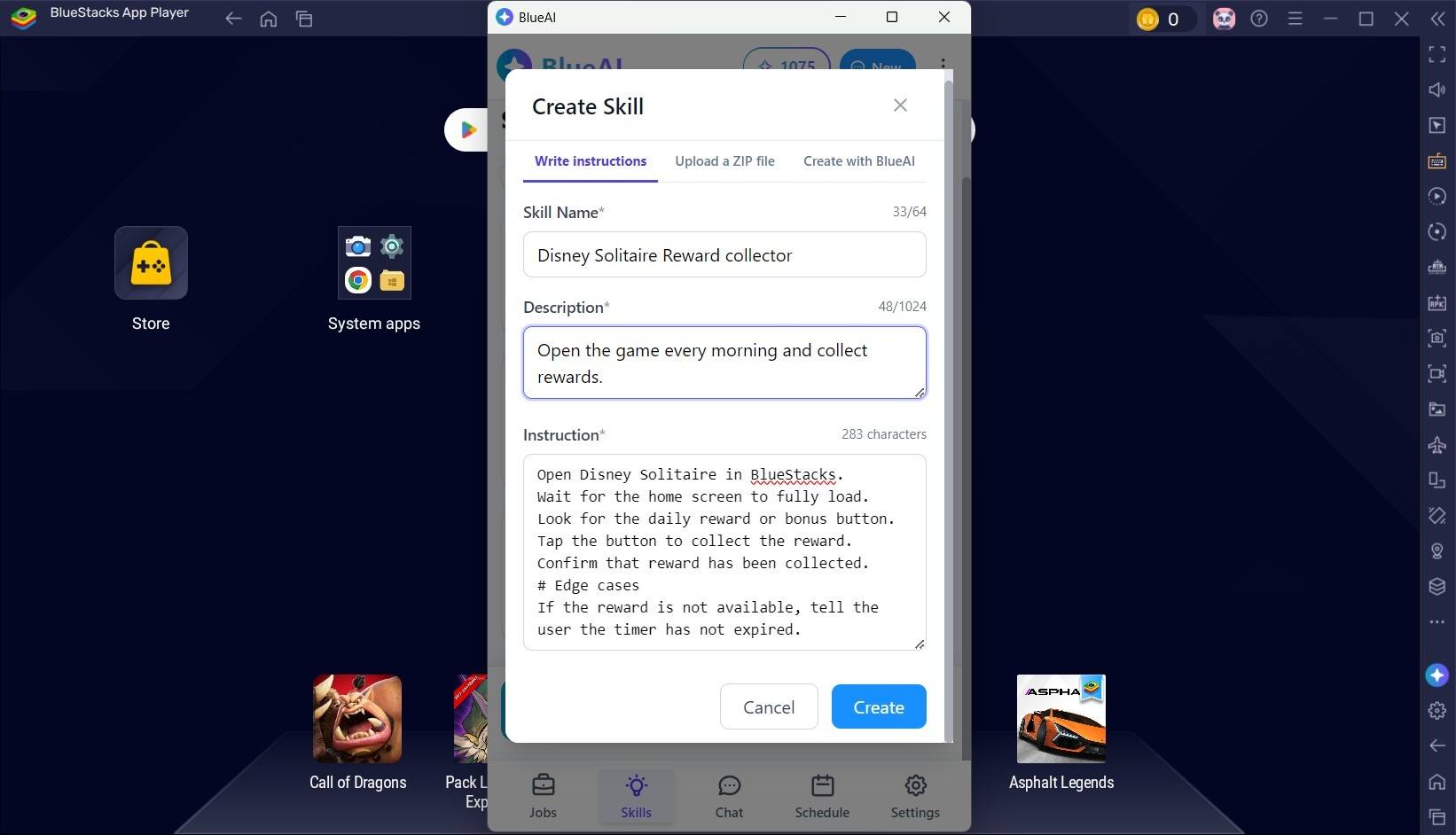
For example, instead of explaining your daily game reward routine every time, you can create a Skill that tells BlueAI which game to open, where to check, what to collect, and what to do if the reward is not available. Once saved, you can ask naturally, such as: “Collect my Disney Solitaire daily reward.”
You can also ask BlueAI to help create a Skill for you. Start with: “I want to create a Skill for…” and describe the task you want to repeat.
Tips for better Skills
A good Skill should be specific. Instead of naming it Game Helper, use a name like Disney Solitaire Daily Reward Collector. Instead of writing a vague description, explain exactly when BlueAI should use it. Add clear steps, expected outcomes, and edge cases such as pop-ups, unavailable rewards, or login screens.
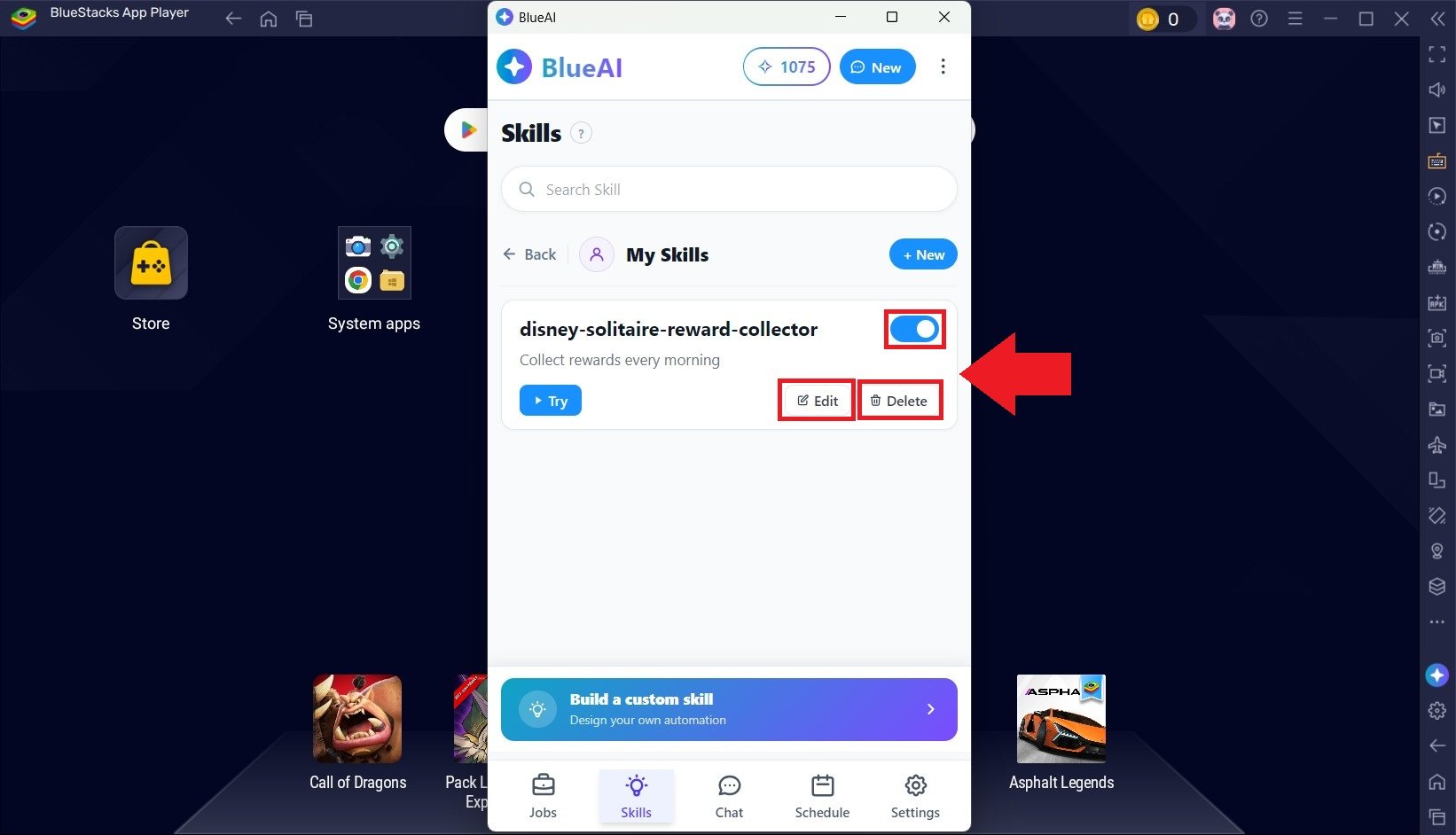
The clearer the Skill, the easier it is for BlueAI to use it at the right time.
Skills make BlueAI more personal
Skills help BlueAI grow around the tasks you care about. You can try ready-made Skills, disable the ones you do not need, and create your own for repeat workflows. That makes BlueAI feel less like one fixed assistant and more like an AI worker you can shape for your apps, games, routines, and everyday tasks.
If you are new to Skills, start small. Pick one task you repeat often, turn it into a Skill, test it, and improve the instructions over time.
Start exploring BlueAI Skills
BlueAI Skills are one of the easiest ways to get more out of your AI worker. Try BlueAI Skills to make repeat tasks easier to run — from game routines and app workflows to content, scheduling, shopping, and more.
Explore more BlueAI guides: