How to Install and Play HEAVENHELLS Anime Squad RPG on PC with BlueStacks


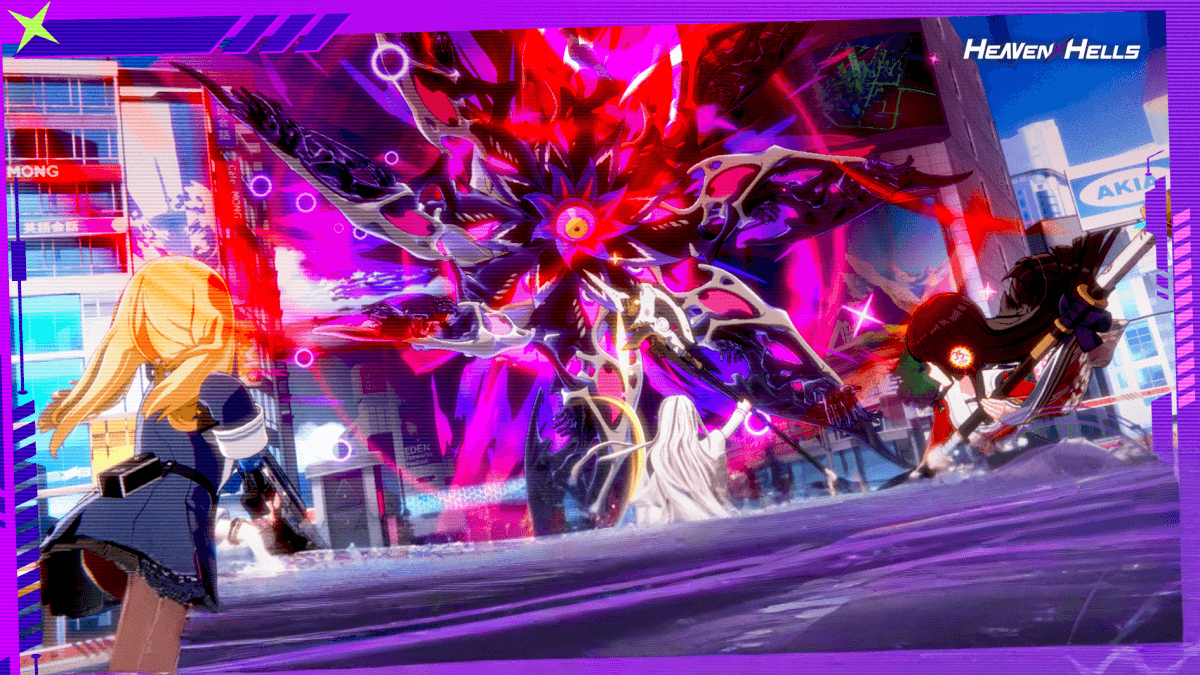
HEAVENHELLS: Anime Squad RPG is an anime role-playing game where you take charge of a powerful squad of fighters called WiTCHes. The world has been broken by a strange event, and dangerous enemies known as Hellions are spreading chaos.
As the Captain, your role is to lead your team, plan smart moves, and win battles in real time. Each character has special skills, so picking the right team matters a lot. The game mixes story scenes, fast combat, and character moments. This makes it fun for players who enjoy anime-style adventures and strategy gameplay.
How to Install HEAVENHELLS: Anime Squad RPG on PC
- Visit the game’s page and click on the “Play HEAVENHELLS: Anime Squad RPG on PC” button.
- Save and open the installer file from your browser’s downloads tab.
- Install BlueStacks and launch it once the setup is done.
- Log into the Google Play Store, download HEAVENHELLS: Anime Squad RPG, and jump right into the action.
How to Install HEAVENHELLS: Anime Squad RPG on Mac with BlueStacks Air
- Get the Installer: Go to the game’s page and click on the “Play HEAVENHELLS: Anime Squad RPG on Mac” button.
- Install BlueStacks Air: Open the BlueStacksInstaller.pkg file and follow the on-screen steps.
- Open and Sign In: Launch BlueStacks Air from Applications or Launchpad and log in with your Google account.
- Download HEAVENHELLS: Anime Squad RPG: Search for HEAVENHELLS: Anime Squad RPG in the Play Store and install it.
- Start Playing: Open the game and begin your journey as a Captain.
Already Using BlueStacks? Follow These Steps
- Go to the game’s page and press the “HEAVENHELLS: Anime Squad RPG on PC” button.
- Open BlueStacks on your PC or Mac.
- Install the game through the BlueStacks Store or Google Play Store.
- Launch HEAVENHELLS: Anime Squad RPG and begin playing.
Minimum System Requirements
BlueStacks runs smoothly on most modern computers, which makes it easy to play HEAVENHELLS: Anime Squad RPG without heavy hardware needs:
- OS: Microsoft Windows 7 or higher, macOS 11 (Big Sur) or higher
- Processor: Intel, AMD, or Apple Silicon (M1–M4)
- RAM: At least 4GB
- Storage: Minimum 10GB of free disk space
- Permissions: Administrator rights on your device
- Graphics Drivers: Latest drivers from Microsoft or your chipset provider
HEAVENHELLS: Anime Squad RPG is a great pick for players who enjoy anime stories, team building, and action battles. You can play it during short breaks or longer sessions when you want to follow the story and grow your squad.
Playing HEAVENHELLS: Anime Squad RPG on PC or Mac with BlueStacks gives you better control over every move. You can use a keyboard and mouse for more precise actions, see all the details on a bigger screen, and enjoy smoother gameplay without worrying about battery drain. This setup makes every battle feel easier to manage and more enjoyable overall.