How to Install and Play Identity V on PC with BlueStacks


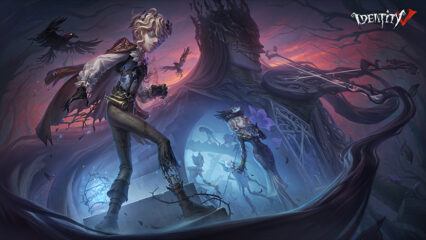
Identity V is a spooky multiplayer game where one player becomes the Hunter and the others play as Survivors trying to escape. Each match feels tense, as Survivors work together to decode machines and open the gate, while the Hunter chases them down.
This role-playing game has a dark, gothic style that makes every round feel like a mystery story. You can switch roles anytime, so you get to try both sides of the game. Each character has different skills, which means every match can feel fresh. Whether you like teamwork or chasing opponents, Identity V keeps things exciting and full of surprises.
How to Install Identity V on PC
- Head to the game’s page and click on the “Play Identity V on PC” button.
- Wait for the installer file to download, then open it from your browser.
- Set up BlueStacks and launch it once the installation is complete.
- Log in to the Google Play Store and install Identity V.
How to Install Identity V on Mac with BlueStacks Air
- Download BlueStacks Air: Visit the game page and click “Play Identity V on Mac” to get the installer.
- Install BlueStacks Air: Open the BlueStacksInstaller.pkg file and follow the steps shown on screen.
- Launch and Sign-In: Start BlueStacks Air from your Applications folder or Launchpad and log in with your Google account.
- Install Identity V: Search for the game in the Play Store and install it.
- Start Playing: Open Identity V and jump into your first match.
Already Using BlueStacks? Here’s What To Do
- Go to the game’s page and press the “Identity V on PC” button.
- Open BlueStacks on your computer.
- Install the game from the BlueStacks Store or Google Play Store.
- Launch Identity V and begin playing.
Minimum System Requirements
To run Identity V smoothly, your PC or Mac should meet these basic needs:
- OS: Microsoft Windows 7 or newer, macOS 11 (Big Sur) or newer
- Processor: Intel or AMD CPU, or Apple Silicon (M1–M4)
- RAM: At least 4GB
- Storage: 10GB of free space
- Permissions: Administrator access required
- Graphic Drivers: Updated drivers from Microsoft or your hardware maker
Identity V is great for players who enjoy fast matches and teamwork. And since each round is different, you never know what will happen next. You can play with friends, plan escapes together, or test your skills as the Hunter. The mix of strategy and quick decisions keeps every game interesting.
Playing Identity V on PC or Mac with BlueStacks makes everything easier to control. And using a keyboard and mouse helps you react faster during chases. A bigger screen also lets you see more of the map, which can give you an advantage.