How to Install and Play Subway Surfers City on PC with BlueStacks


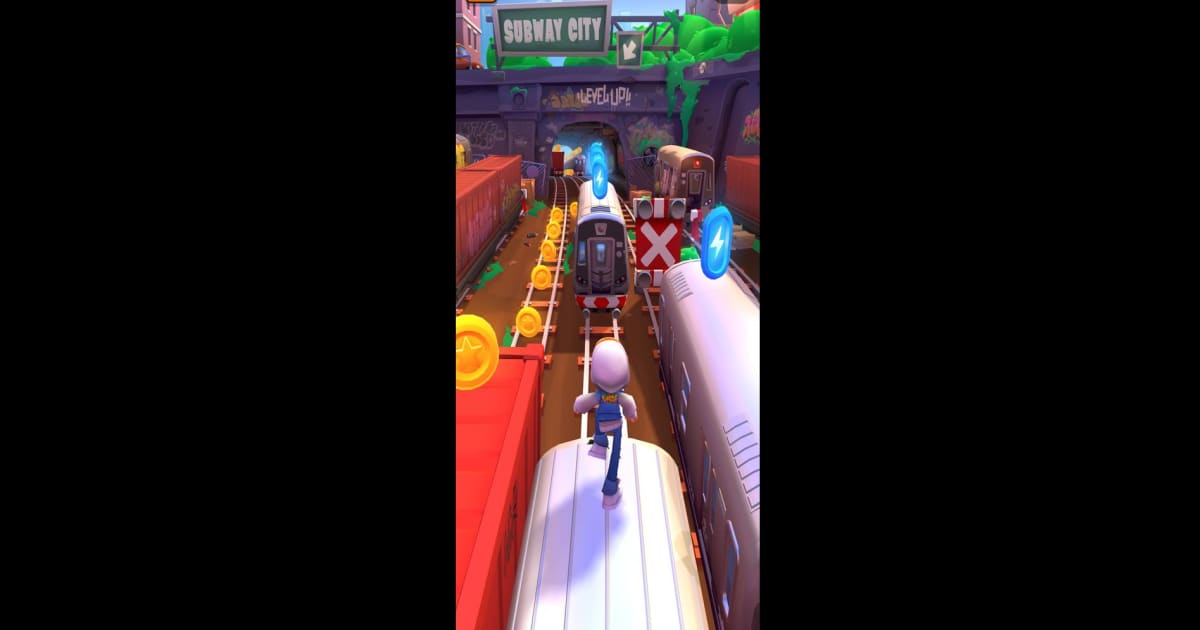
Subway Surfers City brings back the running action game that millions of players love. You jump into the shoes of Jake and the crew as you dash through busy streets, avoid trains, leap across rooftops, and escape from the Guard and his dog. Every run feels exciting because the city is full of surprises, hidden paths, and cool rewards.
The game lets you switch between classic endless runs and the new City Tour mode. That means you can either chase a high score or take your time unlocking new districts. Along the way, you can collect Secret Stars, complete missions, and power up your surfers and boards. Each character and hoverboard has special abilities, so you can mix and match them to fit your play style.
How to Install Subway Surfers City on PC
- Head to the game’s page and click on the “Play Subway Surfers City on PC” button.
- Once the file downloads, open it from your browser’s downloads area.
- Install BlueStacks on your computer and launch it.
- Log in to the Google Play Store, install the game, and start running through the city.
How to Install Subway Surfers City on Mac with BlueStacks Air
- Download BlueStacks Air: Visit the game’s page and click the “Play Subway Surfers City on Mac” button to get the installer file.
- Install BlueStacks Air: Open the BlueStacksInstaller.pkg file and follow the setup steps shown on your screen.
- Launch and Sign In: Open BlueStacks Air from Launchpad or the Applications folder and sign in with your Google account to access the Play Store.
- Install Subway Surfers City: Search for the game in the Play Store and click install.
- Start Playing: Open Subway Surfers City and jump straight into your first run.
Already Have BlueStacks? Here’s What To Do
- Go to the game’s page and press the “Subway Surfers City on PC” button.
- Open BlueStacks on your PC or Mac.
- Install the game from the BlueStacks Store or Google Play Store.
- Launch Subway Surfers City and begin your run.
Minimum System Requirements
To run Subway Surfers City smoothly on PC or Mac, your system should meet these basic needs:
- OS: Microsoft Windows 7 or higher, macOS 11 (Big Sur) or higher
- Processor: Intel or AMD processor, or Apple Silicon (M1–M4)
- RAM: At least 4GB of RAM
- Storage: 10GB of free disk space
- Permissions: Administrator access on your computer
- Graphics Drivers: Updated graphics drivers from Microsoft or your chipset provider
Subway Surfers City is great for players who enjoy fast action and simple controls. If you like beating your own high score, unlocking characters, and competing with friends, this game will keep you busy. You can play alone to relax or challenge friends to see who can survive the longest run.
Also, playing Subway Surfers City on PC or Mac with BlueStacks gives you more control thanks to your keyboard and mouse. You can react faster, see more of the city on a bigger screen, and enjoy smoother performance compared to most phones. This makes long runs more comfortable and helps you aim for higher scores without worrying about battery life.