Apex Gunship: AC130 Wargame

Apex Gunship: AC130 Wargame

Action

| Armada Forge Games

Play on PC with BlueStacks or from our cloud

  • Overview
  • Game Features
  • How to Play

Page Modified On: October 21, 2026

Play Apex Gunship: AC130 Wargame on PC or Mac

Explore a whole new adventure with Apex Gunship: AC130 Wargame, a Action game created by Armada Forge Games. Experience great gameplay with BlueStacks, the most popular gaming platform to play Android games on your PC or Mac.

About the Game

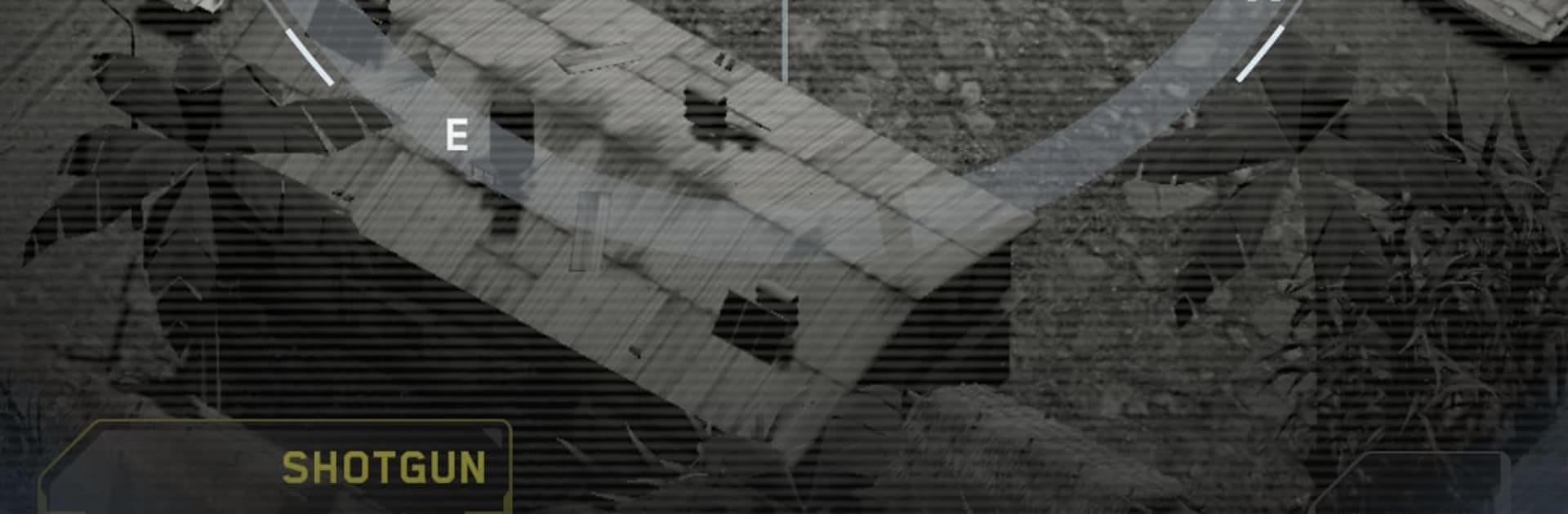
Apex Gunship: AC130 Wargame drops you into the gunner’s seat of a heavy gunship, where a good call and a steady trigger decide what happens on the ground. It’s a hybrid of precise fire support and gritty room-to-room fighting, with you steering the chaos from the sky. If you’re into the thrill of orchestrating battles from above, this Action experience keeps the pressure high and the choices meaningful. Prefer a bigger screen and crisp controls? It plays smoothly on BlueStacks.

Game Features

  • Airborne dominance: Control an AC-style gunship and shred enemy cover with precision fire, collapsing walls, cracking bunkers, and keeping threats pinned while your squad advances.
  • Big guns, bigger upgrades: Equip cannons, missiles, and howitzers, then upgrade damage, blast radius, and reloads to stay ahead of tougher zones.
  • Tactical tools that matter: Use Breaching Charges to open avenues, Thermal Scanners to mark targets through concrete, EMP to shut down electronics and vehicles, Incendiaries to flush defenders, and specialized rockets for heavy armor.
  • Command the ground team: Send operators to breach and clear, time your strikes to cover their push, and coordinate angles so no hostile slips away.
  • Call the cavalry: Bring in tanks for crushing advances, jets for fast strike runs, and helicopters for surgical support when the pressure spikes.
  • Missions with teeth: Take on hostage rescues, high-value target hunts, zone clears, and asset recovery ops; test your endurance in a survival mode with relentless waves.
  • Build between battles: Expand your base, train new operators, and unlock contracts that bankroll heavier firepower and tougher squads.
  • Power-boosted sorties: Activate combat boosts to reinforce your guns and support units when missions turn brutal.
  • Clean views, smooth handling: Responsive controls and punchy visuals make every tracer, explosion, and breach easy to read—even when the battlefield gets messy.

Start your journey now. Download the game on BlueStacks, invite your friends, and march on a new adventure.


Game Features

Enhancements

  • Macros
  • Multi Instance
  • Multi Instance Sync
  • Eco Mode
  • Enhancements
Macros

Macros

Skip the boring parts of a game. Play Apex Gunship: AC130 Wargame with Macros and get the edge. Simply record a sequence of commands and execute them at any moment.
Multi Instance

Multi Instance

Why limit to one game on your phone when you can play many on your PC? Open multiple instances of Apex Gunship: AC130 Wargame at once with Multi-Instance. Leverage the power of different accounts by doing more.
Multi Instance Sync

Multi Instance Sync

Get the best out of Apex Gunship: AC130 Wargame with Multi-Instance Sync. Play the game from different accounts and build your own empire. Use Multi-instance sync to repeat the action in the main BlueStacks instance on all other instances.
Eco Mode

Eco Mode

Find the rarest heroes by making multiple summons in Apex Gunship: AC130 Wargame. And while you are at it, reduce your PC’s resource consumption with the Eco Mode. Farm efficiently. Get the best results.
Read More

How to Download and Play Apex Gunship: AC130 Wargame on PC or Mac

  • Download and install BlueStacks on your PC or Mac

  • Complete Google sign-in to access the Play Store, or do it later

  • Look for Apex Gunship: AC130 Wargame in the search bar at the top right corner

  • Click to install Apex Gunship: AC130 Wargame from the search results

  • Complete Google sign-in (if you skipped step 2) to install Apex Gunship: AC130 Wargame

  • Click the Apex Gunship: AC130 Wargame icon on the home screen to start playing

video
Watch Video

Minimum System Requirements

With BlueStacks 5, you can get started on a PC that fulfills the following requirements.

  • Operating System

    Microsoft Windows 7 or above, macOS 11 (Big Sur) or above

  • Processor

    Intel, AMD or Apple Silicon Processor

  • RAM

    at least 4GB

  • HDD

    10GB Free Disk Space

Note:

* You must be an Administrator on your PC. Up to date graphics drivers from Microsoft or the chipset vendor.

Apex Gunship: AC130 Wargame - FAQs

  • How to play Apex Gunship: AC130 Wargame on Windows PC & Mac?

    Play Apex Gunship: AC130 Wargame on your PC or Mac by following these simple steps.

    • Click on 'Play Apex Gunship: AC130 Wargame on PC’ to download BlueStacks
    • Install it and log-in to Google Play Store
    • Launch and play the game.
  • Why is BlueStacks the fastest and safest platform to play games on PC?

    BlueStacks respects your privacy and is always safe and secure to use. It does not carry any malware, spyware, or any sort of additional software that could harm your PC.

    It is engineered to optimize speed and performance for a seamless gaming experience.

  • What are Apex Gunship: AC130 Wargame PC requirements?

    Minimum requirement to run Apex Gunship: AC130 Wargame on your PC

    • OS: Microsoft Windows 7 or above MacOS 11 (Big Sur) or above
    • Processor: Intel, AMD or Apple Silicon Processor
    • RAM: Your PC must have at least 4GB of RAM. (Note that having 4GB or more disk space is not a substitute for RAM)
    • HDD: 10GB Free Disk Space.
    • You must be an Administrator on your PC.