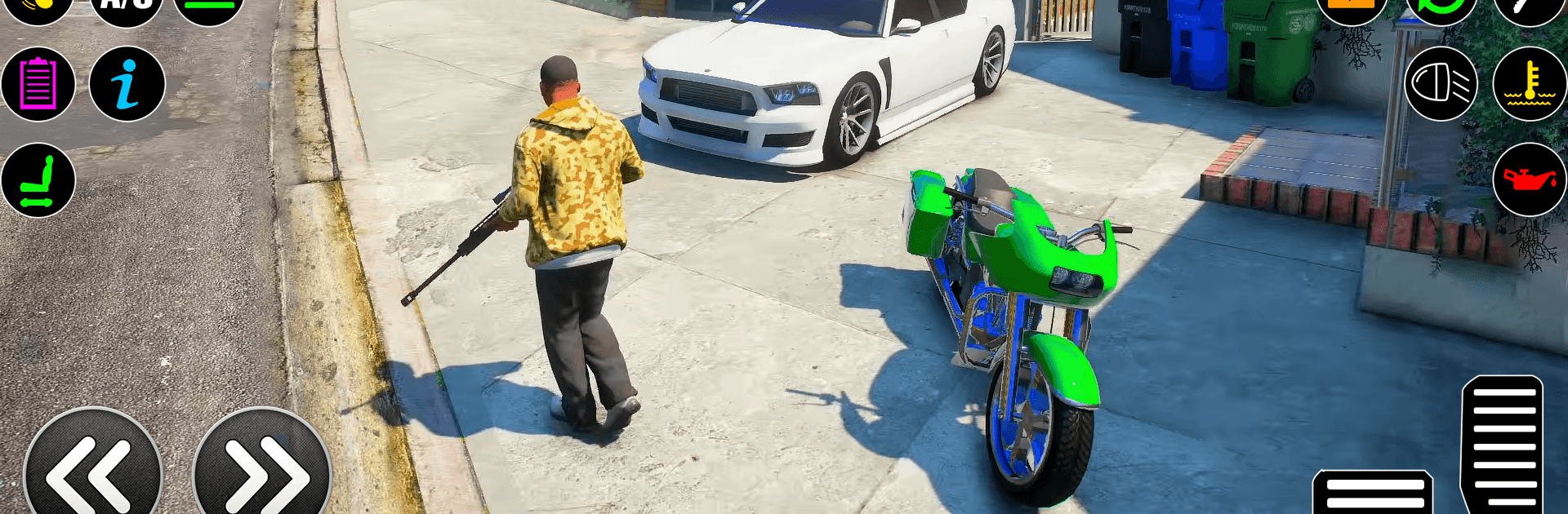
Miami Gangster: City Crime 3D

Miami Gangster: City Crime 3D

Action

| Gen Dev Studio

Play on PC with BlueStacks or from our cloud

  • Overview
  • Game Features
  • How to Play

Page Modified On: April 07, 2026

Play Miami Gangster: City Crime 3D on PC or Mac

Bring your A-game to Miami Gangster: City Crime 3D, the Action game sensation from Gen Dev Studio. Give your gameplay the much-needed boost with precise game controls, high FPS graphics, and top-tier features on your PC or Mac with BlueStacks.

About the Game

Miami Gangster: City Crime 3D drops you into a sprawling crime sandbox where quick getaways, bold heists, and street smarts keep you moving. Build your rep, stack cash, and shape your playstyle with fast rides, wild stunts, and a serious arsenal. It’s an Action game from Gen Dev Studio that lets you roam freely or lock in on missions when you want direction. Prefer a keyboard and mouse? It runs smoothly on BlueStacks, too.

Game Features

  • Open-world playground: Cruise through alleys, rooftops, docks, and busy boulevards as you hunt for shortcuts, stashes, and trouble.
  • Jobs and heists: Pick up story missions or quick side gigs to score cash, gear, and influence—your choices actually matter.
  • Wheels, wings, speed: Snag cars and superbikes, hit nitro-fueled drifts, and take the high road in helicopters and airplanes.
  • Movement toys: Use a grappling rope to scale skyscrapers, chain big jumps, and fling off stunt ramps to shake heat or show off.
  • Weapons and style: Upgrade guns, tweak your loadout, and swap outfits to match the job, from stealthy runs to loud entrances.
  • Smooth feel, sharp look: Tight controls meet crisp HD visuals with cinematic angles that highlight the city’s chaos and glow.
  • Progress your empire: Tune vehicles, boost character stats, and push into gang-held zones to grow your slice of the city.
  • Play your way: Freeroam when you’re in the mood to mess around, or follow mission markers for a clear path forward.
  • PC-friendly option: Want a bigger screen and precise aim? Miami Gangster: City Crime 3D plays well on BlueStacks.

Get ready for a buttery smooth, high-performance gaming action only on BlueStacks.

Game Features

Enhancements

  • Macros
  • Multi Instance
  • Multi Instance Sync
  • Eco Mode
  • Enhancements
Macros

Macros

Skip the boring parts of a game. Play Miami Gangster: City Crime 3D with Macros and get the edge. Simply record a sequence of commands and execute them at any moment.
Multi Instance

Multi Instance

Why limit to one game on your phone when you can play many on your PC? Open multiple instances of Miami Gangster: City Crime 3D at once with Multi-Instance. Leverage the power of different accounts by doing more.
Multi Instance Sync

Multi Instance Sync

Get the best out of Miami Gangster: City Crime 3D with Multi-Instance Sync. Play the game from different accounts and build your own empire. Use Multi-instance sync to repeat the action in the main BlueStacks instance on all other instances.
Eco Mode

Eco Mode

Find the rarest heroes by making multiple summons in Miami Gangster: City Crime 3D. And while you are at it, reduce your PC’s resource consumption with the Eco Mode. Farm efficiently. Get the best results.
Read More

How to Download and Play Miami Gangster: City Crime 3D on PC or Mac

  • Download and install BlueStacks on your PC or Mac

  • Complete Google sign-in to access the Play Store, or do it later

  • Look for Miami Gangster: City Crime 3D in the search bar at the top right corner

  • Click to install Miami Gangster: City Crime 3D from the search results

  • Complete Google sign-in (if you skipped step 2) to install Miami Gangster: City Crime 3D

  • Click the Miami Gangster: City Crime 3D icon on the home screen to start playing

video
Watch Video

Minimum System Requirements

With BlueStacks 5, you can get started on a PC that fulfills the following requirements.

  • Operating System

    Microsoft Windows 7 or above, macOS 11 (Big Sur) or above

  • Processor

    Intel, AMD or Apple Silicon Processor

  • RAM

    at least 4GB

  • HDD

    10GB Free Disk Space

Note:

* You must be an Administrator on your PC. Up to date graphics drivers from Microsoft or the chipset vendor.

Miami Gangster: City Crime 3D - FAQs

  • How to play Miami Gangster: City Crime 3D on Windows PC & Mac?

    Play Miami Gangster: City Crime 3D on your PC or Mac by following these simple steps.

    • Click on 'Play Miami Gangster: City Crime 3D on PC’ to download BlueStacks
    • Install it and log-in to Google Play Store
    • Launch and play the game.
  • Why is BlueStacks the fastest and safest platform to play games on PC?

    BlueStacks respects your privacy and is always safe and secure to use. It does not carry any malware, spyware, or any sort of additional software that could harm your PC.

    It is engineered to optimize speed and performance for a seamless gaming experience.

  • What are Miami Gangster: City Crime 3D PC requirements?

    Minimum requirement to run Miami Gangster: City Crime 3D on your PC

    • OS: Microsoft Windows 7 or above MacOS 11 (Big Sur) or above
    • Processor: Intel, AMD or Apple Silicon Processor
    • RAM: Your PC must have at least 4GB of RAM. (Note that having 4GB or more disk space is not a substitute for RAM)
    • HDD: 10GB Free Disk Space.
    • You must be an Administrator on your PC.