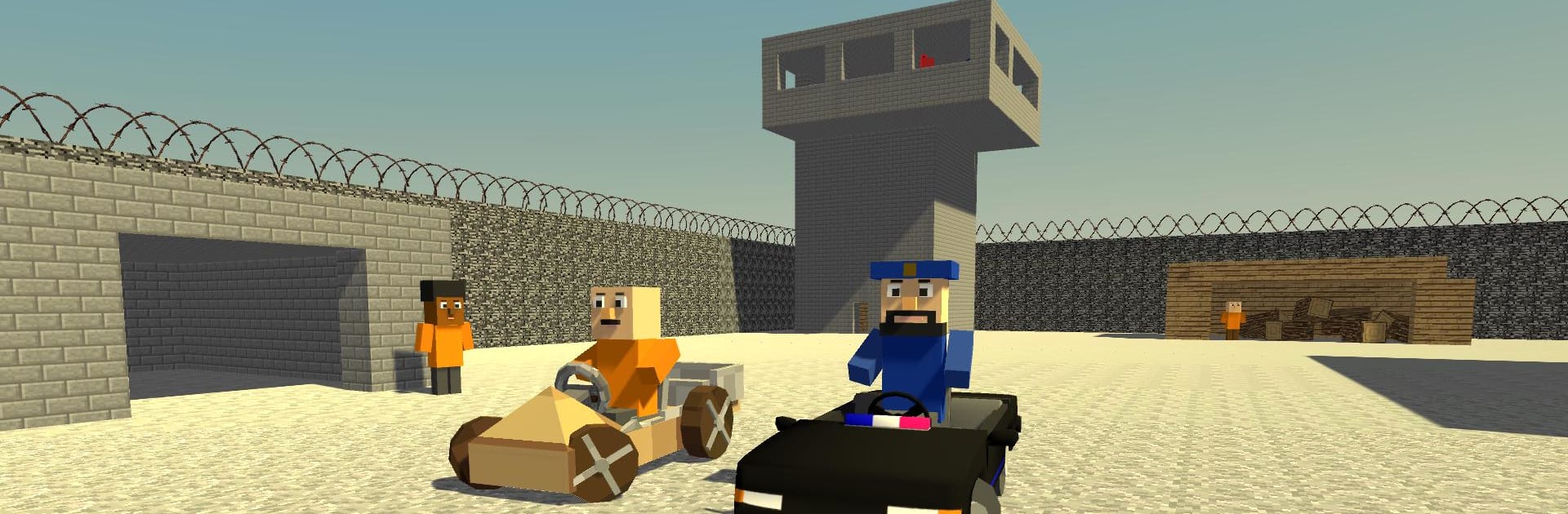
Boo Scared 5: Barry Prison

Boo Scared 5: Barry Prison

Adventure

| Superec Games

Play on PC with BlueStacks or from our cloud

  • Overview
  • Game Features
  • How to Play

Page Modified On: October 30, 2026

Play Boo Scared 5: Barry Prison on PC or Mac

Bring your A-game to Boo Scared 5: Barry Prison, the Adventure game sensation from Superec Games. Give your gameplay the much-needed boost with precise game controls, high FPS graphics, and top-tier features on your PC or Mac with BlueStacks.

About the Game

Boo Scared 5: Barry Prison is an Adventure where Boo gets tossed into Black Cat Prison and everything’s gone sideways. Barry the Jailer has been captured, a creepy cube-shaped cat is running the place, and the rules aren’t exactly fair. You’ll explore a sprawling prison, chat with oddballs on the inside, and piece together an escape plan to take the prison back. Prefer playing on a bigger screen? It runs smoothly on PC with BlueStacks.

Game Features

  • Open-world prison: Roam a big, connected complex filled with yards, workshops, cells, and hidden corners that reward exploring.
  • Talkative inmates and staff: Meet a cast of quirky characters—trade info, pick up tasks, and learn who you can trust.
  • Tasks with real momentum: Stack up missions that push your escape forward, from simple errands to multi-step plans.
  • Clues and Easter eggs: Keep your eyes open—little secrets and odd finds help you understand what happened here.
  • Plan the breakout: Scout routes, time your moves, and figure out how to slip past watchful eyes without causing a scene.
  • Hop in the car: The map is big, so grab the keys and cover ground fast when you need to reach the next lead.
  • A new cube-shaped threat: Track down the blocky troublemaker stirring chaos in the prison and shut its schemes down.
  • Story that pulls you along: Conversations, notes, and small details slowly reveal why Barry was taken—and what it’ll take to fix it.

Start playing Boo Scared 5: Barry Prison on BlueStacks and get a smoother, more comfortable PC or Mac setup.


Game Features

Enhancements

  • Macros
  • Multi Instance
  • Multi Instance Sync
  • Script
  • Enhancements
Macros

Macros

Automate the predictable in Boo Scared 5: Barry Prison and transform your gameplay with Macros. Get access to inventive Macros in the BlueStacks Macro Community
Multi Instance

Multi Instance

Play Boo Scared 5: Barry Prison on one window. And chat with your friend on the other. Press CTRL + Shift + 8 to open the Multi-Instance Manager. And start creating fresh instances or clone an existing one.
Multi Instance Sync

Multi Instance Sync

Play Boo Scared 5: Barry Prison with the power of Multi-Instance Sync. Replicate what you are doing on the main instance on all other instances. Level up faster, play more.
Script

Script

Script your way to gaming glory in Boo Scared 5: Barry Prison with BlueStacks Script. Write and run a set of commands to automate repeated tasks. Trigger the command by assigning it to any key.
Read More

How to Download and Play Boo Scared 5: Barry Prison on PC or Mac

  • Download and install BlueStacks on your PC or Mac

  • Complete Google sign-in to access the Play Store, or do it later

  • Look for Boo Scared 5: Barry Prison in the search bar at the top right corner

  • Click to install Boo Scared 5: Barry Prison from the search results

  • Complete Google sign-in (if you skipped step 2) to install Boo Scared 5: Barry Prison

  • Click the Boo Scared 5: Barry Prison icon on the home screen to start playing

video
Watch Video

Minimum System Requirements

With BlueStacks 5, you can get started on a PC that fulfills the following requirements.

  • Operating System

    Microsoft Windows 7 or above, macOS 11 (Big Sur) or above

  • Processor

    Intel, AMD or Apple Silicon Processor

  • RAM

    at least 4GB

  • HDD

    10GB Free Disk Space

Note:

* You must be an Administrator on your PC. Up to date graphics drivers from Microsoft or the chipset vendor.

Boo Scared 5: Barry Prison - FAQs

  • How to play Boo Scared 5: Barry Prison on Windows PC & Mac?

    Play Boo Scared 5: Barry Prison on your PC or Mac by following these simple steps.

    • Click on 'Play Boo Scared 5: Barry Prison on PC’ to download BlueStacks
    • Install it and log-in to Google Play Store
    • Launch and play the game.
  • Why is BlueStacks the fastest and safest platform to play games on PC?

    BlueStacks respects your privacy and is always safe and secure to use. It does not carry any malware, spyware, or any sort of additional software that could harm your PC.

    It is engineered to optimize speed and performance for a seamless gaming experience.

  • What are Boo Scared 5: Barry Prison PC requirements?

    Minimum requirement to run Boo Scared 5: Barry Prison on your PC

    • OS: Microsoft Windows 7 or above MacOS 11 (Big Sur) or above
    • Processor: Intel, AMD or Apple Silicon Processor
    • RAM: Your PC must have at least 4GB of RAM. (Note that having 4GB or more disk space is not a substitute for RAM)
    • HDD: 10GB Free Disk Space.
    • You must be an Administrator on your PC.