Boo Scared 7: Summer Holidays

Boo Scared 7: Summer Holidays

Adventure

| Superec Games

Play on PC with BlueStacks or from our cloud

  • Overview
  • Game Features
  • How to Play

Page Modified On: July 27, 2026

Play Boo Scared 7: Summer Holidays on PC or Mac

Boo Scared 7: Summer Holidays brings the Adventure genre to life, and throws up exciting challenges for gamers. Developed by Superec Games, this Android game is best experienced on BlueStacks, the World’s #1 app player for PC and Mac users.

About the Game

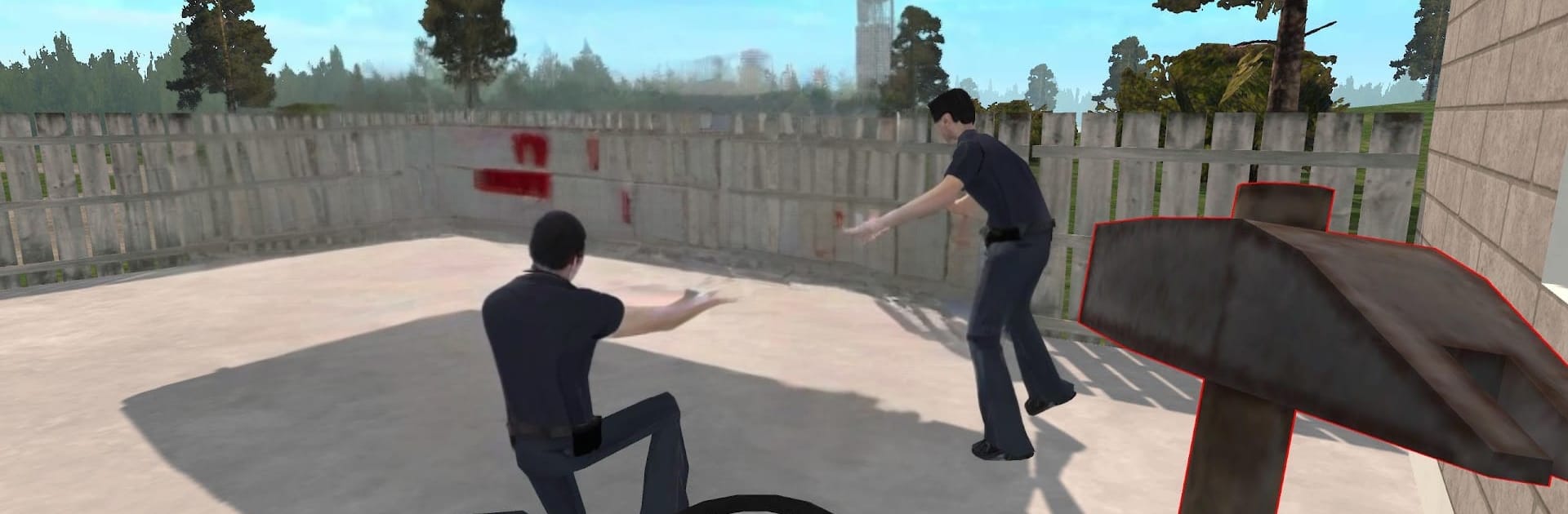
Summer break isn’t exactly chill in Boo Scared 7: Summer Holidays. This Adventure throws you into a quirky village where a not-so-normal school, Cat Boo, and his wild-card brother Okak turn a sunny vacation into a bizarre, meme-flavored mystery. Explore at your own pace, trade favors with locals, and decide who to trust as you dig into what Okak’s really up to. It also plays nicely on BlueStacks if you’d rather prowl around with a keyboard on a bigger screen.

Game Features

  • Open-world summer town: Roam dusty streets, creep through a suspicious school, and poke around backyards, rooftops, and basements without strict paths.
  • Choice-driven endings: Your decisions shape how it all wraps up—save the day or betray someone who counted on you.
  • Stealth and puzzles: Sneak past patrols, find alternate routes, and solve oddball riddles that open new corners of the map.
  • Tools that matter: Haul a portable ladder to reach out-of-the-way spots, tune a crackly radio for unsettling hints, and fish when you need a breather.
  • Guarded danger zones: Some areas are tightly watched; study patterns, time your moves, or bolt if things go sideways.
  • Quests with personality: Help (or annoy) a cast of NPCs who hand out weird jobs, pay in useful items, and remember how you treated them.
  • Hop in a clunky ride: Fire up an old beater to cover ground faster, chase rumors, or make a messy getaway when plans fall apart.
  • Absurd horror with humor: Expect eerie moments, awkward laughs, and meme energy colliding with real tension in all the wrong/right ways.

Start your journey now. Download the game on BlueStacks, invite your friends, and march on a new adventure.


Game Features

Enhancements

  • Macros
  • Multi Instance
  • Multi Instance Sync
  • Script
  • Enhancements
Macros

Macros

Automate the predictable in Boo Scared 7: Summer Holidays and transform your gameplay with Macros. Get access to inventive Macros in the BlueStacks Macro Community
Multi Instance

Multi Instance

Play Boo Scared 7: Summer Holidays on one window. And chat with your friend on the other. Press CTRL + Shift + 8 to open the Multi-Instance Manager. And start creating fresh instances or clone an existing one.
Multi Instance Sync

Multi Instance Sync

Play Boo Scared 7: Summer Holidays with the power of Multi-Instance Sync. Replicate what you are doing on the main instance on all other instances. Level up faster, play more.
Script

Script

Script your way to gaming glory in Boo Scared 7: Summer Holidays with BlueStacks Script. Write and run a set of commands to automate repeated tasks. Trigger the command by assigning it to any key.
Read More

How to Download and Play Boo Scared 7: Summer Holidays on PC or Mac

  • Download and install BlueStacks on your PC or Mac

  • Complete Google sign-in to access the Play Store, or do it later

  • Look for Boo Scared 7: Summer Holidays in the search bar at the top right corner

  • Click to install Boo Scared 7: Summer Holidays from the search results

  • Complete Google sign-in (if you skipped step 2) to install Boo Scared 7: Summer Holidays

  • Click the Boo Scared 7: Summer Holidays icon on the home screen to start playing

video
Watch Video

Minimum System Requirements

With BlueStacks 5, you can get started on a PC that fulfills the following requirements.

  • Operating System

    Microsoft Windows 7 or above, macOS 11 (Big Sur) or above

  • Processor

    Intel, AMD or Apple Silicon Processor

  • RAM

    at least 4GB

  • HDD

    10GB Free Disk Space

Note:

* You must be an Administrator on your PC. Up to date graphics drivers from Microsoft or the chipset vendor.

Boo Scared 7: Summer Holidays - FAQs

  • How to play Boo Scared 7: Summer Holidays on Windows PC & Mac?

    Play Boo Scared 7: Summer Holidays on your PC or Mac by following these simple steps.

    • Click on 'Play Boo Scared 7: Summer Holidays on PC’ to download BlueStacks
    • Install it and log-in to Google Play Store
    • Launch and play the game.
  • Why is BlueStacks the fastest and safest platform to play games on PC?

    BlueStacks respects your privacy and is always safe and secure to use. It does not carry any malware, spyware, or any sort of additional software that could harm your PC.

    It is engineered to optimize speed and performance for a seamless gaming experience.

  • What are Boo Scared 7: Summer Holidays PC requirements?

    Minimum requirement to run Boo Scared 7: Summer Holidays on your PC

    • OS: Microsoft Windows 7 or above MacOS 11 (Big Sur) or above
    • Processor: Intel, AMD or Apple Silicon Processor
    • RAM: Your PC must have at least 4GB of RAM. (Note that having 4GB or more disk space is not a substitute for RAM)
    • HDD: 10GB Free Disk Space.
    • You must be an Administrator on your PC.