Bunker 21 PREMIUM
Bunker 21 PREMIUM

Bunker 21 PREMIUM

Adventure

| Petr Nagel

Play on PC with BlueStacks or from our cloud

  • Overview
  • Game Features
  • How to Play

Page Modified On: November 03, 2025

Play Bunker 21 PREMIUM on PC or Mac

Explore a whole new adventure with Bunker 21 PREMIUM, a Adventure game created by Petr Nagel. Experience great gameplay with BlueStacks, the most popular gaming platform to play Android games on your PC or Mac.

About the Game

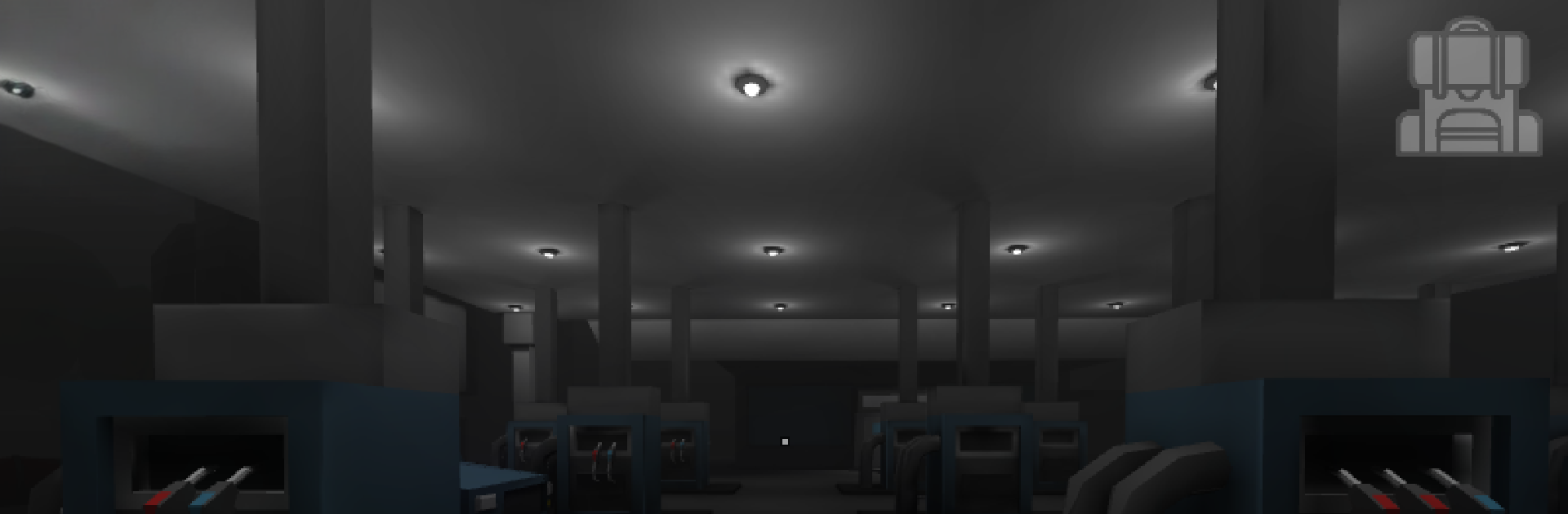
Bunker 21 PREMIUM is a gritty Adventure from Petr Nagel that throws you into a world wrecked by a rampant virus and the monsters it created. You’ll guide a stranded survivor through tense corridors, tight decisions, and strange experiments buried beneath a secret lab. Expect a story-first experience with bursts of combat, clever puzzles, and just enough pressure to make every choice feel risky.

Game Features

  • Level-based objectives – Move through compact stages where each mission has a clear goal, whether it’s cracking a lock, sprinting past danger, or holding your ground in a firefight.
  • Puzzles with purpose – Not just switch-flipping. Clues, codes, and environmental details reward patience and attention, then get out of your way.
  • Gunfights when it counts – Weapons are there when diplomacy fails. Ammo’s limited, enemies aren’t, and timing matters more than spraying bullets.
  • Manage what you carry – Patch yourself up, ration supplies, and choose what to stash or spend. Smart inventory decisions can save your skin later.
  • Mutants, zombies, and worse – From shambling infected to meaner, faster nightmares, each enemy type pushes you to adapt or reload.
  • A mystery under Bunker 21 – Track down a hidden laboratory and piece together what went wrong—and who’s still pulling the strings.
  • Offline story campaign – Play anywhere, no connection needed. Perfect for long rides or late-night sessions.
  • No ads, no purchases – This premium build keeps the focus on the journey, not interruptions.
  • Crafted by one creator – A personal, evolving project with a handcrafted feel.
  • Play how you like – On mobile or with keyboard and mouse using BlueStacks if that’s more your speed.

Get ready for a buttery smooth, high-performance gaming action only on BlueStacks.

Game Features

Enhancements

  • Macros
  • Multi Instance
  • Multi Instance Sync
  • Script
  • Enhancements
Macros

Macros

Automate the predictable in Bunker 21 PREMIUM and transform your gameplay with Macros. Get access to inventive Macros in the BlueStacks Macro Community
Multi Instance

Multi Instance

Play Bunker 21 PREMIUM on one window. And chat with your friend on the other. Press CTRL + Shift + 8 to open the Multi-Instance Manager. And start creating fresh instances or clone an existing one.
Multi Instance Sync

Multi Instance Sync

Play Bunker 21 PREMIUM with the power of Multi-Instance Sync. Replicate what you are doing on the main instance on all other instances. Level up faster, play more.
Script

Script

Script your way to gaming glory in Bunker 21 PREMIUM with BlueStacks Script. Write and run a set of commands to automate repeated tasks. Trigger the command by assigning it to any key.
Read More

How to Download and Play Bunker 21 PREMIUM on PC or Mac

  • Download and install BlueStacks on your PC or Mac

  • Complete Google sign-in to access the Play Store, or do it later

  • Look for Bunker 21 PREMIUM in the search bar at the top right corner

  • Click to install Bunker 21 PREMIUM from the search results

  • Complete Google sign-in (if you skipped step 2) to install Bunker 21 PREMIUM

  • Click the Bunker 21 PREMIUM icon on the home screen to start playing

video
Watch Video

Minimum System Requirements

With BlueStacks 5, you can get started on a PC that fulfills the following requirements.

  • Operating System

    Microsoft Windows 7 or above, macOS 11 (Big Sur) or above

  • Processor

    Intel, AMD or Apple Silicon Processor

  • RAM

    at least 4GB

  • HDD

    10GB Free Disk Space

Note:

* You must be an Administrator on your PC. Up to date graphics drivers from Microsoft or the chipset vendor.

Bunker 21 PREMIUM - FAQs

  • How to play Bunker 21 PREMIUM on Windows PC & Mac?

    Play Bunker 21 PREMIUM on your PC or Mac by following these simple steps.

    • Click on 'Play Bunker 21 PREMIUM on PC’ to download BlueStacks
    • Install it and log-in to Google Play Store
    • Launch and play the game.
  • Why is BlueStacks the fastest and safest platform to play games on PC?

    BlueStacks respects your privacy and is always safe and secure to use. It does not carry any malware, spyware, or any sort of additional software that could harm your PC.

    It is engineered to optimize speed and performance for a seamless gaming experience.

  • What are Bunker 21 PREMIUM PC requirements?

    Minimum requirement to run Bunker 21 PREMIUM on your PC

    • OS: Microsoft Windows 7 or above MacOS 11 (Big Sur) or above
    • Processor: Intel, AMD or Apple Silicon Processor
    • RAM: Your PC must have at least 4GB of RAM. (Note that having 4GB or more disk space is not a substitute for RAM)
    • HDD: 10GB Free Disk Space.
    • You must be an Administrator on your PC.