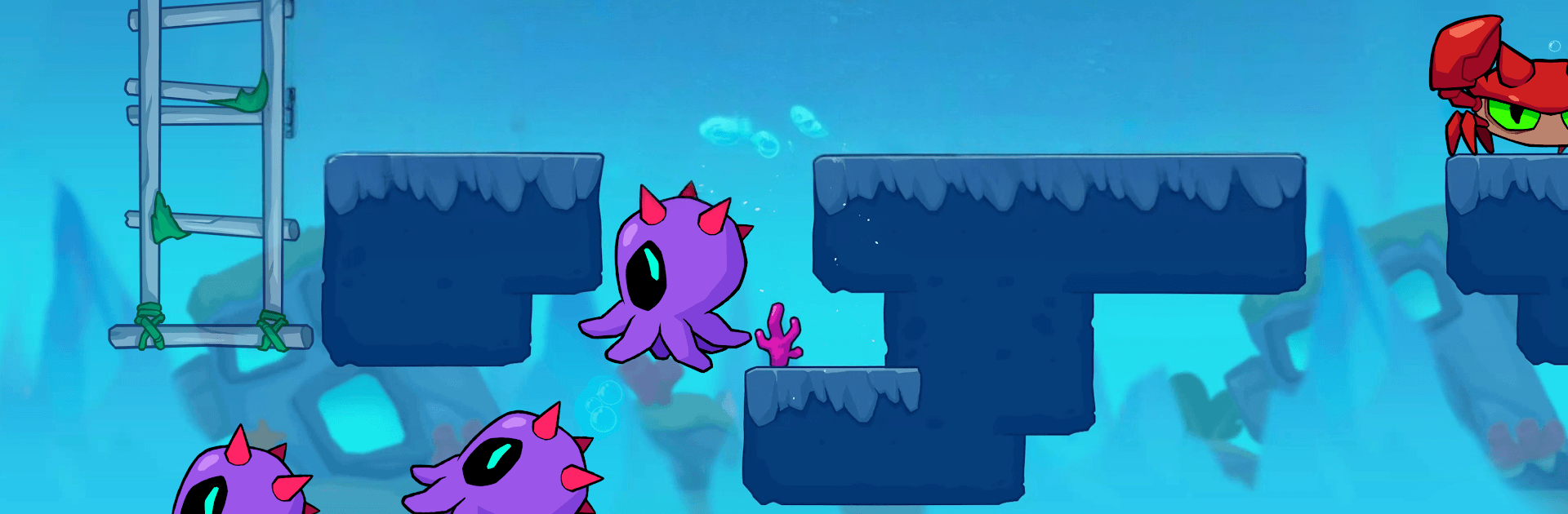
Meno Adventure: Dino Go Island

Meno Adventure: Dino Go Island

Adventure

| MGIF

Play on PC with BlueStacks or from our cloud

  • Overview
  • Game Features
  • How to Play

Page Modified On: June 29, 2026

Play Meno Adventure: Dino Go Island on PC or Mac

Step into the World of Meno Adventure: Dino Go Island, a thrilling Adventure game from the house of MGIF. Play this Android game on BlueStacks App Player and experience immersive gaming on PC or Mac.

About the Game

Meno Adventure: Dino Go Island is a side-scrolling Adventure that blends old-school platforming with a bunch of modern tricks. You’ll guide Meno across lush jungles, shimmering reefs, and even starry stretches of space, snatching coins and cracking open hidden chests while quirky creatures try to slow you down. It’s easy to jump in, but mastering tight timing, finding secret paths, and using power-ups at the right moment is where the real fun kicks in.

Game Features

  • Classic platforming feel: Run, jump, and stomp through a long, varied campaign packed with clever stage ideas and fair challenges.
  • Tight, responsive controls: Smooth movement, clean jumps, and a handy double jump give you precise control when things get hectic.
  • Hidden secrets everywhere: Breakable walls, tucked-away ledges, and bonus rooms stuffed with coins reward curious players.
  • Power-ups that matter: Go huge with Size x4, blast foes with Fire Bullet, or shrug off danger with a temporary Shield.
  • Varied worlds to explore: Trek through jungle trails, plunge into the ocean’s depths, and sprint across cosmic routes.
  • Satisfying enemy takedowns: Hop on baddies to clear the path—or turn giant and barrel straight through them.
  • Outfits with personality: Swap into playful looks like Astronaut Meno or Bear Meno to keep runs fresh.
  • Quirky companion twist: Some stages add pets that trail you—helpful sometimes, hazardous at others. Stay sharp.
  • Smart difficulty curve: Stages get trickier in ways that feel fair, with new mechanics introduced at a comfy pace.
  • Play your way: Prefer a bigger screen and keyboard? It also plays great on BlueStacks.

Start your journey now. Download the game on BlueStacks, invite your friends, and march on a new adventure.


Game Features

Enhancements

  • Macros
  • Multi Instance
  • Multi Instance Sync
  • Script
  • Enhancements
Macros

Macros

Automate the predictable in Meno Adventure: Dino Go Island and transform your gameplay with Macros. Get access to inventive Macros in the BlueStacks Macro Community
Multi Instance

Multi Instance

Play Meno Adventure: Dino Go Island on one window. And chat with your friend on the other. Press CTRL + Shift + 8 to open the Multi-Instance Manager. And start creating fresh instances or clone an existing one.
Multi Instance Sync

Multi Instance Sync

Play Meno Adventure: Dino Go Island with the power of Multi-Instance Sync. Replicate what you are doing on the main instance on all other instances. Level up faster, play more.
Script

Script

Script your way to gaming glory in Meno Adventure: Dino Go Island with BlueStacks Script. Write and run a set of commands to automate repeated tasks. Trigger the command by assigning it to any key.
Read More

How to Download and Play Meno Adventure: Dino Go Island on PC or Mac

  • Download and install BlueStacks on your PC or Mac

  • Complete Google sign-in to access the Play Store, or do it later

  • Look for Meno Adventure: Dino Go Island in the search bar at the top right corner

  • Click to install Meno Adventure: Dino Go Island from the search results

  • Complete Google sign-in (if you skipped step 2) to install Meno Adventure: Dino Go Island

  • Click the Meno Adventure: Dino Go Island icon on the home screen to start playing

video
Watch Video

Minimum System Requirements

With BlueStacks 5, you can get started on a PC that fulfills the following requirements.

  • Operating System

    Microsoft Windows 7 or above, macOS 11 (Big Sur) or above

  • Processor

    Intel, AMD or Apple Silicon Processor

  • RAM

    at least 4GB

  • HDD

    10GB Free Disk Space

Note:

* You must be an Administrator on your PC. Up to date graphics drivers from Microsoft or the chipset vendor.

Meno Adventure: Dino Go Island - FAQs

  • How to play Meno Adventure: Dino Go Island on Windows PC & Mac?

    Play Meno Adventure: Dino Go Island on your PC or Mac by following these simple steps.

    • Click on 'Play Meno Adventure: Dino Go Island on PC’ to download BlueStacks
    • Install it and log-in to Google Play Store
    • Launch and play the game.
  • Why is BlueStacks the fastest and safest platform to play games on PC?

    BlueStacks respects your privacy and is always safe and secure to use. It does not carry any malware, spyware, or any sort of additional software that could harm your PC.

    It is engineered to optimize speed and performance for a seamless gaming experience.

  • What are Meno Adventure: Dino Go Island PC requirements?

    Minimum requirement to run Meno Adventure: Dino Go Island on your PC

    • OS: Microsoft Windows 7 or above MacOS 11 (Big Sur) or above
    • Processor: Intel, AMD or Apple Silicon Processor
    • RAM: Your PC must have at least 4GB of RAM. (Note that having 4GB or more disk space is not a substitute for RAM)
    • HDD: 10GB Free Disk Space.
    • You must be an Administrator on your PC.