The Witch's Forest - Black Forest

The Witch's Forest - Black Forest

Adventure

| Toward Inc

Play on PC with BlueStacks or from our cloud

  • Overview
  • Game Features
  • How to Play

Page Modified On: August 19, 2025

Play The Witch's Forest - Black Forest on PC or Mac

Join millions to experience The Witch’s Forest – Black Forest, an exciting Adventure game from Toward Inc.. With BlueStacks App Player, you are always a step ahead of your opponent, ready to outplay them with faster gameplay and better control with the mouse and keyboard on your PC or Mac.

About the Game

If you’re looking for a quirky twist on the adventure genre, The Witch’s Forest – Black Forest by Toward Inc. is right up your alley. Step into a magical forest where you’ll help a witch restore a once-beautiful world tree, now tainted by a strange force. The game is all about collecting spirits, uncovering secrets, and slowly bringing the forest back to life, one little discovery at a time.

Game Features

  • Spirit Gathering
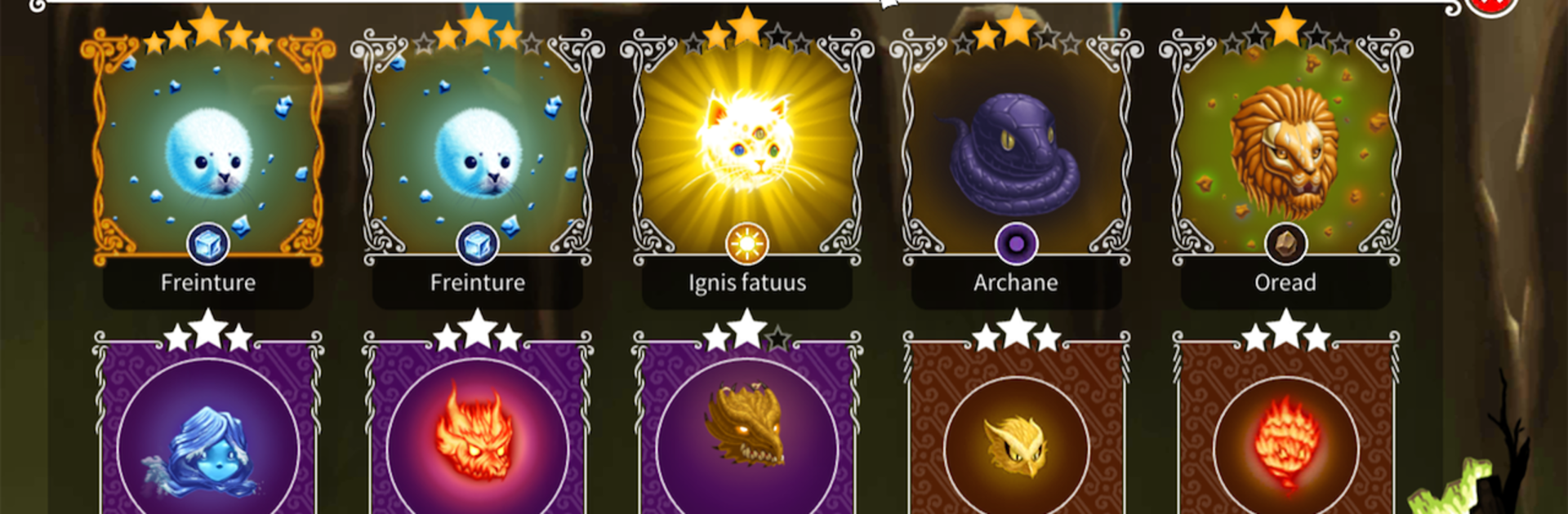
    Find and collect adorable spirits scattered through the woods. They’re not just cute—they help you bring back the magic this forest desperately needs.

  • Intriguing Exploration
    Wander the ever-changing forest, pick up all sorts of interesting items, and see what hidden treasures wait for you on each new path.

  • Witch Upgrades
    Make your witch stronger by crafting and upgrading equipment. Every new staff, cloak, or charm gives her a fighting chance against the forest’s corruption.

  • Quick Battles
    Take on monsters in fast-paced, clicker-style battles. Perfect for when you want a little action without too much fuss.

  • Witch Customization
    Style your witch with unique hairdos and gorgeous wings—it’s about saving the world, but hey, you might as well look cool doing it.

  • Tower Challenge
    Journey up a mysterious tower. Every level holds new puzzles and maybe even the answer to what’s gone wrong in your enchanted woods.

  • Offline Adventure
    With all your progress kept on your own device, you can play anytime, anywhere—kick back with your adventure, no server worries.

You’ll get the most out of The Witch’s Forest – Black Forest on BlueStacks, where everything looks a little more magical and you can settle in for longer play sessions.

Get ready for a buttery smooth, high-performance gaming action only on BlueStacks.

Game Features

Enhancements

  • Macros
  • Multi Instance
  • Multi Instance Sync
  • Script
  • Enhancements
Macros

Macros

Automate the predictable in The Witch's Forest - Black Forest and transform your gameplay with Macros. Get access to inventive Macros in the BlueStacks Macro Community
Multi Instance

Multi Instance

Play The Witch's Forest - Black Forest on one window. And chat with your friend on the other. Press CTRL + Shift + 8 to open the Multi-Instance Manager. And start creating fresh instances or clone an existing one.
Multi Instance Sync

Multi Instance Sync

Play The Witch's Forest - Black Forest with the power of Multi-Instance Sync. Replicate what you are doing on the main instance on all other instances. Level up faster, play more.
Script

Script

Script your way to gaming glory in The Witch's Forest - Black Forest with BlueStacks Script. Write and run a set of commands to automate repeated tasks. Trigger the command by assigning it to any key.
Read More

How to Download and Play The Witch's Forest - Black Forest on PC or Mac

  • Download and install BlueStacks on your PC or Mac

  • Complete Google sign-in to access the Play Store, or do it later

  • Look for The Witch's Forest - Black Forest in the search bar at the top right corner

  • Click to install The Witch's Forest - Black Forest from the search results

  • Complete Google sign-in (if you skipped step 2) to install The Witch's Forest - Black Forest

  • Click the The Witch's Forest - Black Forest icon on the home screen to start playing

video
Watch Video

Minimum System Requirements

With BlueStacks 5, you can get started on a PC that fulfills the following requirements.

  • Operating System

    Microsoft Windows 7 or above, macOS 11 (Big Sur) or above

  • Processor

    Intel, AMD or Apple Silicon Processor

  • RAM

    at least 4GB

  • HDD

    10GB Free Disk Space

Note:

* You must be an Administrator on your PC. Up to date graphics drivers from Microsoft or the chipset vendor.

The Witch's Forest - Black Forest - FAQs

  • How to play The Witch's Forest - Black Forest on Windows PC & Mac?

    Play The Witch's Forest - Black Forest on your PC or Mac by following these simple steps.

    • Click on 'Play The Witch's Forest - Black Forest on PC’ to download BlueStacks
    • Install it and log-in to Google Play Store
    • Launch and play the game.
  • Why is BlueStacks the fastest and safest platform to play games on PC?

    BlueStacks respects your privacy and is always safe and secure to use. It does not carry any malware, spyware, or any sort of additional software that could harm your PC.

    It is engineered to optimize speed and performance for a seamless gaming experience.

  • What are The Witch's Forest - Black Forest PC requirements?

    Minimum requirement to run The Witch's Forest - Black Forest on your PC

    • OS: Microsoft Windows 7 or above MacOS 11 (Big Sur) or above
    • Processor: Intel, AMD or Apple Silicon Processor
    • RAM: Your PC must have at least 4GB of RAM. (Note that having 4GB or more disk space is not a substitute for RAM)
    • HDD: 10GB Free Disk Space.
    • You must be an Administrator on your PC.