Brick Pang
Brick Pang

Brick Pang

Arcade

| Tunup Games

Play on PC with BlueStacks or from our cloud

  • Overview
  • Game Features
  • How to Play

Page Modified On: April 24, 2026

Play Brick Pang on PC or Mac

Join millions to experience Brick Pang, an exciting Arcade game from Tunup Games. With BlueStacks App Player, you are always a step ahead of your opponent, ready to outplay them with faster gameplay and better control with the mouse and keyboard on your PC or Mac.

About the Game

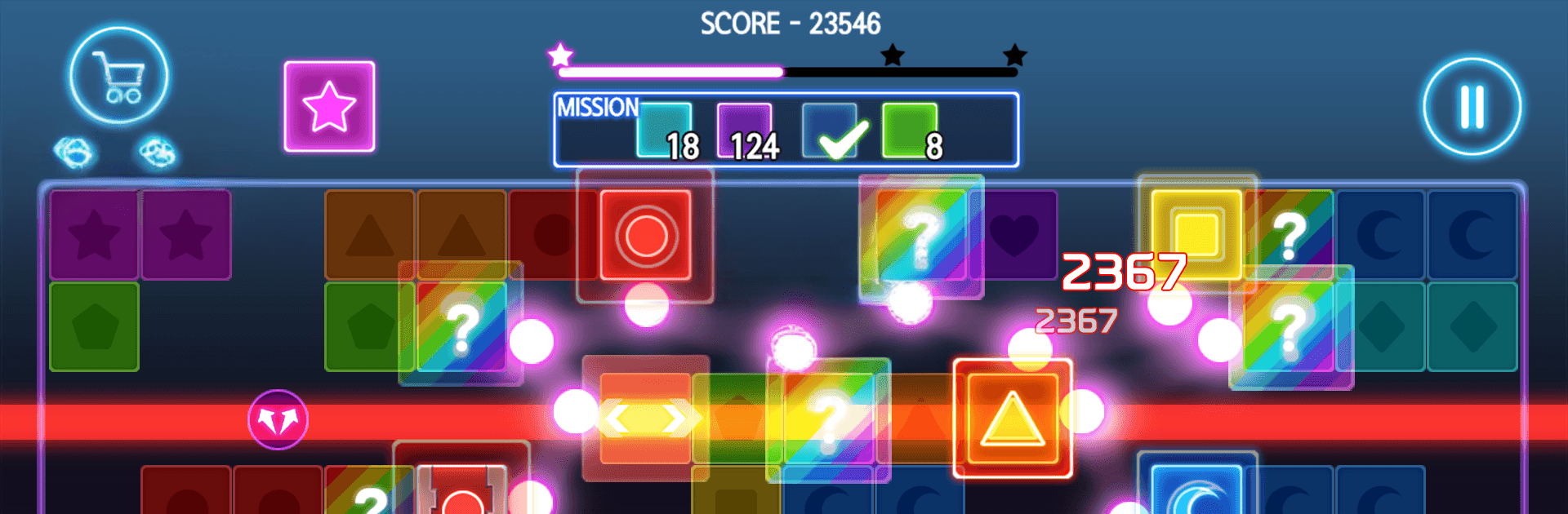
Brick Pang is a relaxed, satisfying Arcade brick-breaker from Tunup Games that’s all about clean shots and crisp bounces. Line up your angle, release a flurry of balls, and watch them ricochet around the screen as bricks crumble. It’s easy to pick up, surprisingly strategic, and perfect when you want a quick mental reset.

Game Features

  • Simple Aim-and-Release: Drag to set your angle and let the balls fly. They ping off walls and bricks, then return to the bottom to wrap up your turn.
  • Clear the Board: Wipe out every brick in the mission before anything reaches the ground. Miss that window and the round’s over.
  • 3000+ Stages: More than three thousand levels to chew through—short, snackable boards and clever layouts that reward smart angles.
  • One-Hand Friendly: Designed for quick taps and flicks, so it’s easy to play while you’re out and about.
  • Offline Play: No Wi‑Fi? No problem. Brick Pang runs smoothly wherever you are.
  • Lightweight and Smooth: Small install size and optimized performance, even on low-spec devices.
  • Great on Tablets: Scales nicely for a bigger, roomier play area.
  • Achievements & Leaderboards: Hit milestones and see how your best runs stack up against other players.
  • 19 Language Options: Play in the language that feels most comfortable to you.
  • Optional In-App Purchases: Free to play, with extras available if you want a little boost.
  • Plays Nicely on PC: Prefer a larger screen and mouse? Brick Pang also feels right at home on BlueStacks.

Slay your opponents with your epic moves. Play it your way on BlueStacks and dominate the battlefield.


Game Features

Enhancements

  • Macros
  • Multi Instance
  • Multi Instance Sync
  • Script
  • Enhancements
Macros

Macros

Automate the predictable in Brick Pang and transform your gameplay with Macros. Get access to inventive Macros in the BlueStacks Macro Community
Multi Instance

Multi Instance

Play Brick Pang on one window. And chat with your friend on the other. Press CTRL + Shift + 8 to open the Multi-Instance Manager. And start creating fresh instances or clone an existing one.
Multi Instance Sync

Multi Instance Sync

Play Brick Pang with the power of Multi-Instance Sync. Replicate what you are doing on the main instance on all other instances. Level up faster, play more.
Script

Script

Script your way to gaming glory in Brick Pang with BlueStacks Script. Write and run a set of commands to automate repeated tasks. Trigger the command by assigning it to any key.
Read More

How to Download and Play Brick Pang on PC or Mac

  • Download and install BlueStacks on your PC or Mac

  • Complete Google sign-in to access the Play Store, or do it later

  • Look for Brick Pang in the search bar at the top right corner

  • Click to install Brick Pang from the search results

  • Complete Google sign-in (if you skipped step 2) to install Brick Pang

  • Click the Brick Pang icon on the home screen to start playing

video
Watch Video

Minimum System Requirements

With BlueStacks 5, you can get started on a PC that fulfills the following requirements.

  • Operating System

    Microsoft Windows 7 or above, macOS 11 (Big Sur) or above

  • Processor

    Intel, AMD or Apple Silicon Processor

  • RAM

    at least 4GB

  • HDD

    10GB Free Disk Space

Note:

* You must be an Administrator on your PC. Up to date graphics drivers from Microsoft or the chipset vendor.

Brick Pang - FAQs

  • How to play Brick Pang on Windows PC & Mac?

    Play Brick Pang on your PC or Mac by following these simple steps.

    • Click on 'Play Brick Pang on PC’ to download BlueStacks
    • Install it and log-in to Google Play Store
    • Launch and play the game.
  • Why is BlueStacks the fastest and safest platform to play games on PC?

    BlueStacks respects your privacy and is always safe and secure to use. It does not carry any malware, spyware, or any sort of additional software that could harm your PC.

    It is engineered to optimize speed and performance for a seamless gaming experience.

  • What are Brick Pang PC requirements?

    Minimum requirement to run Brick Pang on your PC

    • OS: Microsoft Windows 7 or above MacOS 11 (Big Sur) or above
    • Processor: Intel, AMD or Apple Silicon Processor
    • RAM: Your PC must have at least 4GB of RAM. (Note that having 4GB or more disk space is not a substitute for RAM)
    • HDD: 10GB Free Disk Space.
    • You must be an Administrator on your PC.