Granny Escape Horror 3D

Granny Escape Horror 3D

Arcade

| Software District

Play on PC with BlueStacks or from our cloud

  • Overview
  • Game Features
  • How to Play

Page Modified On: July 14, 2026

Play Granny Escape Horror 3D on PC or Mac

Granny Escape Horror 3D brings the Arcade genre to life, and throws up exciting challenges for gamers. Developed by Software District, this Android game is best experienced on BlueStacks, the World’s #1 app player for PC and Mac users.

About the Game

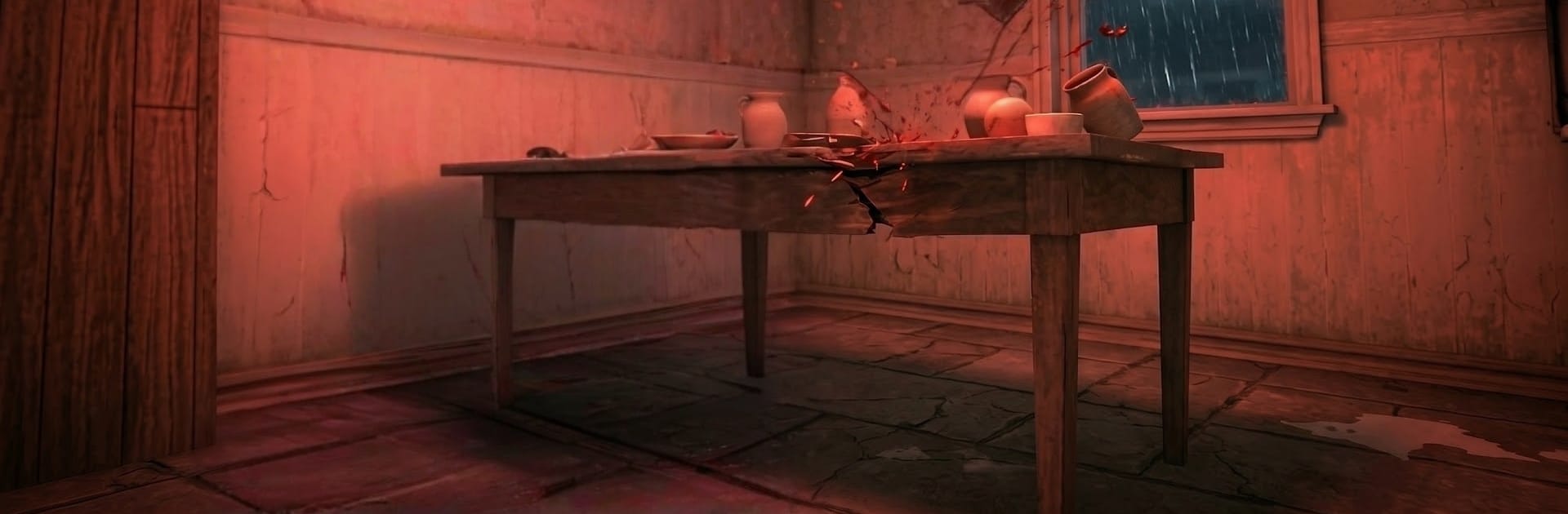
Granny Escape Horror 3D is a nerve-wracking Arcade escape game where silence is your best weapon. You’re locked in a rotting old mansion and have just a handful of days to figure your way out. Every movement matters, every clue counts, and one careless noise can bring Granny right to your hiding spot. Want a bigger screen and tighter control? It also feels great on BlueStacks.

Game Features

  • A mansion that reacts: The house is packed with locked rooms, hidden passages, and creepy nooks. Explore carefully—Granny could be just around the corner.
  • Noise actually matters: The AI homes in on sound. Drop something, sprint over a squeaky board, or slam a door and you’ll hear her coming before you see her.
  • Layered escape puzzles: Getting out isn’t one-and-done. Find items, combine tools, crack codes, and unlock a chain of exits with multiple possible routes.
  • Real stealth, real panic: Slide under beds, squeeze into closets, and wait it out as footsteps creep past. The scariest part is often the silence.
  • Five-day countdown: Each new day ramps up the pressure. Fewer safe spots, quicker patrols, and smarter searches mean you can’t rely on the same tricks twice.
  • Multiplayer options: Partner up to distract and solve together, or race a friend to see who lasts longer in the same haunted layout.
  • Smooth, stress-free controls: Movement and interaction are simple to learn, so the tension comes from the chase—not the interface.
  • Built for replay: With changing item placements and several escape paths, every run feels fresh and keeps you guessing.

Get ready for a buttery smooth, high-performance gaming action only on BlueStacks.

Game Features

Enhancements

  • Macros
  • Multi Instance
  • Multi Instance Sync
  • Script
  • Enhancements
Macros

Macros

Automate the predictable in Granny Escape Horror 3D and transform your gameplay with Macros. Get access to inventive Macros in the BlueStacks Macro Community
Multi Instance

Multi Instance

Play Granny Escape Horror 3D on one window. And chat with your friend on the other. Press CTRL + Shift + 8 to open the Multi-Instance Manager. And start creating fresh instances or clone an existing one.
Multi Instance Sync

Multi Instance Sync

Play Granny Escape Horror 3D with the power of Multi-Instance Sync. Replicate what you are doing on the main instance on all other instances. Level up faster, play more.
Script

Script

Script your way to gaming glory in Granny Escape Horror 3D with BlueStacks Script. Write and run a set of commands to automate repeated tasks. Trigger the command by assigning it to any key.
Read More

How to Download and Play Granny Escape Horror 3D on PC or Mac

  • Download and install BlueStacks on your PC or Mac

  • Complete Google sign-in to access the Play Store, or do it later

  • Look for Granny Escape Horror 3D in the search bar at the top right corner

  • Click to install Granny Escape Horror 3D from the search results

  • Complete Google sign-in (if you skipped step 2) to install Granny Escape Horror 3D

  • Click the Granny Escape Horror 3D icon on the home screen to start playing

video
Watch Video

Minimum System Requirements

With BlueStacks 5, you can get started on a PC that fulfills the following requirements.

  • Operating System

    Microsoft Windows 7 or above, macOS 11 (Big Sur) or above

  • Processor

    Intel, AMD or Apple Silicon Processor

  • RAM

    at least 4GB

  • HDD

    10GB Free Disk Space

Note:

* You must be an Administrator on your PC. Up to date graphics drivers from Microsoft or the chipset vendor.

Granny Escape Horror 3D - FAQs

  • How to play Granny Escape Horror 3D on Windows PC & Mac?

    Play Granny Escape Horror 3D on your PC or Mac by following these simple steps.

    • Click on 'Play Granny Escape Horror 3D on PC’ to download BlueStacks
    • Install it and log-in to Google Play Store
    • Launch and play the game.
  • Why is BlueStacks the fastest and safest platform to play games on PC?

    BlueStacks respects your privacy and is always safe and secure to use. It does not carry any malware, spyware, or any sort of additional software that could harm your PC.

    It is engineered to optimize speed and performance for a seamless gaming experience.

  • What are Granny Escape Horror 3D PC requirements?

    Minimum requirement to run Granny Escape Horror 3D on your PC

    • OS: Microsoft Windows 7 or above MacOS 11 (Big Sur) or above
    • Processor: Intel, AMD or Apple Silicon Processor
    • RAM: Your PC must have at least 4GB of RAM. (Note that having 4GB or more disk space is not a substitute for RAM)
    • HDD: 10GB Free Disk Space.
    • You must be an Administrator on your PC.