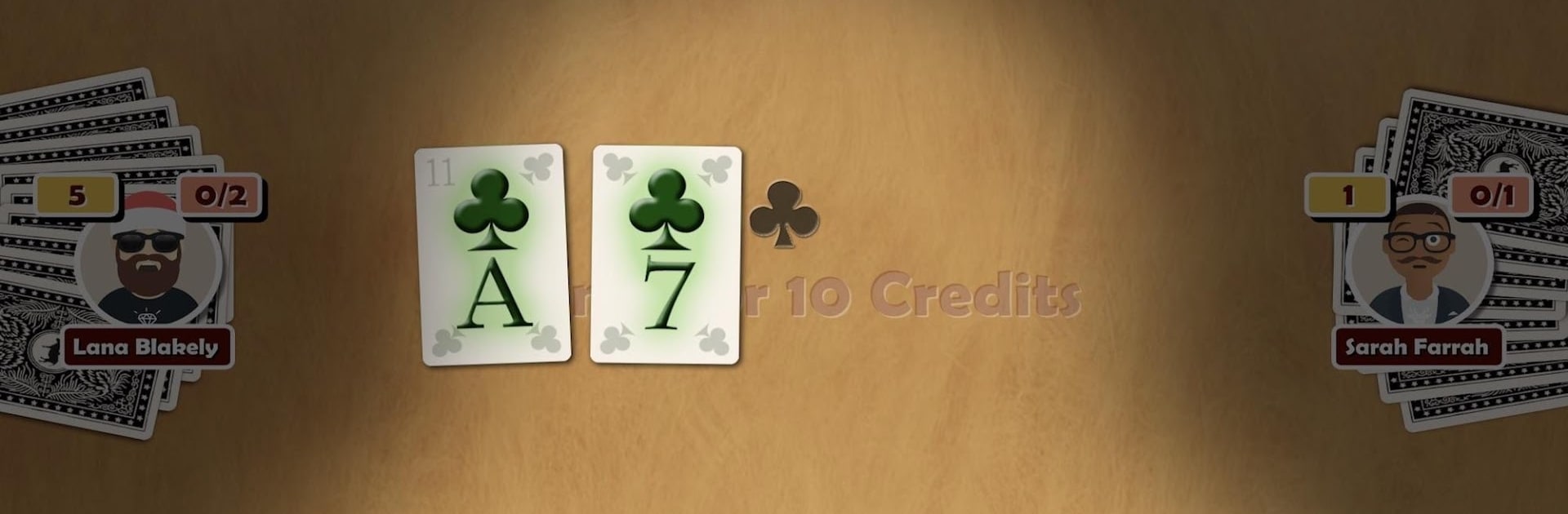
Oh Hell - Online Spades Card Game

Oh Hell - Online Spades Card Game

Card

| DonkeyCat GmbH

Play on PC with BlueStacks or from our cloud

  • Overview
  • Game Features
  • How to Play

Page Modified On: December 05, 2025

Play Oh Hell - Online Spades Card Game on PC or Mac

Oh Hell – Online Spades Card Game brings the Card genre to life, and throws up exciting challenges for gamers. Developed by DonkeyCat GmbH, this Android game is best experienced on BlueStacks, the World’s #1 app player for PC and Mac users.

Oh Hell here feels like Spades’ cheeky cousin that loves to keep score honest. Each hand starts with everyone guessing how many tricks they think they will take, then the whole round becomes this tense little puzzle of playing just enough to hit that number, not one more, not one less. Suits must be followed, a trump suit is chosen for the round, and the deck is short, running A down to 7, so every card matters. The scoring is clean, one point per trick and a chunky bonus when the bid is hit exactly. Hands step down in size until there is only one card, which leads to those funny, petty final battles where a single trump decides the table.

The vibe is simple and friendly, like a pub table with digital chips. It is easy to learn, though readings opponents’ bids and timing trumps well takes real focus. There is quick online play against randoms or private rooms for friends, and a chat to toss a comment when someone misses by one. Offline matches against the computer are there for practice or a commute. There are rankings by day, week, and month for anyone who enjoys checking a leaderboard. Card faces can be swapped, including French and classic German styles, and it supports two to four players, best with four. On PC, running it with BlueStacks is nice for a bigger table and quick clicks, but it plays fine on the couch on a phone too. People who know it as Oh Heck, Contract Whist, Wizard, or Bid Whist will feel right at home.

Start your journey now. Download the game on BlueStacks, invite your friends, and march on a new adventure.


Game Features

Enhancements

  • Macros
  • Multi Instance
  • Multi Instance Sync
  • Script
  • Enhancements
Macros

Macros

Automate the predictable in Oh Hell - Online Spades Card Game and transform your gameplay with Macros. Get access to inventive Macros in the BlueStacks Macro Community
Multi Instance

Multi Instance

Play Oh Hell - Online Spades Card Game on one window. And chat with your friend on the other. Press CTRL + Shift + 8 to open the Multi-Instance Manager. And start creating fresh instances or clone an existing one.
Multi Instance Sync

Multi Instance Sync

Play Oh Hell - Online Spades Card Game with the power of Multi-Instance Sync. Replicate what you are doing on the main instance on all other instances. Level up faster, play more.
Script

Script

Script your way to gaming glory in Oh Hell - Online Spades Card Game with BlueStacks Script. Write and run a set of commands to automate repeated tasks. Trigger the command by assigning it to any key.
Read More

How to Download and Play Oh Hell - Online Spades Card Game on PC or Mac

  • Download and install BlueStacks on your PC or Mac

  • Complete Google sign-in to access the Play Store, or do it later

  • Look for Oh Hell - Online Spades Card Game in the search bar at the top right corner

  • Click to install Oh Hell - Online Spades Card Game from the search results

  • Complete Google sign-in (if you skipped step 2) to install Oh Hell - Online Spades Card Game

  • Click the Oh Hell - Online Spades Card Game icon on the home screen to start playing

video
Watch Video

Minimum System Requirements

With BlueStacks 5, you can get started on a PC that fulfills the following requirements.

  • Operating System

    Microsoft Windows 7 or above, macOS 11 (Big Sur) or above

  • Processor

    Intel, AMD or Apple Silicon Processor

  • RAM

    at least 4GB

  • HDD

    10GB Free Disk Space

Note:

* You must be an Administrator on your PC. Up to date graphics drivers from Microsoft or the chipset vendor.

Oh Hell - Online Spades Card Game - FAQs

  • How to play Oh Hell - Online Spades Card Game on Windows PC & Mac?

    Play Oh Hell - Online Spades Card Game on your PC or Mac by following these simple steps.

    • Click on 'Play Oh Hell - Online Spades Card Game on PC’ to download BlueStacks
    • Install it and log-in to Google Play Store
    • Launch and play the game.
  • Why is BlueStacks the fastest and safest platform to play games on PC?

    BlueStacks respects your privacy and is always safe and secure to use. It does not carry any malware, spyware, or any sort of additional software that could harm your PC.

    It is engineered to optimize speed and performance for a seamless gaming experience.

  • What are Oh Hell - Online Spades Card Game PC requirements?

    Minimum requirement to run Oh Hell - Online Spades Card Game on your PC

    • OS: Microsoft Windows 7 or above MacOS 11 (Big Sur) or above
    • Processor: Intel, AMD or Apple Silicon Processor
    • RAM: Your PC must have at least 4GB of RAM. (Note that having 4GB or more disk space is not a substitute for RAM)
    • HDD: 10GB Free Disk Space.
    • You must be an Administrator on your PC.