Detective Club 3: Find Objects

Detective Club 3: Find Objects

Puzzle

| Do Games Limited

Play on PC with BlueStacks or from our cloud

  • Overview
  • Game Features
  • How to Play

Page Modified On: September 18, 2026

Play Detective Club 3: Find Objects on PC or Mac

Bring your A-game to Detective Club 3: Find Objects, the Puzzle game sensation from Do Games Limited. Give your gameplay the much-needed boost with precise game controls, high FPS graphics, and top-tier features on your PC or Mac with BlueStacks.

About the Game

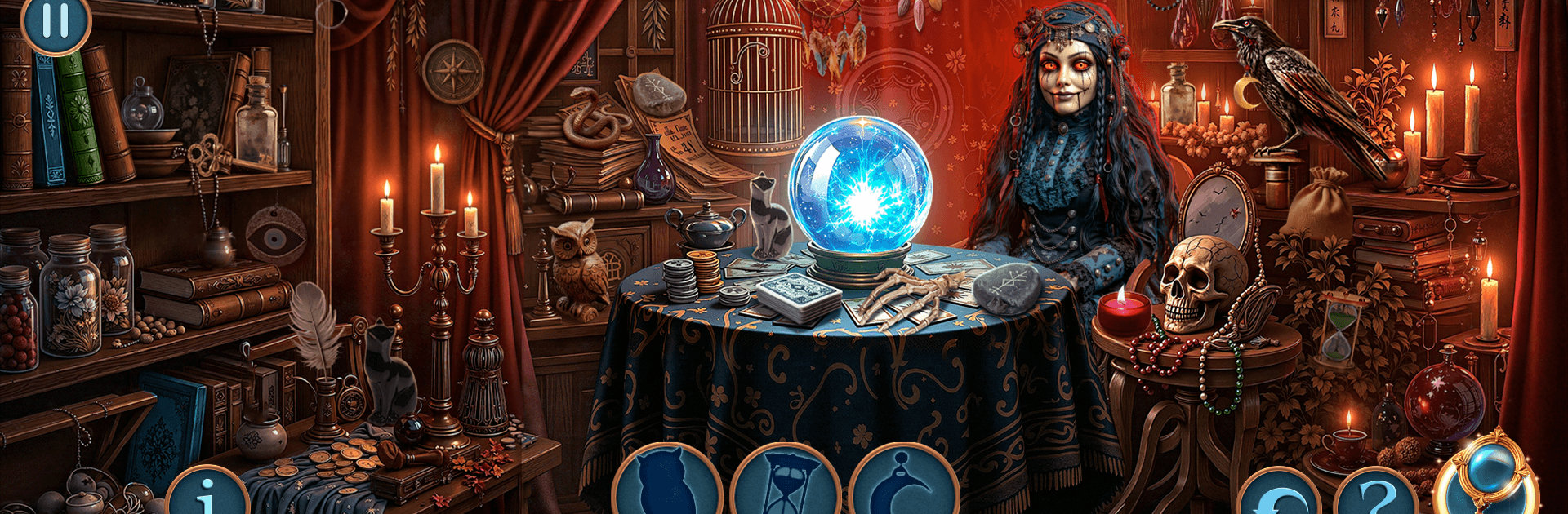
Detective Club 3: Find Objects is a Puzzle adventure that drops you into a late-night carnival where fun lights hide darker motives. What starts as a simple outing for Thomas, Emily, and George turns eerie when a smiling clown plays a tune that leaves people dazed and forgetful, and a thick violet smoke trails behind the music. Expect classic hidden-object sleuthing, tricky puzzles, and a tense hunt to stop a mastermind before the city becomes part of his grand finale.

Game Features

  • Haunting Carnival Mystery: Follow Thomas through neon-lit tents, creaking rides, and backlot tunnels to track a stolen pendant, missing townsfolk, and a clown named Grimas whose flute seems to bend people’s will.
  • Rich Hidden-Object Scenes: Search packed locations by word, silhouette, or fragments, piece items together to make tools, and unlock fresh paths as every find nudges the case forward.
  • Puzzles With Purpose: Crack coded posters, repair jammed mechanisms, organize suspect paperwork, and analyze odd violet residue in makeshift lab puzzles to uncover how the trick works.
  • Evidence That Tells a Story: Collect letters, sketches, permits, photographs, and chemistry notes—each clue stitches together what happened, where it happened, and who’s pulling the strings.
  • Tension and Traps: Outsmart hypnotic tricks, ignore visual feints, and time your moves while an unsettling melody tries to throw off your focus.
  • Explore Every Corner: Sweep the big top, mirror mazes, horror attractions, abandoned wagons, backstage crawlspaces, and even city hall as the investigation spills past the fairgrounds.
  • Play Comfortably: Tweak difficulty to your taste, use a hint when you’re stuck, or keep the interface lean if you want a sharper challenge.
  • Subtle PC Perks with BlueStacks: Prefer point-and-click accuracy and a wider view? Playing on BlueStacks makes spotting tiny clues and dragging puzzle pieces feel extra smooth, without changing the core experience.

Start your journey now. Download the game on BlueStacks, invite your friends, and march on a new adventure.


Game Features

Enhancements

  • Macros
  • Multi Instance
  • Multi Instance Sync
  • Script
  • Enhancements
Macros

Macros

Automate the predictable in Detective Club 3: Find Objects and transform your gameplay with Macros. Get access to inventive Macros in the BlueStacks Macro Community
Multi Instance

Multi Instance

Play Detective Club 3: Find Objects on one window. And chat with your friend on the other. Press CTRL + Shift + 8 to open the Multi-Instance Manager. And start creating fresh instances or clone an existing one.
Multi Instance Sync

Multi Instance Sync

Play Detective Club 3: Find Objects with the power of Multi-Instance Sync. Replicate what you are doing on the main instance on all other instances. Level up faster, play more.
Script

Script

Script your way to gaming glory in Detective Club 3: Find Objects with BlueStacks Script. Write and run a set of commands to automate repeated tasks. Trigger the command by assigning it to any key.
Read More

How to Download and Play Detective Club 3: Find Objects on PC or Mac

  • Download and install BlueStacks on your PC or Mac

  • Complete Google sign-in to access the Play Store, or do it later

  • Look for Detective Club 3: Find Objects in the search bar at the top right corner

  • Click to install Detective Club 3: Find Objects from the search results

  • Complete Google sign-in (if you skipped step 2) to install Detective Club 3: Find Objects

  • Click the Detective Club 3: Find Objects icon on the home screen to start playing

video
Watch Video

Minimum System Requirements

With BlueStacks 5, you can get started on a PC that fulfills the following requirements.

  • Operating System

    Microsoft Windows 7 or above, macOS 11 (Big Sur) or above

  • Processor

    Intel, AMD or Apple Silicon Processor

  • RAM

    at least 4GB

  • HDD

    10GB Free Disk Space

Note:

* You must be an Administrator on your PC. Up to date graphics drivers from Microsoft or the chipset vendor.

Detective Club 3: Find Objects - FAQs

  • How to play Detective Club 3: Find Objects on Windows PC & Mac?

    Play Detective Club 3: Find Objects on your PC or Mac by following these simple steps.

    • Click on 'Play Detective Club 3: Find Objects on PC’ to download BlueStacks
    • Install it and log-in to Google Play Store
    • Launch and play the game.
  • Why is BlueStacks the fastest and safest platform to play games on PC?

    BlueStacks respects your privacy and is always safe and secure to use. It does not carry any malware, spyware, or any sort of additional software that could harm your PC.

    It is engineered to optimize speed and performance for a seamless gaming experience.

  • What are Detective Club 3: Find Objects PC requirements?

    Minimum requirement to run Detective Club 3: Find Objects on your PC

    • OS: Microsoft Windows 7 or above MacOS 11 (Big Sur) or above
    • Processor: Intel, AMD or Apple Silicon Processor
    • RAM: Your PC must have at least 4GB of RAM. (Note that having 4GB or more disk space is not a substitute for RAM)
    • HDD: 10GB Free Disk Space.
    • You must be an Administrator on your PC.