Maze of Realities: Ride

Maze of Realities: Ride

Puzzle

| Do Games Limited

Play on PC with BlueStacks or from our cloud

  • Overview
  • Game Features
  • How to Play

Page Modified On: June 02, 2026

Play Maze of Realities: Ride on PC or Mac

Bring your A-game to Maze of Realities: Ride, the Puzzle game sensation from Do Games Limited. Give your gameplay the much-needed boost with precise game controls, high FPS graphics, and top-tier features on your PC or Mac with BlueStacks.

About the Game

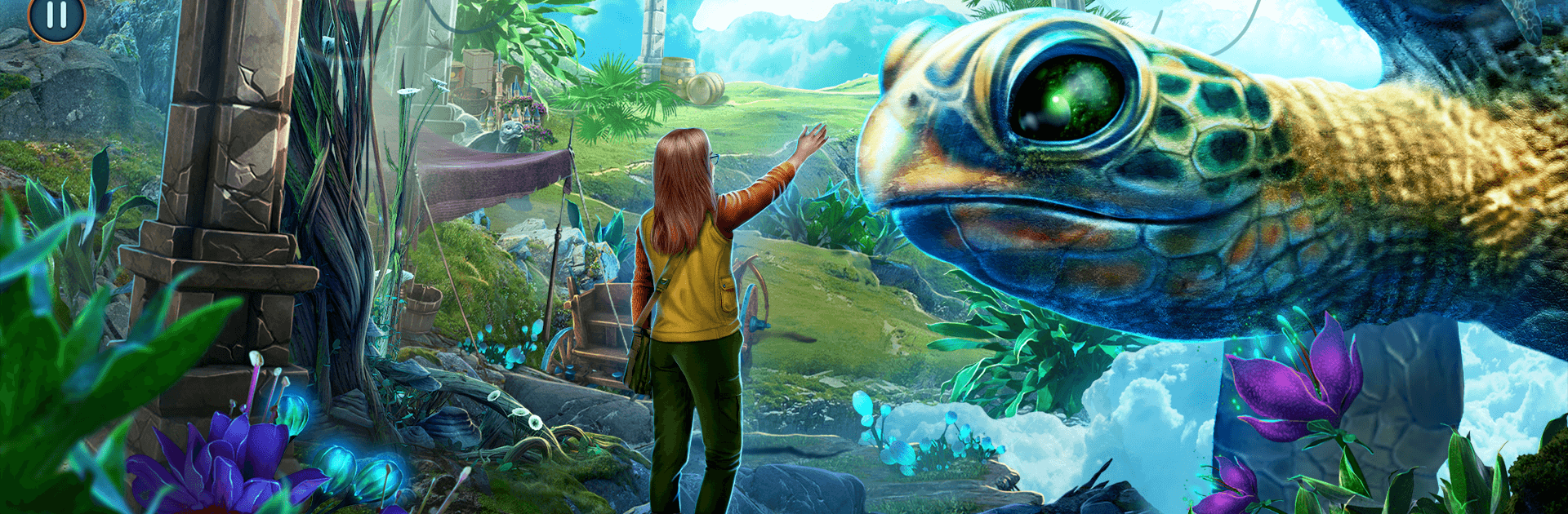
Reality cracks the moment a renowned professor goes missing from a high-security lab, and you’re the one left to connect the dots. Maze of Realities: Ride is a Puzzle hidden-object adventure that shuttles you from an Egyptian excavation at Abu Gorab to realms that shouldn’t exist at all. It’s story-first, packed with clever contraptions and point-and-click exploration—and it looks great on a bigger screen with BlueStacks if you like catching tiny details.

Game Features

  • Parallel Worlds: Chase the mystery across three linked realms—from sand-swept ruins to a civilization perched in the sky—each with its own rules and secrets.
  • Story-Driven Mystery: Follow the trail of a missing professor and vanished archaeologists through notes, environmental clues, and conversations that actually matter.
  • Hidden-Object Scenes: Scour richly illustrated locations where items are sneaky but fair; every found object feeds back into the investigation.
  • Clever Puzzles: Solve mechanical locks, symbol ciphers, and layered logic challenges that feel like part of the world, not just roadblocks.
  • Point-and-Click Exploration: Inspect, combine, and experiment with tools as you move through camps, temples, and airborne platforms at your own pace.
  • Artifacts and Achievements: Collect meaningful relics that reveal lore and rack up optional achievements for completionists.
  • Flexible Help: Use hints when you need a nudge or dial them back for a tougher, more old-school hunt.
  • BlueStacks Perks: On PC, BlueStacks brings crisp visuals and precise mouse control—perfect for spotting that one stubborn object hiding in plain sight.

Start your journey now. Download the game on BlueStacks, invite your friends, and march on a new adventure.


Game Features

Enhancements

  • Macros
  • Multi Instance
  • Multi Instance Sync
  • Script
  • Enhancements
Macros

Macros

Automate the predictable in Maze of Realities: Ride and transform your gameplay with Macros. Get access to inventive Macros in the BlueStacks Macro Community
Multi Instance

Multi Instance

Play Maze of Realities: Ride on one window. And chat with your friend on the other. Press CTRL + Shift + 8 to open the Multi-Instance Manager. And start creating fresh instances or clone an existing one.
Multi Instance Sync

Multi Instance Sync

Play Maze of Realities: Ride with the power of Multi-Instance Sync. Replicate what you are doing on the main instance on all other instances. Level up faster, play more.
Script

Script

Script your way to gaming glory in Maze of Realities: Ride with BlueStacks Script. Write and run a set of commands to automate repeated tasks. Trigger the command by assigning it to any key.
Read More

How to Download and Play Maze of Realities: Ride on PC or Mac

  • Download and install BlueStacks on your PC or Mac

  • Complete Google sign-in to access the Play Store, or do it later

  • Look for Maze of Realities: Ride in the search bar at the top right corner

  • Click to install Maze of Realities: Ride from the search results

  • Complete Google sign-in (if you skipped step 2) to install Maze of Realities: Ride

  • Click the Maze of Realities: Ride icon on the home screen to start playing

video
Watch Video

Minimum System Requirements

With BlueStacks 5, you can get started on a PC that fulfills the following requirements.

  • Operating System

    Microsoft Windows 7 or above, macOS 11 (Big Sur) or above

  • Processor

    Intel, AMD or Apple Silicon Processor

  • RAM

    at least 4GB

  • HDD

    10GB Free Disk Space

Note:

* You must be an Administrator on your PC. Up to date graphics drivers from Microsoft or the chipset vendor.

Maze of Realities: Ride - FAQs

  • How to play Maze of Realities: Ride on Windows PC & Mac?

    Play Maze of Realities: Ride on your PC or Mac by following these simple steps.

    • Click on 'Play Maze of Realities: Ride on PC’ to download BlueStacks
    • Install it and log-in to Google Play Store
    • Launch and play the game.
  • Why is BlueStacks the fastest and safest platform to play games on PC?

    BlueStacks respects your privacy and is always safe and secure to use. It does not carry any malware, spyware, or any sort of additional software that could harm your PC.

    It is engineered to optimize speed and performance for a seamless gaming experience.

  • What are Maze of Realities: Ride PC requirements?

    Minimum requirement to run Maze of Realities: Ride on your PC

    • OS: Microsoft Windows 7 or above MacOS 11 (Big Sur) or above
    • Processor: Intel, AMD or Apple Silicon Processor
    • RAM: Your PC must have at least 4GB of RAM. (Note that having 4GB or more disk space is not a substitute for RAM)
    • HDD: 10GB Free Disk Space.
    • You must be an Administrator on your PC.