Secrets of Salem: Phantom Cab

Secrets of Salem: Phantom Cab

Puzzle

| Do Games Limited

Play on PC with BlueStacks or from our cloud

  • Overview
  • Game Features
  • How to Play

Page Modified On: November 20, 2025

Play Secrets of Salem: Phantom Cab on PC or Mac

From the innovators and creators at Do Games Limited, Secrets of Salem: Phantom Cab is another fun addition to the World of Puzzle games. Go beyond your mobile screen and play it bigger and better on your PC or Mac. An immersive experience awaits you.

About the Game

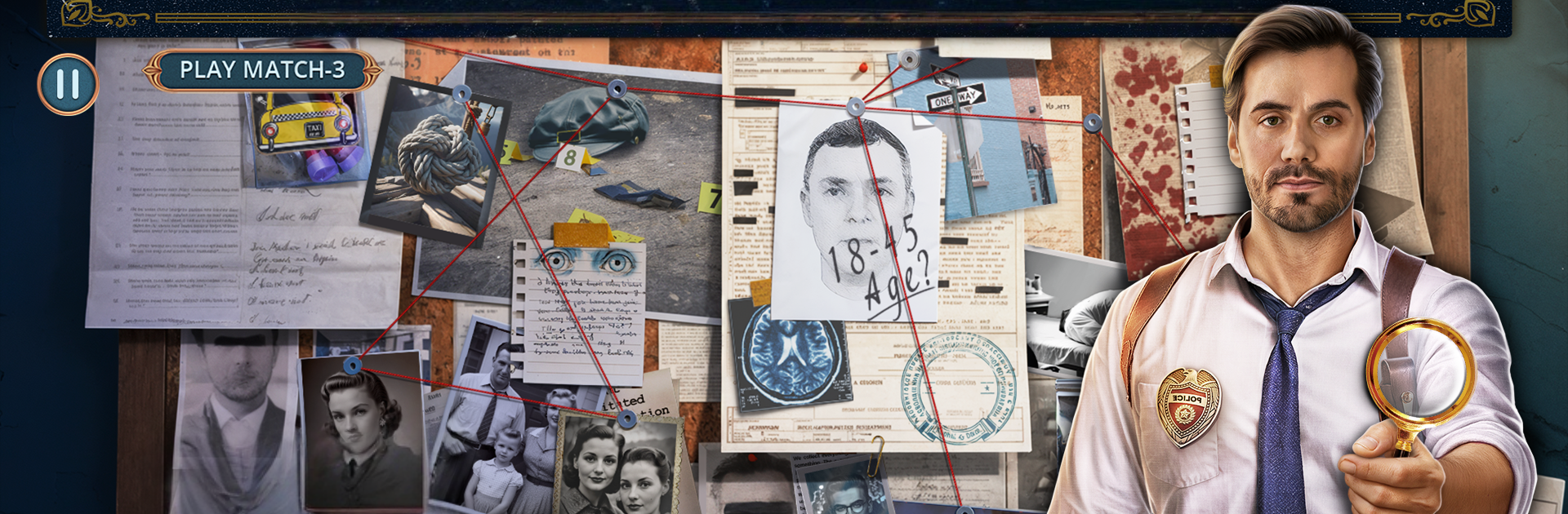
Secrets of Salem: Phantom Cab is a story-driven Puzzle adventure that leans hard into supernatural noir. You’re Detective Victor Grayson, chasing a killer cab that keeps showing up where the bodies fall—and that same shadowy ride might be tied to Victor’s missing brother. Expect moody scenes, hidden-object challenges, and choices that can tilt the case in unexpected directions in this haunting mystery from Do Games Limited.

Game Features

  • Supernatural Noir Case
    Follow a trail of victims all last seen entering a midnight-black taxi. Every scene hides clues, oddities, and a few things that refuse to stay dead.

  • A Personal Investigation
    Victor’s search isn’t just about justice—his brother Thomas disappeared while chasing the same legend. The closer you get, the sharper the edges.

  • Salem After Dark
    Pick through rain-slick streets, occult storefronts, and old cemeteries. The city feels alive, stubborn, and full of secrets that don’t like the daylight.

  • Hidden-Object Sleuthing
    Scour detailed scenes to spot the item that cracks a timeline, reveals a symbol, or opens a path you didn’t realize was there.

  • Wicked Puzzles and Riddles
    Tangle with charms, sigils, locks, and logic twists that fit the witchy, old-world vibe. Nothing’s just for show—every puzzle nudges the story forward.

  • Choices That Matter
    Decide who to trust, what to risk, and when to push your luck. Your calls can change relationships, discoveries, and where the cab takes you next.

  • Occult Allies (and Enemies)
    Team up with Dakota Lovelace, a witch with an eye for the hidden. Not everyone appreciates your questions—some of them aren’t even among the living.

  • Play How You Like
    Want pure challenge or a nudge when you’re stuck? Use helpful hints without dulling the tension of the investigation.

  • PC-Friendly Experience
    Prefer a bigger screen and crisp mouse control? It plays smoothly on PC with BlueStacks without getting in the way of the mystery.

Make your gaming sessions memorable with precise controls that give you an edge in close combats and visuals that pop up, bringing every character to life.


Game Features

Enhancements

  • Macros
  • Multi Instance
  • Multi Instance Sync
  • Script
  • Enhancements
Macros

Macros

Automate the predictable in Secrets of Salem: Phantom Cab and transform your gameplay with Macros. Get access to inventive Macros in the BlueStacks Macro Community
Multi Instance

Multi Instance

Play Secrets of Salem: Phantom Cab on one window. And chat with your friend on the other. Press CTRL + Shift + 8 to open the Multi-Instance Manager. And start creating fresh instances or clone an existing one.
Multi Instance Sync

Multi Instance Sync

Play Secrets of Salem: Phantom Cab with the power of Multi-Instance Sync. Replicate what you are doing on the main instance on all other instances. Level up faster, play more.
Script

Script

Script your way to gaming glory in Secrets of Salem: Phantom Cab with BlueStacks Script. Write and run a set of commands to automate repeated tasks. Trigger the command by assigning it to any key.
Read More

How to Download and Play Secrets of Salem: Phantom Cab on PC or Mac

  • Download and install BlueStacks on your PC or Mac

  • Complete Google sign-in to access the Play Store, or do it later

  • Look for Secrets of Salem: Phantom Cab in the search bar at the top right corner

  • Click to install Secrets of Salem: Phantom Cab from the search results

  • Complete Google sign-in (if you skipped step 2) to install Secrets of Salem: Phantom Cab

  • Click the Secrets of Salem: Phantom Cab icon on the home screen to start playing

video
Watch Video

Minimum System Requirements

With BlueStacks 5, you can get started on a PC that fulfills the following requirements.

  • Operating System

    Microsoft Windows 7 or above, macOS 11 (Big Sur) or above

  • Processor

    Intel, AMD or Apple Silicon Processor

  • RAM

    at least 4GB

  • HDD

    10GB Free Disk Space

Note:

* You must be an Administrator on your PC. Up to date graphics drivers from Microsoft or the chipset vendor.

Secrets of Salem: Phantom Cab - FAQs

  • How to play Secrets of Salem: Phantom Cab on Windows PC & Mac?

    Play Secrets of Salem: Phantom Cab on your PC or Mac by following these simple steps.

    • Click on 'Play Secrets of Salem: Phantom Cab on PC’ to download BlueStacks
    • Install it and log-in to Google Play Store
    • Launch and play the game.
  • Why is BlueStacks the fastest and safest platform to play games on PC?

    BlueStacks respects your privacy and is always safe and secure to use. It does not carry any malware, spyware, or any sort of additional software that could harm your PC.

    It is engineered to optimize speed and performance for a seamless gaming experience.

  • What are Secrets of Salem: Phantom Cab PC requirements?

    Minimum requirement to run Secrets of Salem: Phantom Cab on your PC

    • OS: Microsoft Windows 7 or above MacOS 11 (Big Sur) or above
    • Processor: Intel, AMD or Apple Silicon Processor
    • RAM: Your PC must have at least 4GB of RAM. (Note that having 4GB or more disk space is not a substitute for RAM)
    • HDD: 10GB Free Disk Space.
    • You must be an Administrator on your PC.