Top Cars Driving
Top Cars Driving

Top Cars Driving

Racing

| LastCall

Play on PC with BlueStacks or from our cloud

  • Overview
  • Game Features
  • How to Play

Page Modified On: January 09, 2026

Play Top Cars Driving on PC or Mac

Step into the World of Top Cars Driving, a thrilling Racing game from the house of LastCall. Play this Android game on BlueStacks App Player and experience immersive gaming on PC or Mac.

About the Game

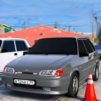
Top Cars Driving is all about speed, nerve, and clean lines. Built by LastCall, this Racing title puts you in busy traffic, on winding mountain roads, and across no-limit highways where every pass feels risky and every drift feels earned. It’s got that “one more run” hook—and if you prefer playing on PC, it runs nicely through BlueStacks.

Game Features

  • Highway Heat
  • Thread through cars at high speed, slip into the draft, and time bold overtakes. Lane-splitting at autobahn pace isn’t just allowed—it’s encouraged.

  • Mountain Roads, Big Commitment

  • Tackle tight hairpins and sneaky chicanes on twisting serpentines. Hit the apex, manage your speed, and keep the car balanced through long, satisfying arcs.

  • Physics That Actually Matter

  • Feel weight transfer, grip, and momentum. Nail the racing line, or push past it and wrestle with oversteer and understeer as you link drifts together.

  • Crashes With Consequences

  • Metal bends, panels crumple, and collisions look brutal in the best way. It’s a proper car crash model, not a simple bump and reset.

  • Street Vibes at Night

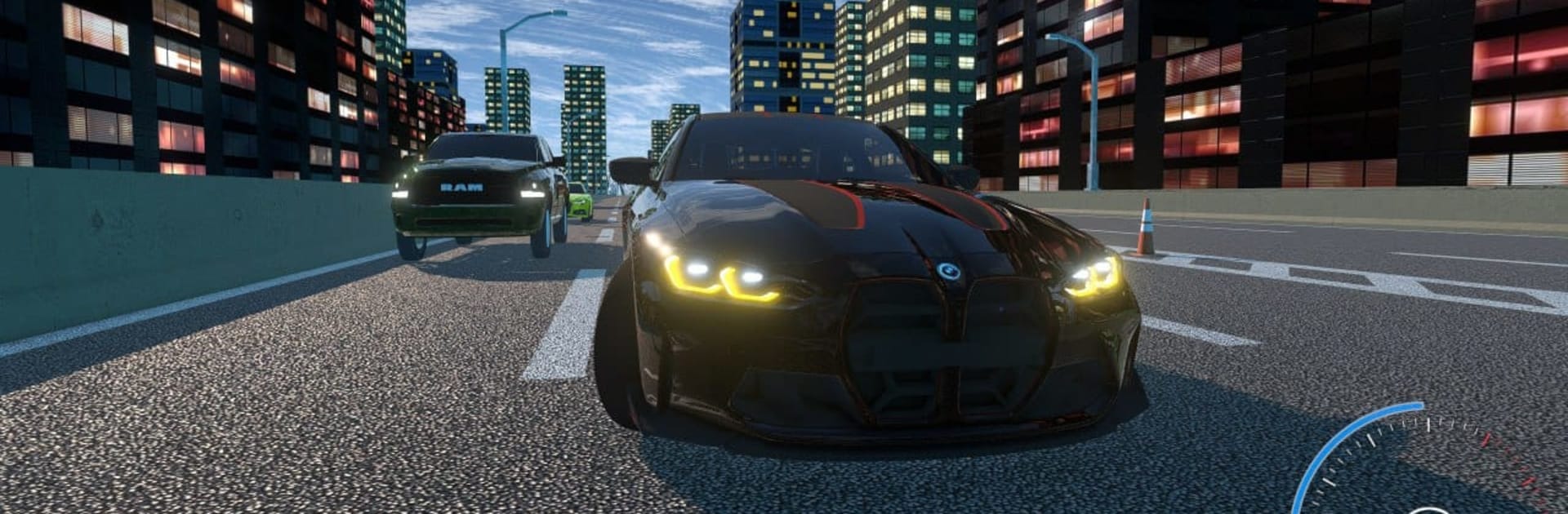
  • City runs after dark bring a slick, moody atmosphere—bright lights, tight lanes, and that sense that every inch counts.

  • Tuning and Upgrades

  • Build your favorite setup with performance parts and tweaks. From top cars to fine-tuned handling, dial it in for grip, drift, or raw speed.

  • Play Your Style

  • Want realistic driving? Go precise. After street-racing energy or pure traffic runs? It’s all in here, powered by punchy, satisfying physics.

Get ready for a buttery smooth, high-performance gaming action only on BlueStacks.

Game Features

Enhancements

  • Macros
  • Multi Instance
  • Multi Instance Sync
  • Script
  • Enhancements
Macros

Macros

Automate the predictable in Top Cars Driving and transform your gameplay with Macros. Get access to inventive Macros in the BlueStacks Macro Community
Multi Instance

Multi Instance

Play Top Cars Driving on one window. And chat with your friend on the other. Press CTRL + Shift + 8 to open the Multi-Instance Manager. And start creating fresh instances or clone an existing one.
Multi Instance Sync

Multi Instance Sync

Play Top Cars Driving with the power of Multi-Instance Sync. Replicate what you are doing on the main instance on all other instances. Level up faster, play more.
Script

Script

Script your way to gaming glory in Top Cars Driving with BlueStacks Script. Write and run a set of commands to automate repeated tasks. Trigger the command by assigning it to any key.
Read More

How to Download and Play Top Cars Driving on PC or Mac

  • Download and install BlueStacks on your PC or Mac

  • Complete Google sign-in to access the Play Store, or do it later

  • Look for Top Cars Driving in the search bar at the top right corner

  • Click to install Top Cars Driving from the search results

  • Complete Google sign-in (if you skipped step 2) to install Top Cars Driving

  • Click the Top Cars Driving icon on the home screen to start playing

video
Watch Video

Minimum System Requirements

With BlueStacks 5, you can get started on a PC that fulfills the following requirements.

  • Operating System

    Microsoft Windows 7 or above, macOS 11 (Big Sur) or above

  • Processor

    Intel, AMD or Apple Silicon Processor

  • RAM

    at least 4GB

  • HDD

    10GB Free Disk Space

Note:

* You must be an Administrator on your PC. Up to date graphics drivers from Microsoft or the chipset vendor.

Top Cars Driving - FAQs

  • How to play Top Cars Driving on Windows PC & Mac?

    Play Top Cars Driving on your PC or Mac by following these simple steps.

    • Click on 'Play Top Cars Driving on PC’ to download BlueStacks
    • Install it and log-in to Google Play Store
    • Launch and play the game.
  • Why is BlueStacks the fastest and safest platform to play games on PC?

    BlueStacks respects your privacy and is always safe and secure to use. It does not carry any malware, spyware, or any sort of additional software that could harm your PC.

    It is engineered to optimize speed and performance for a seamless gaming experience.

  • What are Top Cars Driving PC requirements?

    Minimum requirement to run Top Cars Driving on your PC

    • OS: Microsoft Windows 7 or above MacOS 11 (Big Sur) or above
    • Processor: Intel, AMD or Apple Silicon Processor
    • RAM: Your PC must have at least 4GB of RAM. (Note that having 4GB or more disk space is not a substitute for RAM)
    • HDD: 10GB Free Disk Space.
    • You must be an Administrator on your PC.