City Police Chase Simulator 3D

City Police Chase Simulator 3D

Role Playing

| Global Tech Studio Games

Play on PC with BlueStacks or from our cloud

  • Overview
  • Game Features
  • How to Play

Page Modified On: October 21, 2026

Play City Police Chase Simulator 3D on PC or Mac

Explore a whole new adventure with City Police Chase Simulator 3D, a Role Playing game created by Global Tech Studio Games. Experience great gameplay with BlueStacks, the most popular gaming platform to play Android games on your PC or Mac.

About the Game

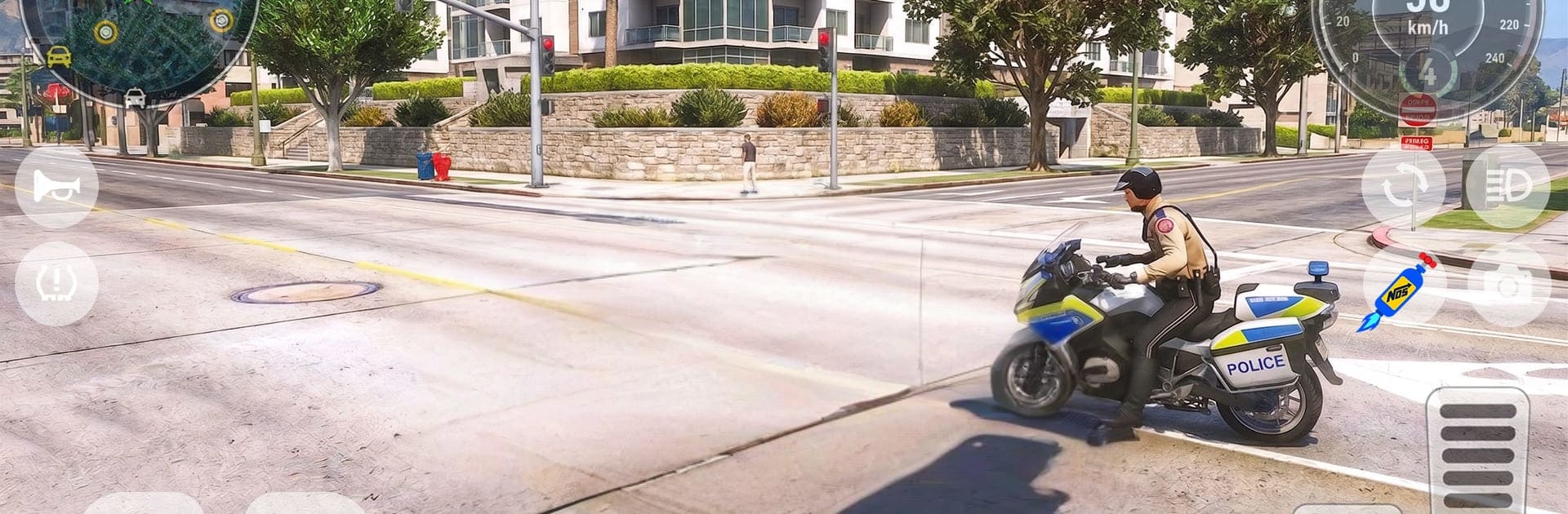
City Police Chase Simulator 3D drops you behind the wheel for the day-to-day rush of a city cop’s patrol. This Role Playing experience blends open-world cruising with split-second pursuits, putting you in charge of when to chase, when to block, and when to call it in. It looks and feels great on the go, and it runs smoothly on BlueStacks if you prefer a different setup.

Game Features

  • Living city to patrol: Roll through downtown, highways, tight alleys, and quiet neighborhoods while keeping an eye out for suspicious vehicles and reported incidents.
  • High-stakes pursuits: Tail, outmaneuver, and box in fleeing suspects as traffic, turns, and shortcuts force you to make quick, confident decisions.
  • Smooth, responsive handling: Feel the weight of each car with tight controls, grippy cornering, and braking that lets you thread gaps without losing the chase.
  • Varied mission types: Respond to urgent calls, track wanted drivers, block escape routes, and wrap up objectives before targets vanish into the crowd.
  • Fleet of police vehicles: Master fast patrol cars, sturdy cruisers, and capable vans—each with its own strengths for different kinds of chases.
  • Lights, sirens, action: Flip on the flashers, clear intersections, and use sound to warn traffic as you close the distance on suspects.
  • Open-world exploration: Learn the city’s shortcuts across business districts, residential blocks, industrial yards, and long highway stretches.
  • Meaningful progression: Complete missions to unlock new vehicles and tougher assignments that test your reaction time and control.
  • Traffic you must respect: Maneuver through realistic city flow, time your overtakes, and avoid collisions that could end your pursuit early.

Get ready for a buttery smooth, high-performance gaming action only on BlueStacks.

Game Features

Enhancements

  • Macros
  • Rerolling
  • Eco Mode
  • Multi Instance Sync
  • Enhancements
Macros

Macros

Focus more on the fun part of the game, skip the tedious aspects. Master City Police Chase Simulator 3D with Macros. Record yourself completing the monotonous tasks you wish to automate and replay them later with just one keypress.
Rerolling

Rerolling

Speed up the rerolling process in City Police Chase Simulator 3D. Perform multiple summons and keep looking for the best Heroes. Use Multi-Instance sync to replicate the rerolling mechanism in all instances.
Eco Mode

Eco Mode

Farm in-game resources with ease in City Police Chase Simulator 3D. Enable the Eco Mode when running the game in multiple instances. And lower your PC's resource consumption.
Multi Instance Sync

Multi Instance Sync

With the Multi-instance Sync, you can do even more in City Police Chase Simulator 3D. Sync the action of the main instance and repeat them in real time for all other instances. Sync and sit back, let the game progress unfold.
Read More

How to Download and Play City Police Chase Simulator 3D on PC or Mac

  • Download and install BlueStacks on your PC or Mac

  • Complete Google sign-in to access the Play Store, or do it later

  • Look for City Police Chase Simulator 3D in the search bar at the top right corner

  • Click to install City Police Chase Simulator 3D from the search results

  • Complete Google sign-in (if you skipped step 2) to install City Police Chase Simulator 3D

  • Click the City Police Chase Simulator 3D icon on the home screen to start playing

video
Watch Video

Minimum System Requirements

With BlueStacks 5, you can get started on a PC that fulfills the following requirements.

  • Operating System

    Microsoft Windows 7 or above, macOS 11 (Big Sur) or above

  • Processor

    Intel, AMD or Apple Silicon Processor

  • RAM

    at least 4GB

  • HDD

    10GB Free Disk Space

Note:

* You must be an Administrator on your PC. Up to date graphics drivers from Microsoft or the chipset vendor.

City Police Chase Simulator 3D - FAQs

  • How to play City Police Chase Simulator 3D on Windows PC & Mac?

    Play City Police Chase Simulator 3D on your PC or Mac by following these simple steps.

    • Click on 'Play City Police Chase Simulator 3D on PC’ to download BlueStacks
    • Install it and log-in to Google Play Store
    • Launch and play the game.
  • Why is BlueStacks the fastest and safest platform to play games on PC?

    BlueStacks respects your privacy and is always safe and secure to use. It does not carry any malware, spyware, or any sort of additional software that could harm your PC.

    It is engineered to optimize speed and performance for a seamless gaming experience.

  • What are City Police Chase Simulator 3D PC requirements?

    Minimum requirement to run City Police Chase Simulator 3D on your PC

    • OS: Microsoft Windows 7 or above MacOS 11 (Big Sur) or above
    • Processor: Intel, AMD or Apple Silicon Processor
    • RAM: Your PC must have at least 4GB of RAM. (Note that having 4GB or more disk space is not a substitute for RAM)
    • HDD: 10GB Free Disk Space.
    • You must be an Administrator on your PC.