Immortal Destiny:Chosen Heirs

Immortal Destiny:Chosen Heirs

Role Playing

| KEY YO GAME

BlueStacks Verified

Play on PC with BlueStacks or from our cloud

  • Overview
  • Game Features
  • How to Play

Page Modified On: May 28, 2026

Play Immortal Destiny:Chosen Heirs on PC or Mac

Immortal Destiny:Chosen Heirs by KEY YO GAME has plenty to keep you busy. BlueStacks lets you play it on PC or Mac with more screen space, better control, and fewer mobile limits.

About the Game

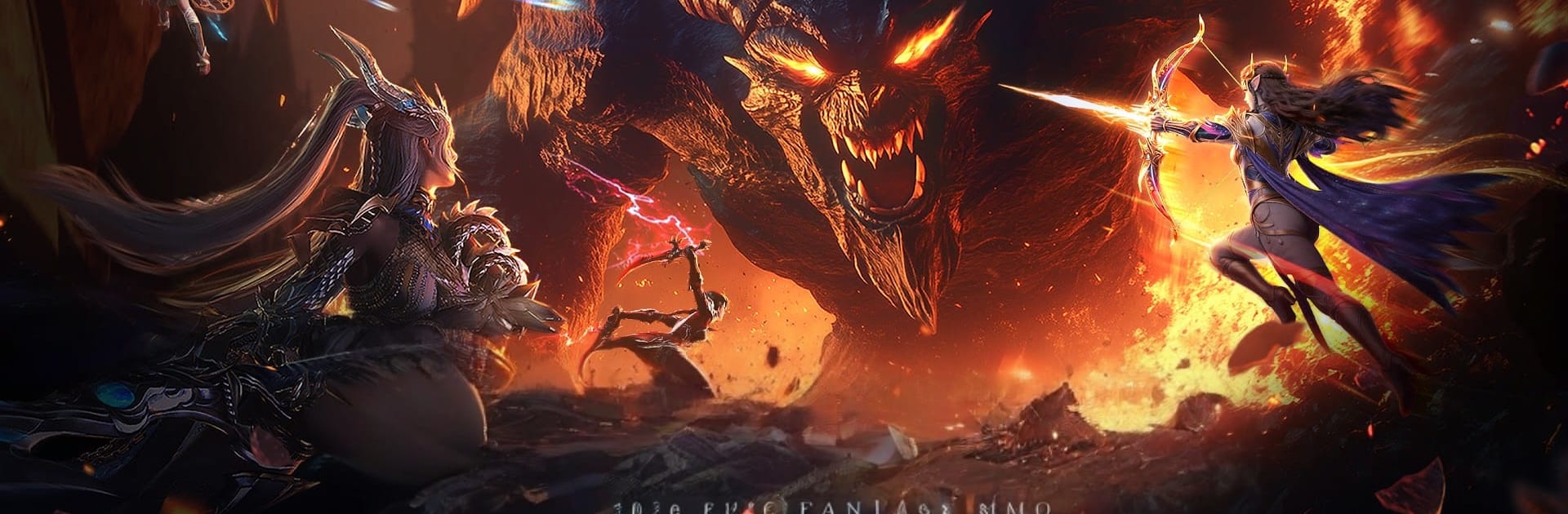
Immortal Destiny:Chosen Heirs is a Role Playing dark fantasy set in a world tearing at the seams. Demons flood the land, a legendary artifact whispers of hope, and you’re the wildcard who can turn the tide. Build a hero, slice through monsters with satisfying combat, and chase gear that actually changes how you play. Prefer a bigger screen and tighter controls? It pairs nicely with BlueStacks.

Game Features

  • Slick, high-impact combat: Fast combos, crisp animations, and chunky skill effects make every strike feel meaningful. It’s flashy without being messy, so you always know what’s going on.
  • Distinct classes, flexible builds: Greatsword bruiser, shadowy assassin, spirit-summoning caster, elegant blade dancer—each comes with deep advancement paths, talents, and gear synergies to shape your own combat identity.
  • Boss hunts with real mechanics: Demon lords aren’t damage sponges. Learn patterns, react to arena shifts, and use timing to break them down—then turn their remains into truly legendary equipment.
  • Play your way, not all day: Smart auto-tools handle the boring stuff. Grab offline gains, breeze through routine dailies with a tap, and keep progressing even when life pulls you away.
  • Fame that actually sticks: Hit the top and the server remembers. Unlock rare titles and visible honors that mark you as a force in this shattered realm.
  • Massive PvP and legions: Team up, form a legion, and clash in large-scale battles where positioning, objectives, and coordination beat lone-wolf stat checks.

BlueStacks gives you more room to focus on the game and less time adjusting around mobile limitations.


Game Features

Enhancements

  • Macros
  • Rerolling
  • Eco Mode
  • Multi Instance Sync
  • Enhancements
Macros

Macros

Focus more on the fun part of the game, skip the tedious aspects. Master Immortal Destiny:Chosen Heirs with Macros. Record yourself completing the monotonous tasks you wish to automate and replay them later with just one keypress.
Rerolling

Rerolling

Speed up the rerolling process in Immortal Destiny:Chosen Heirs. Perform multiple summons and keep looking for the best Heroes. Use Multi-Instance sync to replicate the rerolling mechanism in all instances.
Eco Mode

Eco Mode

Farm in-game resources with ease in Immortal Destiny:Chosen Heirs. Enable the Eco Mode when running the game in multiple instances. And lower your PC's resource consumption.
Multi Instance Sync

Multi Instance Sync

With the Multi-instance Sync, you can do even more in Immortal Destiny:Chosen Heirs. Sync the action of the main instance and repeat them in real time for all other instances. Sync and sit back, let the game progress unfold.
Read More

How to Download and Play Immortal Destiny:Chosen Heirs on PC or Mac

  • Download and install BlueStacks on your PC or Mac

  • Complete Google sign-in to access the Play Store, or do it later

  • Look for Immortal Destiny:Chosen Heirs in the search bar at the top right corner

  • Click to install Immortal Destiny:Chosen Heirs from the search results

  • Complete Google sign-in (if you skipped step 2) to install Immortal Destiny:Chosen Heirs

  • Click the Immortal Destiny:Chosen Heirs icon on the home screen to start playing

video
Watch Video

Minimum System Requirements

With BlueStacks 5, you can get started on a PC that fulfills the following requirements.

  • Operating System

    Microsoft Windows 7 or above, macOS 11 (Big Sur) or above

  • Processor

    Intel, AMD or Apple Silicon Processor

  • RAM

    at least 4GB

  • HDD

    10GB Free Disk Space

Note:

* You must be an Administrator on your PC. Up to date graphics drivers from Microsoft or the chipset vendor.

Immortal Destiny:Chosen Heirs - FAQs

  • How to play Immortal Destiny:Chosen Heirs on Windows PC & Mac?

    Play Immortal Destiny:Chosen Heirs on your PC or Mac by following these simple steps.

    • Click on 'Play Immortal Destiny:Chosen Heirs on PC’ to download BlueStacks
    • Install it and log-in to Google Play Store
    • Launch and play the game.
  • Why is BlueStacks the fastest and safest platform to play games on PC?

    BlueStacks respects your privacy and is always safe and secure to use. It does not carry any malware, spyware, or any sort of additional software that could harm your PC.

    It is engineered to optimize speed and performance for a seamless gaming experience.

  • What are Immortal Destiny:Chosen Heirs PC requirements?

    Minimum requirement to run Immortal Destiny:Chosen Heirs on your PC

    • OS: Microsoft Windows 7 or above MacOS 11 (Big Sur) or above
    • Processor: Intel, AMD or Apple Silicon Processor
    • RAM: Your PC must have at least 4GB of RAM. (Note that having 4GB or more disk space is not a substitute for RAM)
    • HDD: 10GB Free Disk Space.
    • You must be an Administrator on your PC.