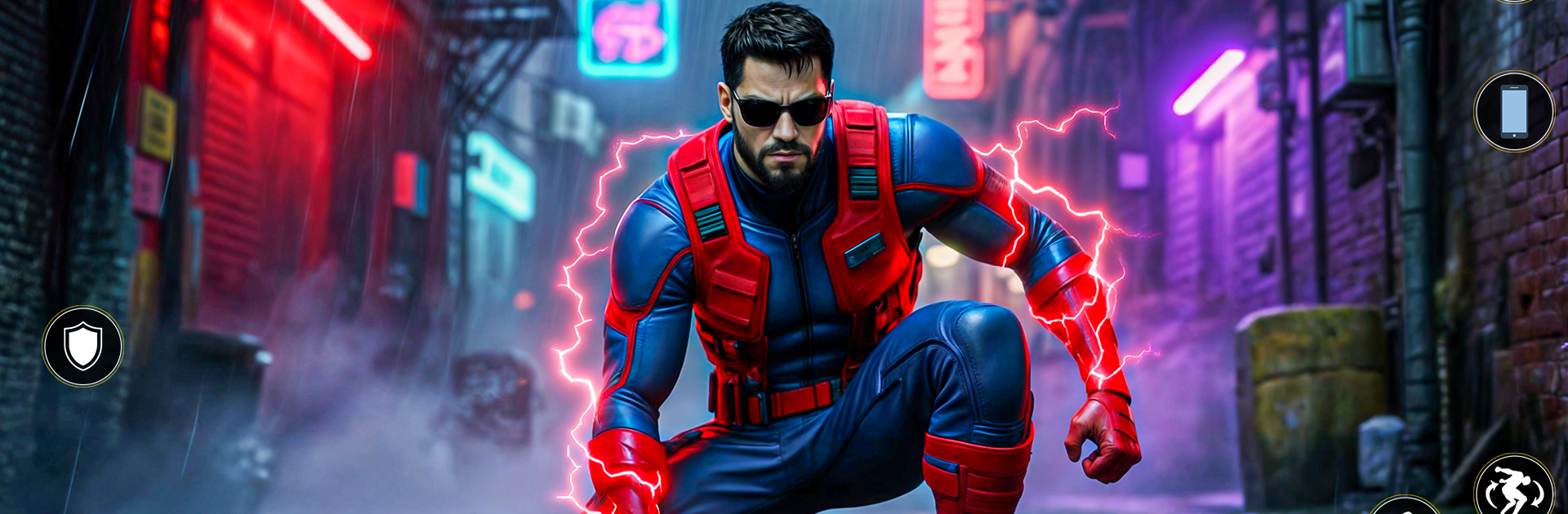
Spider Fight 3D Hero Game

Spider Fight 3D Hero Game

Role Playing

| GameCraft Legends LLC

Play on PC with BlueStacks or from our cloud

  • Overview
  • Game Features
  • How to Play

Page Modified On: December 15, 2025

Play Spider Fight 3D Hero Game on PC or Mac

Step into the World of Spider Fight 3D Hero Game, a thrilling Role Playing game from the house of GameCraft Legends LLC. Play this Android game on BlueStacks App Player and experience immersive gaming on PC or Mac.

Spider Fight 3D Hero Game feels like a superhero playground set across a busy open city. Players swing between towers, zip along ropes, and pull off long glides that roll into air kicks. Enemies jump from street crews and crime bosses to bulky robots and the occasional alien squad. The rhythm is quick: swing to a ping, drop into a crowd, web a couple targets, punch, dodge, launch an aerial combo, then slingshot back into the skyline. Combat stays fast and readable, with a simple lock-on, a forgiving dodge, and gadgets that pin enemies to walls or yank shields away. Missions mix straight fights, rooftop chases, and rescue beats, with side errands like stopping robberies, collecting suit mods, or racing drones. The city looks clean and colorful, plenty of height to play with, glossy 3D, good punchy sound.

On PC with BlueStacks, the mouse and keyboard make swinging and camera control feel tight, which helps during high speed chases and those little aerial dogfights. Mapping web shots, zip pulls, and the gadget wheel to keys cuts down on thumb gymnastics, so chaining moves feels smooth alot of the time. Upgrades for the suit and skills add new toys and ways to approach a scrap, and the story throws in bosses that reward timing rather than button mash. Some side jobs repeat, but movement stays the star, so even a short session of gliding and web zipping stays fun.

Start your journey now. Download the game on BlueStacks, invite your friends, and march on a new adventure.


Game Features

Enhancements

  • Macros
  • Rerolling
  • Eco Mode
  • Multi Instance Sync
  • Enhancements
Macros

Macros

Focus more on the fun part of the game, skip the tedious aspects. Master Spider Fight 3D Hero Game with Macros. Record yourself completing the monotonous tasks you wish to automate and replay them later with just one keypress.
Rerolling

Rerolling

Speed up the rerolling process in Spider Fight 3D Hero Game. Perform multiple summons and keep looking for the best Heroes. Use Multi-Instance sync to replicate the rerolling mechanism in all instances.
Eco Mode

Eco Mode

Farm in-game resources with ease in Spider Fight 3D Hero Game. Enable the Eco Mode when running the game in multiple instances. And lower your PC's resource consumption.
Multi Instance Sync

Multi Instance Sync

With the Multi-instance Sync, you can do even more in Spider Fight 3D Hero Game. Sync the action of the main instance and repeat them in real time for all other instances. Sync and sit back, let the game progress unfold.
Read More

How to Download and Play Spider Fight 3D Hero Game on PC or Mac

  • Download and install BlueStacks on your PC or Mac

  • Complete Google sign-in to access the Play Store, or do it later

  • Look for Spider Fight 3D Hero Game in the search bar at the top right corner

  • Click to install Spider Fight 3D Hero Game from the search results

  • Complete Google sign-in (if you skipped step 2) to install Spider Fight 3D Hero Game

  • Click the Spider Fight 3D Hero Game icon on the home screen to start playing

video
Watch Video

Minimum System Requirements

With BlueStacks 5, you can get started on a PC that fulfills the following requirements.

  • Operating System

    Microsoft Windows 7 or above, macOS 11 (Big Sur) or above

  • Processor

    Intel, AMD or Apple Silicon Processor

  • RAM

    at least 4GB

  • HDD

    10GB Free Disk Space

Note:

* You must be an Administrator on your PC. Up to date graphics drivers from Microsoft or the chipset vendor.

Spider Fight 3D Hero Game - FAQs

  • How to play Spider Fight 3D Hero Game on Windows PC & Mac?

    Play Spider Fight 3D Hero Game on your PC or Mac by following these simple steps.

    • Click on 'Play Spider Fight 3D Hero Game on PC’ to download BlueStacks
    • Install it and log-in to Google Play Store
    • Launch and play the game.
  • Why is BlueStacks the fastest and safest platform to play games on PC?

    BlueStacks respects your privacy and is always safe and secure to use. It does not carry any malware, spyware, or any sort of additional software that could harm your PC.

    It is engineered to optimize speed and performance for a seamless gaming experience.

  • What are Spider Fight 3D Hero Game PC requirements?

    Minimum requirement to run Spider Fight 3D Hero Game on your PC

    • OS: Microsoft Windows 7 or above MacOS 11 (Big Sur) or above
    • Processor: Intel, AMD or Apple Silicon Processor
    • RAM: Your PC must have at least 4GB of RAM. (Note that having 4GB or more disk space is not a substitute for RAM)
    • HDD: 10GB Free Disk Space.
    • You must be an Administrator on your PC.