Симулятор БМВ: Русская деревня

Симулятор БМВ: Русская деревня

Simulation

| SBlazer

Play on PC with BlueStacks or from our cloud

  • Overview
  • Game Features
  • How to Play

Page Modified On: August 20, 2026

Play Симулятор БМВ: Русская деревня on PC or Mac

Bring your A-game to Симулятор БМВ: Русская деревня, the Simulation game sensation from SBlazer. Give your gameplay the much-needed boost with precise game controls, high FPS graphics, and top-tier features on your PC or Mac with BlueStacks.

About the Game

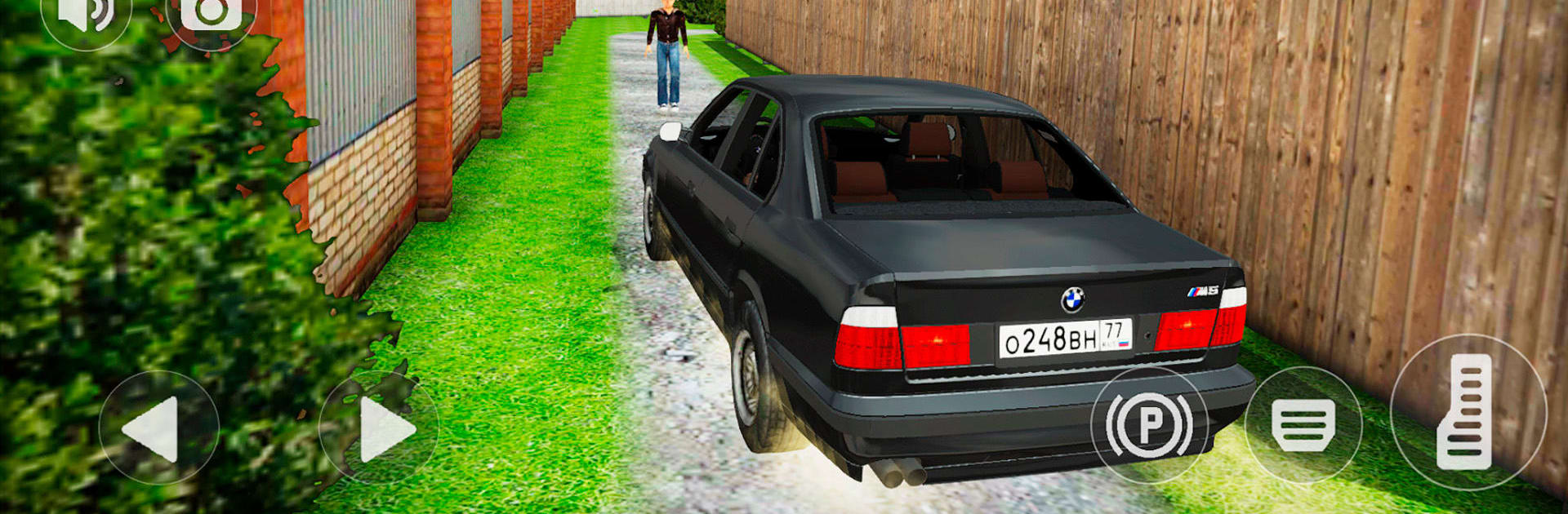
Симулятор БМВ: Русская деревня is a grounded Simulation about returning to Zarechensk after years away. Cruise a black BMW E34 or wander on foot through a cozy village and a growing city—new blocks, old Soviet charm, forests, and mountains on the edge. Expect easygoing errands, punchy drives, and a comfy pace; it even feels great with a keyboard on BlueStacks.

Game Features

  • Open-world Zarechensk: Roam a seamless village-and-city map that blends fresh construction with familiar Soviet-era corners, all wrapped in woods and hills.
  • Drive or stroll: Jump out of the car anytime to walk, then hop back in when the road calls.
  • Full car interactions: Pop the doors, hood, and trunk on your E34, just because you can.
  • Rule-abiding or reckless: Keep to traffic laws in dense traffic—or let the back roads hear that straight-six.
  • Alive streets: Navigate moving traffic and pedestrians that make every turn feel like a real town.
  • Build your BMW: Earn cash to tune the 520i—swap wheels, repaint, tweak ride height, and shape a proper sleeper.
  • Hidden finds: Hunt down secret suitcases and rare crystals to unlock extras, including a nitro kick for your black boomer.
  • Property to own: Pick up a snug city apartment or a roomy country house and make the area your base.
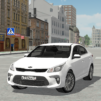
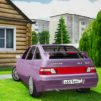
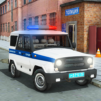
  • Russian car culture: Share the road with local icons like a tinted Priora, UAZ “Loaf,” GAZ Volga, Oka, Zaporozhets, VAZ nine and ten, Lada Granta, and the classic Seven, plus a groovy bus.
  • Summon feature: Lost your ride? Call it to your location with a quick ping when you’ve wandered off.
  • Personal garage: Tinker in your own space and watch your tweaks turn a dusty BMW into your signature machine.

Ready to top the leaderboard? We bet you do. Let precise controls and sharp visuals optimized on BlueStacks lead you to victory.


Game Features

Enhancements

  • Macros
  • Multi Instance
  • Multi Instance Sync
  • Script
  • Enhancements
Macros

Macros

Automate the predictable in Симулятор БМВ: Русская деревня and transform your gameplay with Macros. Get access to inventive Macros in the BlueStacks Macro Community
Multi Instance

Multi Instance

Play Симулятор БМВ: Русская деревня on one window. And chat with your friend on the other. Press CTRL + Shift + 8 to open the Multi-Instance Manager. And start creating fresh instances or clone an existing one.
Multi Instance Sync

Multi Instance Sync

Play Симулятор БМВ: Русская деревня with the power of Multi-Instance Sync. Replicate what you are doing on the main instance on all other instances. Level up faster, play more.
Script

Script

Script your way to gaming glory in Симулятор БМВ: Русская деревня with BlueStacks Script. Write and run a set of commands to automate repeated tasks. Trigger the command by assigning it to any key.
Read More

How to Download and Play Симулятор БМВ: Русская деревня on PC or Mac

  • Download and install BlueStacks on your PC or Mac

  • Complete Google sign-in to access the Play Store, or do it later

  • Look for Симулятор БМВ: Русская деревня in the search bar at the top right corner

  • Click to install Симулятор БМВ: Русская деревня from the search results

  • Complete Google sign-in (if you skipped step 2) to install Симулятор БМВ: Русская деревня

  • Click the Симулятор БМВ: Русская деревня icon on the home screen to start playing

video
Watch Video

Minimum System Requirements

With BlueStacks 5, you can get started on a PC that fulfills the following requirements.

  • Operating System

    Microsoft Windows 7 or above, macOS 11 (Big Sur) or above

  • Processor

    Intel, AMD or Apple Silicon Processor

  • RAM

    at least 4GB

  • HDD

    10GB Free Disk Space

Note:

* You must be an Administrator on your PC. Up to date graphics drivers from Microsoft or the chipset vendor.

Симулятор БМВ: Русская деревня - FAQs

  • How to play Симулятор БМВ: Русская деревня on Windows PC & Mac?

    Play Симулятор БМВ: Русская деревня on your PC or Mac by following these simple steps.

    • Click on 'Play Симулятор БМВ: Русская деревня on PC’ to download BlueStacks
    • Install it and log-in to Google Play Store
    • Launch and play the game.
  • Why is BlueStacks the fastest and safest platform to play games on PC?

    BlueStacks respects your privacy and is always safe and secure to use. It does not carry any malware, spyware, or any sort of additional software that could harm your PC.

    It is engineered to optimize speed and performance for a seamless gaming experience.

  • What are Симулятор БМВ: Русская деревня PC requirements?

    Minimum requirement to run Симулятор БМВ: Русская деревня on your PC

    • OS: Microsoft Windows 7 or above MacOS 11 (Big Sur) or above
    • Processor: Intel, AMD or Apple Silicon Processor
    • RAM: Your PC must have at least 4GB of RAM. (Note that having 4GB or more disk space is not a substitute for RAM)
    • HDD: 10GB Free Disk Space.
    • You must be an Administrator on your PC.