KIA Rio Car Simulator

KIA Rio Car Simulator

Racing

| SBlazer

Play on PC with BlueStacks or from our cloud

  • Overview
  • Game Features
  • How to Play

Page Modified On: August 20, 2026

Play KIA Rio Car Simulator on PC or Mac

Step into the World of KIA Rio Car Simulator, a thrilling Racing game from the house of SBlazer. Play this Android game on BlueStacks App Player and experience immersive gaming on PC or Mac.

About the Game

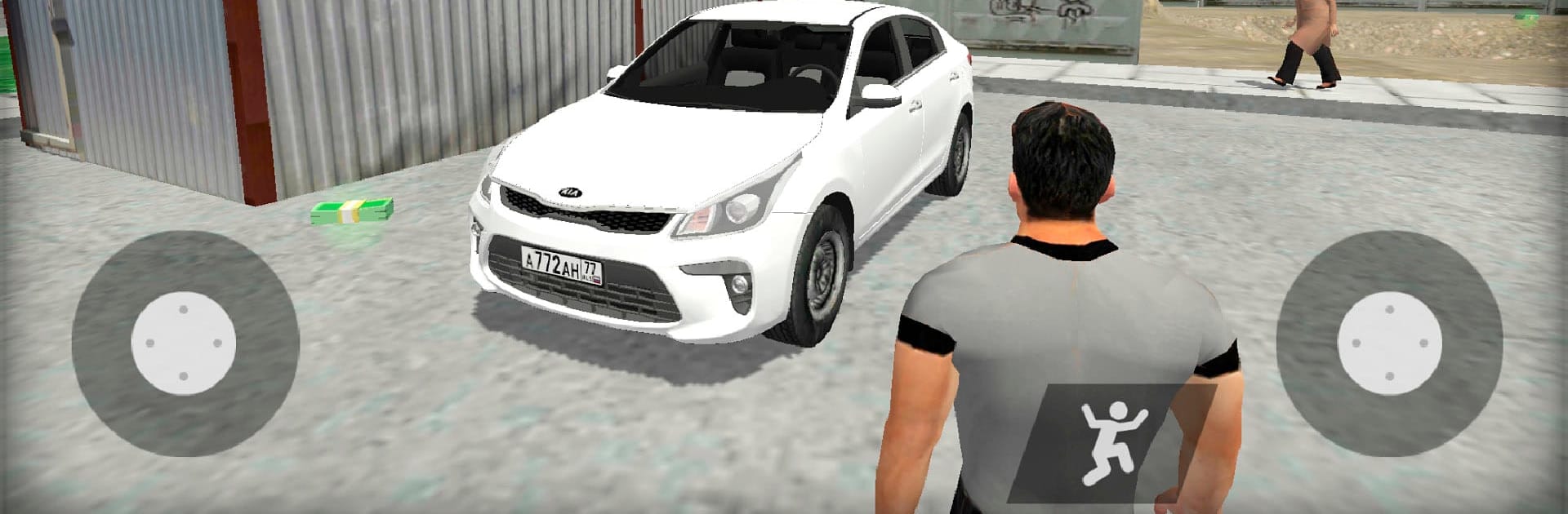
KIA Rio Car Simulator is a sandbox-style Racing experience set in a gritty, 90s-inspired Petersburg where the streets tell their own stories. Drive a Kia Rio, step out to wander on foot, poke into open buildings, and scavenge the city for cash and collectibles to build the car you actually want to drive. Prefer a keyboard? It plays smoothly on PC with BlueStacks without stealing the spotlight from the action.

Game Features

  • Open-city freedom: Explore a detailed 4 km² urban map packed with alleys, courtyards, and broad avenues to cruise or sprint through.
  • Drive or walk: Hop out anytime, stretch your legs, and check out interiors in buildings with open doors—sometimes that’s where the good stuff hides.
  • Realistic traffic choices: Blend in with everyday commuters and follow the rules, or cut lanes and push it; the city reacts either way.
  • Authentic street roster: Share the road with familiar Russian rides—from Priora-style sedans and Lada classics to Niva SUVs, old Volgas, trucks, tiny city cars, and buses.
  • Hunt for hidden loot: Track down crystals, secret suitcases, and tuning parts; collect every suitcase to unlock nitro for your KIA Rio.
  • Garage tuning: Swap wheels, respray the body, and tweak suspension height to nail your ideal stance and style.
  • Earn and upgrade: Pick up money scattered around town to improve performance and make your Kia feel uniquely yours.
  • Call your car: Lost your ride after a long walk? Use the search function and your KIA Rio pops up right nearby.

Start playing KIA Rio Car Simulator on BlueStacks and get a smoother, more comfortable PC or Mac setup.


Game Features

Enhancements

  • Macros
  • Multi Instance
  • Multi Instance Sync
  • Script
  • Enhancements
Macros

Macros

Automate the predictable in KIA Rio Car Simulator and transform your gameplay with Macros. Get access to inventive Macros in the BlueStacks Macro Community
Multi Instance

Multi Instance

Play KIA Rio Car Simulator on one window. And chat with your friend on the other. Press CTRL + Shift + 8 to open the Multi-Instance Manager. And start creating fresh instances or clone an existing one.
Multi Instance Sync

Multi Instance Sync

Play KIA Rio Car Simulator with the power of Multi-Instance Sync. Replicate what you are doing on the main instance on all other instances. Level up faster, play more.
Script

Script

Script your way to gaming glory in KIA Rio Car Simulator with BlueStacks Script. Write and run a set of commands to automate repeated tasks. Trigger the command by assigning it to any key.
Read More

How to Download and Play KIA Rio Car Simulator on PC or Mac

  • Download and install BlueStacks on your PC or Mac

  • Complete Google sign-in to access the Play Store, or do it later

  • Look for KIA Rio Car Simulator in the search bar at the top right corner

  • Click to install KIA Rio Car Simulator from the search results

  • Complete Google sign-in (if you skipped step 2) to install KIA Rio Car Simulator

  • Click the KIA Rio Car Simulator icon on the home screen to start playing

video
Watch Video

Minimum System Requirements

With BlueStacks 5, you can get started on a PC that fulfills the following requirements.

  • Operating System

    Microsoft Windows 7 or above, macOS 11 (Big Sur) or above

  • Processor

    Intel, AMD or Apple Silicon Processor

  • RAM

    at least 4GB

  • HDD

    10GB Free Disk Space

Note:

* You must be an Administrator on your PC. Up to date graphics drivers from Microsoft or the chipset vendor.

KIA Rio Car Simulator - FAQs

  • How to play KIA Rio Car Simulator on Windows PC & Mac?

    Play KIA Rio Car Simulator on your PC or Mac by following these simple steps.

    • Click on 'Play KIA Rio Car Simulator on PC’ to download BlueStacks
    • Install it and log-in to Google Play Store
    • Launch and play the game.
  • Why is BlueStacks the fastest and safest platform to play games on PC?

    BlueStacks respects your privacy and is always safe and secure to use. It does not carry any malware, spyware, or any sort of additional software that could harm your PC.

    It is engineered to optimize speed and performance for a seamless gaming experience.

  • What are KIA Rio Car Simulator PC requirements?

    Minimum requirement to run KIA Rio Car Simulator on your PC

    • OS: Microsoft Windows 7 or above MacOS 11 (Big Sur) or above
    • Processor: Intel, AMD or Apple Silicon Processor
    • RAM: Your PC must have at least 4GB of RAM. (Note that having 4GB or more disk space is not a substitute for RAM)
    • HDD: 10GB Free Disk Space.
    • You must be an Administrator on your PC.