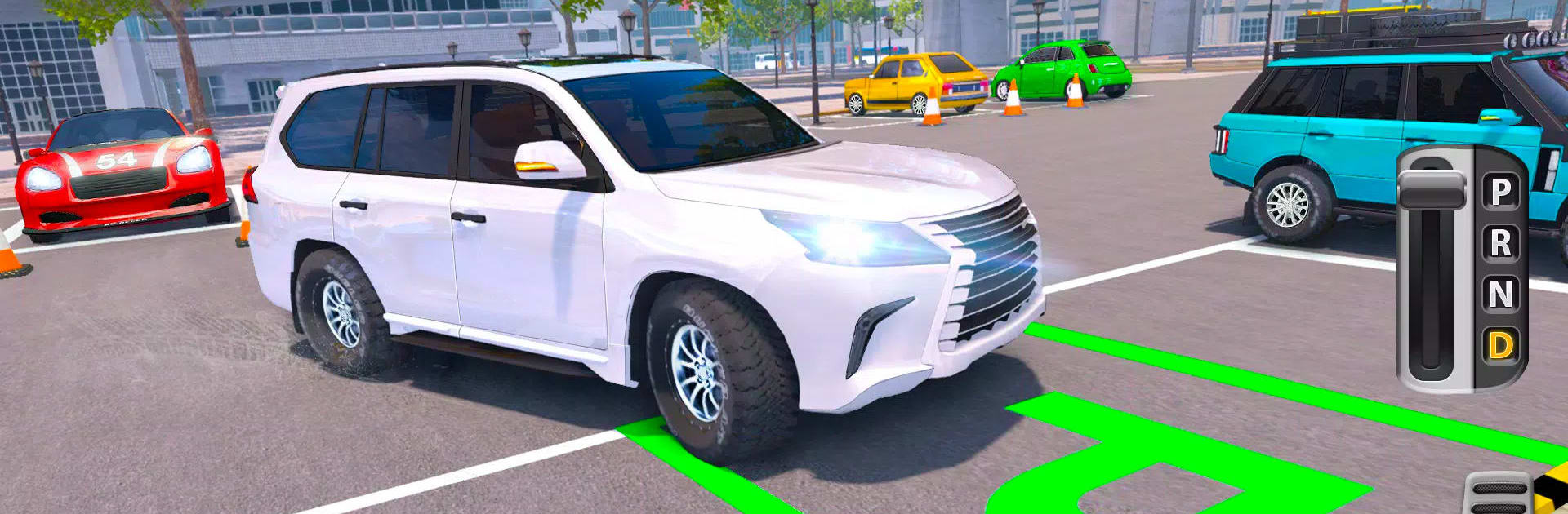
Car Parking Simulator Master

Car Parking Simulator Master

Simulation

| Deguci Games

Play on PC with BlueStacks or from our cloud

  • Overview
  • Game Features
  • How to Play

Page Modified On: October 30, 2026

Play Car Parking Simulator Master on PC or Mac

Explore a whole new adventure with Car Parking Simulator Master, a Simulation game created by Deguci Games. Experience great gameplay with BlueStacks, the most popular gaming platform to play Android games on your PC or Mac.

About the Game

Car Parking Simulator Master is a Simulation experience where precision meets freedom. One minute you’re easing a sedan into a tight garage; the next you’re roaming huge cities, carving up mountain roads, or goofing around with friends in a shared world. It’s grounded, flexible, and surprisingly tactile—and it feels great with keyboard controls on BlueStacks if that’s your style.

Game Features

  • Feel-every-bump physics: Crashes crumple panels, suspensions flex, and tire pressure changes how tires grip and even deform under load.
  • Parking help when you want it: Subtle sensors and guiding signs make tough spots less stressful without taking the wheel from you.
  • Two massive maps: Cruise busy city avenues or climb rugged mountain passes, hit traffic, or crawl off-road with 4x4s.
  • Not just cars: Try boats on rippling water, lift off in a helicopter, take a plane for a spin, or even ride a train—complete with buoyancy and water effects.
  • Modes that keep it fresh: Classic parking challenges, drift scoring, checkpoint runs, time trials, and wild parkour-style obstacle courses.
  • Online open world with friends: Meet up, cruise together, trade tricky parking spots, or just show off builds in multiplayer.
  • Big garage, bigger variety: From compact commuters and family SUVs to jaw-dropping supercars—switch rides and even hop out to walk around.
  • Build it your way: Tune performance, tweak suspension height, pick tires and spoilers, and repaint to match your vibe.
  • Earn, unlock, collect: Bank cash and XP from challenges, grab collectibles, and open packs to expand your lineup.
  • Cockpit view and rich audio: An interior camera and punchy engine sounds help you read the road and nail clean maneuvers.
  • Day-to-night rhythm: Dynamic lighting flips the mood—from busy daylight commutes to neon-lit night drives.
  • 150+ handcrafted tests: Learn the ropes in beginner lessons, tackle expert trials, and thread tight garages like it’s second nature.
  • Traffic that pushes back: Obey the rules, avoid fender-benders, and park cleanly to prove you’ve got the finesse.

Get ready for a buttery smooth, high-performance gaming action only on BlueStacks.

Game Features

Enhancements

  • Macros
  • Multi Instance
  • Multi Instance Sync
  • Script
  • Enhancements
Macros

Macros

Automate the predictable in Car Parking Simulator Master and transform your gameplay with Macros. Get access to inventive Macros in the BlueStacks Macro Community
Multi Instance

Multi Instance

Play Car Parking Simulator Master on one window. And chat with your friend on the other. Press CTRL + Shift + 8 to open the Multi-Instance Manager. And start creating fresh instances or clone an existing one.
Multi Instance Sync

Multi Instance Sync

Play Car Parking Simulator Master with the power of Multi-Instance Sync. Replicate what you are doing on the main instance on all other instances. Level up faster, play more.
Script

Script

Script your way to gaming glory in Car Parking Simulator Master with BlueStacks Script. Write and run a set of commands to automate repeated tasks. Trigger the command by assigning it to any key.
Read More

How to Download and Play Car Parking Simulator Master on PC or Mac

  • Download and install BlueStacks on your PC or Mac

  • Complete Google sign-in to access the Play Store, or do it later

  • Look for Car Parking Simulator Master in the search bar at the top right corner

  • Click to install Car Parking Simulator Master from the search results

  • Complete Google sign-in (if you skipped step 2) to install Car Parking Simulator Master

  • Click the Car Parking Simulator Master icon on the home screen to start playing

video
Watch Video

Minimum System Requirements

With BlueStacks 5, you can get started on a PC that fulfills the following requirements.

  • Operating System

    Microsoft Windows 7 or above, macOS 11 (Big Sur) or above

  • Processor

    Intel, AMD or Apple Silicon Processor

  • RAM

    at least 4GB

  • HDD

    10GB Free Disk Space

Note:

* You must be an Administrator on your PC. Up to date graphics drivers from Microsoft or the chipset vendor.

Car Parking Simulator Master - FAQs

  • How to play Car Parking Simulator Master on Windows PC & Mac?

    Play Car Parking Simulator Master on your PC or Mac by following these simple steps.

    • Click on 'Play Car Parking Simulator Master on PC’ to download BlueStacks
    • Install it and log-in to Google Play Store
    • Launch and play the game.
  • Why is BlueStacks the fastest and safest platform to play games on PC?

    BlueStacks respects your privacy and is always safe and secure to use. It does not carry any malware, spyware, or any sort of additional software that could harm your PC.

    It is engineered to optimize speed and performance for a seamless gaming experience.

  • What are Car Parking Simulator Master PC requirements?

    Minimum requirement to run Car Parking Simulator Master on your PC

    • OS: Microsoft Windows 7 or above MacOS 11 (Big Sur) or above
    • Processor: Intel, AMD or Apple Silicon Processor
    • RAM: Your PC must have at least 4GB of RAM. (Note that having 4GB or more disk space is not a substitute for RAM)
    • HDD: 10GB Free Disk Space.
    • You must be an Administrator on your PC.