Elite Cars Brasil
Elite Cars Brasil

Elite Cars Brasil

Simulation

| Mobile Games Brasil

Play on PC with BlueStacks or from our cloud

  • Overview
  • Game Features
  • How to Play

Page Modified On: October 08, 2026

Play Elite Cars Brasil on PC or Mac

Play Elite Cars Brasil by Mobile Games Brasil on PC or Mac with BlueStacks. Use a bigger screen, mouse and keyboard controls, and smoother performance while you play.

About the Game

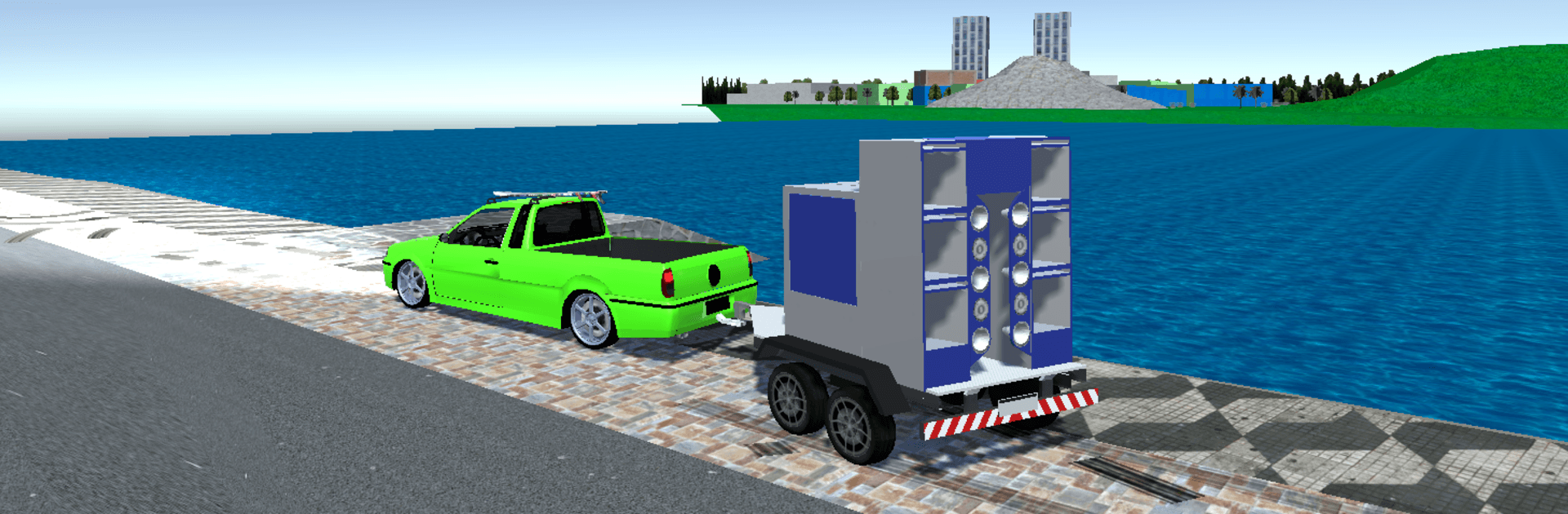
Elite Cars Brasil is a Simulation game built around the thrill of slammed, stylish rides and the joy of tweaking every little detail. It’s all about collecting cool cars, dialing in their look and feel, and taking them out for a smooth cruise. The game’s in beta, so you’ll see fresh additions rolling in while you mess with a growing set of systems and toys—and yes, it already feels fun.

Game Features

  • Lowered ride vibes: Embrace Brazilian car culture with builds that sit low, look clean, and turn heads wherever you roll.
  • Growing garage: Start small and expand your lineup with a range of rides, each ready for tuning and personal flair.
  • Tuning that matters: Play with systems designed for car nerds and newcomers alike—adjust looks, tweak setups, and make each car your own.
  • Smooth, responsive driving: Steering feels natural and snappy, whether you’re creeping through tight turns or opening it up on longer stretches.
  • Clean visuals and details: From glossy paint to subtle body lines, cars pop on-screen, making every screenshot and cruise feel satisfying.
  • Play your way: Tinker in the garage, test builds on the street, or just chill and cruise—there’s no wrong approach here.
  • Beta with momentum: Expect polish passes, new options, and plenty of quality-of-life tweaks as the game evolves.
  • PC-friendly with BlueStacks: Prefer a bigger screen and precise controls? Playing through BlueStacks feels right at home.

Start your journey now. Download the game on BlueStacks, invite your friends, and march on a new adventure.


Game Features

Enhancements

  • Macros
  • Multi Instance
  • Multi Instance Sync
  • Script
  • Enhancements
Macros

Macros

Automate the predictable in Elite Cars Brasil and transform your gameplay with Macros. Get access to inventive Macros in the BlueStacks Macro Community
Multi Instance

Multi Instance

Play Elite Cars Brasil on one window. And chat with your friend on the other. Press CTRL + Shift + 8 to open the Multi-Instance Manager. And start creating fresh instances or clone an existing one.
Multi Instance Sync

Multi Instance Sync

Play Elite Cars Brasil with the power of Multi-Instance Sync. Replicate what you are doing on the main instance on all other instances. Level up faster, play more.
Script

Script

Script your way to gaming glory in Elite Cars Brasil with BlueStacks Script. Write and run a set of commands to automate repeated tasks. Trigger the command by assigning it to any key.
Read More

How to Download and Play Elite Cars Brasil on PC or Mac

  • Download and install BlueStacks on your PC or Mac

  • Complete Google sign-in to access the Play Store, or do it later

  • Look for Elite Cars Brasil in the search bar at the top right corner

  • Click to install Elite Cars Brasil from the search results

  • Complete Google sign-in (if you skipped step 2) to install Elite Cars Brasil

  • Click the Elite Cars Brasil icon on the home screen to start playing

video
Watch Video

Minimum System Requirements

With BlueStacks 5, you can get started on a PC that fulfills the following requirements.

  • Operating System

    Microsoft Windows 7 or above, macOS 11 (Big Sur) or above

  • Processor

    Intel, AMD or Apple Silicon Processor

  • RAM

    at least 4GB

  • HDD

    10GB Free Disk Space

Note:

* You must be an Administrator on your PC. Up to date graphics drivers from Microsoft or the chipset vendor.

Elite Cars Brasil - FAQs

  • How to play Elite Cars Brasil on Windows PC & Mac?

    Play Elite Cars Brasil on your PC or Mac by following these simple steps.

    • Click on 'Play Elite Cars Brasil on PC’ to download BlueStacks
    • Install it and log-in to Google Play Store
    • Launch and play the game.
  • Why is BlueStacks the fastest and safest platform to play games on PC?

    BlueStacks respects your privacy and is always safe and secure to use. It does not carry any malware, spyware, or any sort of additional software that could harm your PC.

    It is engineered to optimize speed and performance for a seamless gaming experience.

  • What are Elite Cars Brasil PC requirements?

    Minimum requirement to run Elite Cars Brasil on your PC

    • OS: Microsoft Windows 7 or above MacOS 11 (Big Sur) or above
    • Processor: Intel, AMD or Apple Silicon Processor
    • RAM: Your PC must have at least 4GB of RAM. (Note that having 4GB or more disk space is not a substitute for RAM)
    • HDD: 10GB Free Disk Space.
    • You must be an Administrator on your PC.