FlyWings 2026 Flight Simulator

FlyWings 2026 Flight Simulator

Simulation

| Thetis Games and Flight Simulators

Play on PC with BlueStacks or from our cloud

  • Overview
  • Game Features
  • How to Play

Page Modified On: August 10, 2026

Play FlyWings 2026 Flight Simulator on PC or Mac

Explore a whole new adventure with FlyWings 2026 Flight Simulator, a Simulation game created by Thetis Games and Flight Simulators. Experience great gameplay with BlueStacks, the most popular gaming platform to play Android games on your PC or Mac.

About the Game

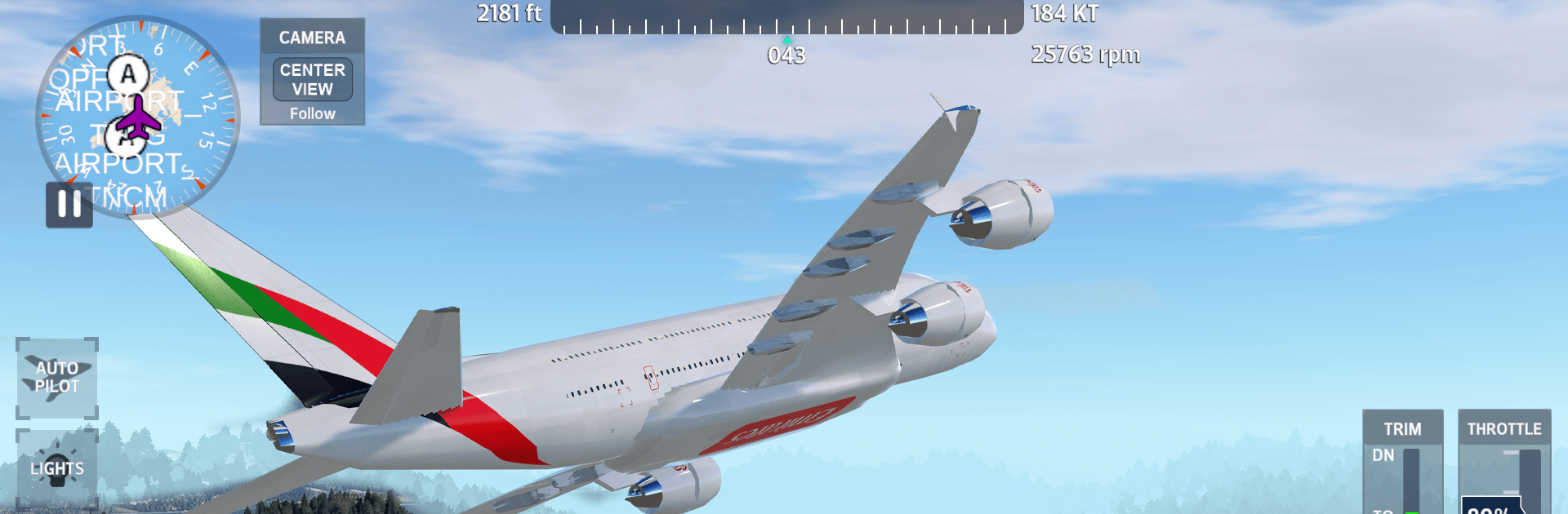
FlyWings 2026 Flight Simulator puts you in the captain’s seat with a rich mix of aircraft, realistic physics, and busy, real-world airports. Pick a mission with proper ATC chatter or just roam the skies in Free Flight and chase the perfect landing. Prefer a bigger screen and crisp controls? You can also play on PC with BlueStacks.

Game Features

  • Big aircraft roster: From nimble choppers and sleek supersonic jets to heavy haulers like the legendary Antonov An‑225, there’s something for every kind of pilot.
  • Two ways to fly: Tackle structured missions with objectives and radio procedures, or set your own route in Free Flight and explore at your pace.
  • Landmark-filled world: Thread your way past the Manhattan skyline, skim the Hoover Dam, cruise over Las Vegas, and sightsee across detailed cities and terrain.
  • Demanding airports: Test short-field skills at Lukla or manage crowded approaches into JFK—very different challenges, both unforgettable.
  • Authentic cockpits and physics: Responsive controls, believable aircraft handling, and convincing engine and environment audio keep the experience grounded.
  • Weather, time, and payload: Shift the clock from sunrise to midnight, dial in crosswinds, storms, and turbulence, and adjust weight and cargo to change how your aircraft flies.
  • Logbook progression: Track flight hours and unlock new planes as your experience grows—just like a real pilot’s journey.
  • Multiplayer skies: Share airspace with pilots around the world for group flights, formation passes, or casual meetups.
  • Instant replays: Record, rewind, and review your best landings and smoothest approaches to sharpen your technique.
  • Optional Premium Club: Get unlimited multiplayer access, no ads, infinite fuel, a revive option, and a flight-hours boost with weekly, monthly, or yearly plans.

Start your journey now. Download the game on BlueStacks, invite your friends, and march on a new adventure.


Game Features

Enhancements

  • Macros
  • Multi Instance
  • Multi Instance Sync
  • Script
  • Enhancements
Macros

Macros

Automate the predictable in FlyWings 2026 Flight Simulator and transform your gameplay with Macros. Get access to inventive Macros in the BlueStacks Macro Community
Multi Instance

Multi Instance

Play FlyWings 2026 Flight Simulator on one window. And chat with your friend on the other. Press CTRL + Shift + 8 to open the Multi-Instance Manager. And start creating fresh instances or clone an existing one.
Multi Instance Sync

Multi Instance Sync

Play FlyWings 2026 Flight Simulator with the power of Multi-Instance Sync. Replicate what you are doing on the main instance on all other instances. Level up faster, play more.
Script

Script

Script your way to gaming glory in FlyWings 2026 Flight Simulator with BlueStacks Script. Write and run a set of commands to automate repeated tasks. Trigger the command by assigning it to any key.
Read More

How to Download and Play FlyWings 2026 Flight Simulator on PC or Mac

  • Download and install BlueStacks on your PC or Mac

  • Complete Google sign-in to access the Play Store, or do it later

  • Look for FlyWings 2026 Flight Simulator in the search bar at the top right corner

  • Click to install FlyWings 2026 Flight Simulator from the search results

  • Complete Google sign-in (if you skipped step 2) to install FlyWings 2026 Flight Simulator

  • Click the FlyWings 2026 Flight Simulator icon on the home screen to start playing

video
Watch Video

Minimum System Requirements

With BlueStacks 5, you can get started on a PC that fulfills the following requirements.

  • Operating System

    Microsoft Windows 7 or above, macOS 11 (Big Sur) or above

  • Processor

    Intel, AMD or Apple Silicon Processor

  • RAM

    at least 4GB

  • HDD

    10GB Free Disk Space

Note:

* You must be an Administrator on your PC. Up to date graphics drivers from Microsoft or the chipset vendor.

FlyWings 2026 Flight Simulator - FAQs

  • How to play FlyWings 2026 Flight Simulator on Windows PC & Mac?

    Play FlyWings 2026 Flight Simulator on your PC or Mac by following these simple steps.

    • Click on 'Play FlyWings 2026 Flight Simulator on PC’ to download BlueStacks
    • Install it and log-in to Google Play Store
    • Launch and play the game.
  • Why is BlueStacks the fastest and safest platform to play games on PC?

    BlueStacks respects your privacy and is always safe and secure to use. It does not carry any malware, spyware, or any sort of additional software that could harm your PC.

    It is engineered to optimize speed and performance for a seamless gaming experience.

  • What are FlyWings 2026 Flight Simulator PC requirements?

    Minimum requirement to run FlyWings 2026 Flight Simulator on your PC

    • OS: Microsoft Windows 7 or above MacOS 11 (Big Sur) or above
    • Processor: Intel, AMD or Apple Silicon Processor
    • RAM: Your PC must have at least 4GB of RAM. (Note that having 4GB or more disk space is not a substitute for RAM)
    • HDD: 10GB Free Disk Space.
    • You must be an Administrator on your PC.