Happy Fish
Happy Fish

Happy Fish

Simulation

| Eureka Creation Limited

Play on PC with BlueStacks or from our cloud

  • Overview
  • Game Features
  • How to Play

Page Modified On: April 24, 2026

Play Happy Fish on PC or Mac

Bring your A-game to Happy Fish, the Simulation game sensation from Eureka Creation Limited. Give your gameplay the much-needed boost with precise game controls, high FPS graphics, and top-tier features on your PC or Mac with BlueStacks.

About the Game

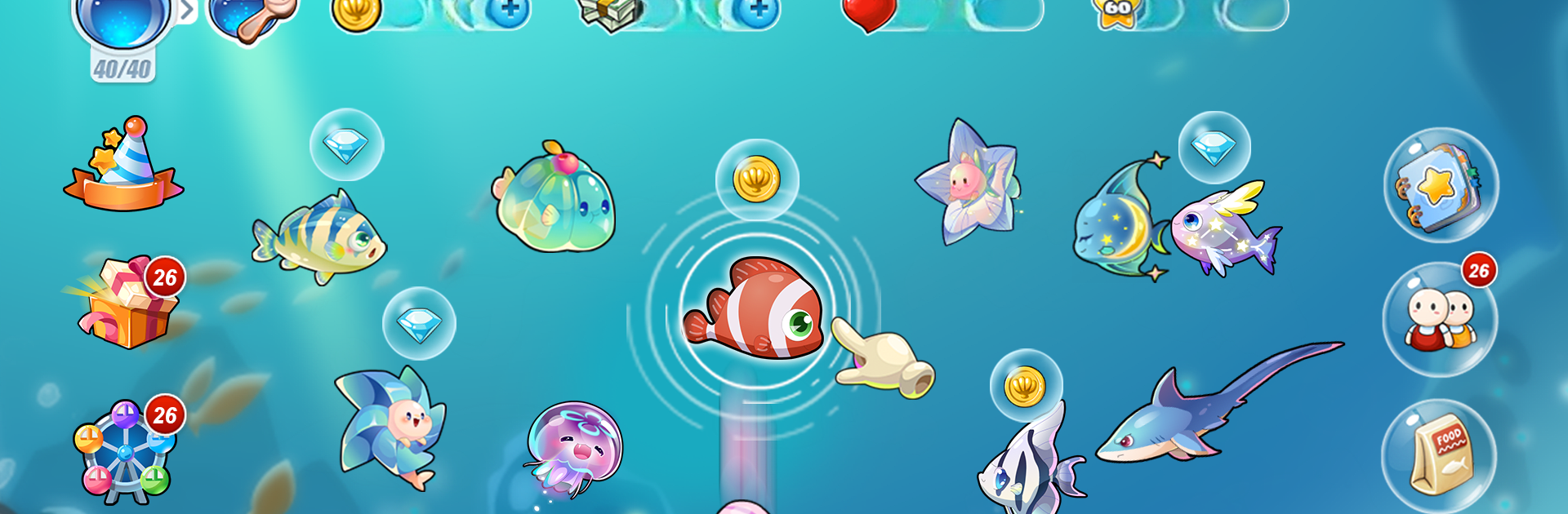
Happy Fish is a cozy Simulation about building your dream aquarium, collecting quirky finned friends, and unwinding while they put on a show. Made by Eureka Creation Limited, it’s all about quick, satisfying interactions—feed, tap, and watch the tank come alive with playful reactions and soothing tunes. Customize everything, check in for surprises, and turn a simple fish bowl into a living, breathing little world.

Game Features

  • 3000+ fish with personality: Fill your tanks with a massive cast—cute, funky, sweet, geeky, and everything in between. Mix species, compare looks, and create lineups that feel uniquely yours.
  • Tap-and-relax care: Simple gestures go a long way. Feed them, play with them, and enjoy charming one-touch animations. Sometimes they’ll even drop a little treasure.
  • Scenic tanks with music: Farmland, desert, outer space, ocean, or seasonal vibes—pick a backdrop that fits your mood. Each scene comes with its own soundtrack for extra chill.
  • Fresh events, new fish: Regular activities and arrivals keep the routine interesting. There’s usually something new waiting when you pop back in.
  • Whimsical mini-games: Try your luck with playful challenges like Dr. Octopus, Golden Dolphin, Big Crab, Sea Otter, and Deep Sea modes to snag extra goodies.
  • Friendly aquariums: Visit friends, help feed their fish, scoop up gems they’ve left behind, leave notes, or pull a harmless prank—just for laughs.
  • Comfortable on any setup: Great on mobile, and it feels extra smooth with simple mouse clicks on BlueStacks if you prefer to relax at a desk.

Get ready for a buttery smooth, high-performance gaming action only on BlueStacks.

Game Features

Enhancements

  • Macros
  • Multi Instance
  • Multi Instance Sync
  • Script
  • Enhancements
Macros

Macros

Automate the predictable in Happy Fish and transform your gameplay with Macros. Get access to inventive Macros in the BlueStacks Macro Community
Multi Instance

Multi Instance

Play Happy Fish on one window. And chat with your friend on the other. Press CTRL + Shift + 8 to open the Multi-Instance Manager. And start creating fresh instances or clone an existing one.
Multi Instance Sync

Multi Instance Sync

Play Happy Fish with the power of Multi-Instance Sync. Replicate what you are doing on the main instance on all other instances. Level up faster, play more.
Script

Script

Script your way to gaming glory in Happy Fish with BlueStacks Script. Write and run a set of commands to automate repeated tasks. Trigger the command by assigning it to any key.
Read More

How to Download and Play Happy Fish on PC or Mac

  • Download and install BlueStacks on your PC or Mac

  • Complete Google sign-in to access the Play Store, or do it later

  • Look for Happy Fish in the search bar at the top right corner

  • Click to install Happy Fish from the search results

  • Complete Google sign-in (if you skipped step 2) to install Happy Fish

  • Click the Happy Fish icon on the home screen to start playing

video
Watch Video

Minimum System Requirements

With BlueStacks 5, you can get started on a PC that fulfills the following requirements.

  • Operating System

    Microsoft Windows 7 or above, macOS 11 (Big Sur) or above

  • Processor

    Intel, AMD or Apple Silicon Processor

  • RAM

    at least 4GB

  • HDD

    10GB Free Disk Space

Note:

* You must be an Administrator on your PC. Up to date graphics drivers from Microsoft or the chipset vendor.

Happy Fish - FAQs

  • How to play Happy Fish on Windows PC & Mac?

    Play Happy Fish on your PC or Mac by following these simple steps.

    • Click on 'Play Happy Fish on PC’ to download BlueStacks
    • Install it and log-in to Google Play Store
    • Launch and play the game.
  • Why is BlueStacks the fastest and safest platform to play games on PC?

    BlueStacks respects your privacy and is always safe and secure to use. It does not carry any malware, spyware, or any sort of additional software that could harm your PC.

    It is engineered to optimize speed and performance for a seamless gaming experience.

  • What are Happy Fish PC requirements?

    Minimum requirement to run Happy Fish on your PC

    • OS: Microsoft Windows 7 or above MacOS 11 (Big Sur) or above
    • Processor: Intel, AMD or Apple Silicon Processor
    • RAM: Your PC must have at least 4GB of RAM. (Note that having 4GB or more disk space is not a substitute for RAM)
    • HDD: 10GB Free Disk Space.
    • You must be an Administrator on your PC.