HorrorCraft: Dark Realms

HorrorCraft: Dark Realms

Simulation

| SimulationCraft Studios

Play on PC with BlueStacks or from our cloud

  • Overview
  • Game Features
  • How to Play

Page Modified On: November 20, 2025

Play HorrorCraft: Dark Realms on PC or Mac

Step into the World of HorrorCraft: Dark Realms, a thrilling Simulation game from the house of SimulationCraft Studios. Play this Android game on BlueStacks App Player and experience immersive gaming on PC or Mac.

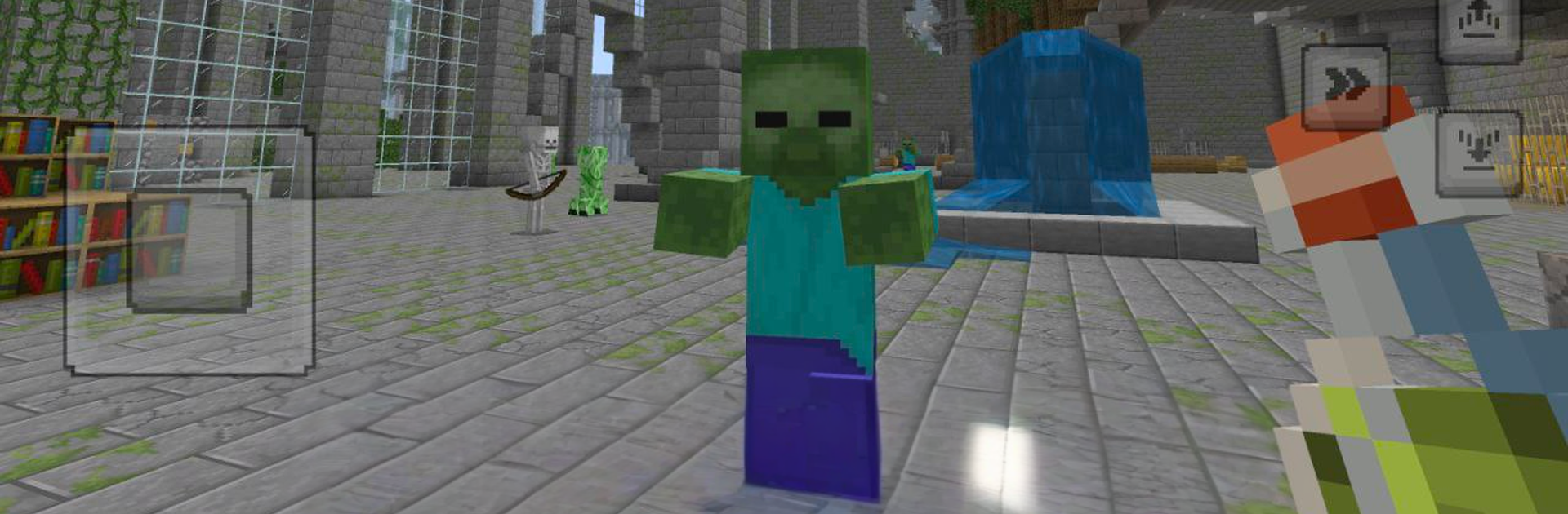
HorrorCraft: Dark Realms plays like a creepy survival sandbox set in a place where the dark feels heavy and every small sound makes the hair stand up. It drops players into cursed forests and broken ruins, then asks them to scrape together wood, metal, and odd scraps to craft tools, weapons, and a half-decent shelter. Nights feel rough. Torches burn out, things stalk the edges, and traps in the ground punish rushing. Combat is scrappy and close, more about timing swings and keeping stamina than big flashy combos. On PC with BlueStacks, mouse aiming and quick key taps make crafting menus and inventory juggling feel easier, which helps a lot when something is breathing behind a door.

Exploration is the hook. The world hides notes, runes, and little environmental clues that point toward an old curse and why everything went sideways. Progress comes from learning routes, deciding when to cut through a foggy swamp or circle around, and choosing if it is smarter to expand a base or carry light and go deeper. New recipes drip in as players find rarer parts, so the shelter grows from a shack with creaky boards to a place with reinforced walls and a safe fire that keeps the weird away. Some monsters lumber and can be kited, others sprint and force quick choices. It rewards patience, listening for footsteps, checking corners, and keeping one last torch in the pack, just in case the tunnel ahead eats light like a black hole.

Start your journey now. Download the game on BlueStacks, invite your friends, and march on a new adventure.


Game Features

Enhancements

  • Macros
  • Multi Instance
  • Multi Instance Sync
  • Script
  • Enhancements
Macros

Macros

Automate the predictable in HorrorCraft: Dark Realms and transform your gameplay with Macros. Get access to inventive Macros in the BlueStacks Macro Community
Multi Instance

Multi Instance

Play HorrorCraft: Dark Realms on one window. And chat with your friend on the other. Press CTRL + Shift + 8 to open the Multi-Instance Manager. And start creating fresh instances or clone an existing one.
Multi Instance Sync

Multi Instance Sync

Play HorrorCraft: Dark Realms with the power of Multi-Instance Sync. Replicate what you are doing on the main instance on all other instances. Level up faster, play more.
Script

Script

Script your way to gaming glory in HorrorCraft: Dark Realms with BlueStacks Script. Write and run a set of commands to automate repeated tasks. Trigger the command by assigning it to any key.
Read More

How to Download and Play HorrorCraft: Dark Realms on PC or Mac

  • Download and install BlueStacks on your PC or Mac

  • Complete Google sign-in to access the Play Store, or do it later

  • Look for HorrorCraft: Dark Realms in the search bar at the top right corner

  • Click to install HorrorCraft: Dark Realms from the search results

  • Complete Google sign-in (if you skipped step 2) to install HorrorCraft: Dark Realms

  • Click the HorrorCraft: Dark Realms icon on the home screen to start playing

video
Watch Video

Minimum System Requirements

With BlueStacks 5, you can get started on a PC that fulfills the following requirements.

  • Operating System

    Microsoft Windows 7 or above, macOS 11 (Big Sur) or above

  • Processor

    Intel, AMD or Apple Silicon Processor

  • RAM

    at least 4GB

  • HDD

    10GB Free Disk Space

Note:

* You must be an Administrator on your PC. Up to date graphics drivers from Microsoft or the chipset vendor.

HorrorCraft: Dark Realms - FAQs

  • How to play HorrorCraft: Dark Realms on Windows PC & Mac?

    Play HorrorCraft: Dark Realms on your PC or Mac by following these simple steps.

    • Click on 'Play HorrorCraft: Dark Realms on PC’ to download BlueStacks
    • Install it and log-in to Google Play Store
    • Launch and play the game.
  • Why is BlueStacks the fastest and safest platform to play games on PC?

    BlueStacks respects your privacy and is always safe and secure to use. It does not carry any malware, spyware, or any sort of additional software that could harm your PC.

    It is engineered to optimize speed and performance for a seamless gaming experience.

  • What are HorrorCraft: Dark Realms PC requirements?

    Minimum requirement to run HorrorCraft: Dark Realms on your PC

    • OS: Microsoft Windows 7 or above MacOS 11 (Big Sur) or above
    • Processor: Intel, AMD or Apple Silicon Processor
    • RAM: Your PC must have at least 4GB of RAM. (Note that having 4GB or more disk space is not a substitute for RAM)
    • HDD: 10GB Free Disk Space.
    • You must be an Administrator on your PC.