Weaphones™ Antiques Gun Sim

Weaphones™ Antiques Gun Sim

Simulation

| OranginalPlan

Play on PC with BlueStacks or from our cloud

  • Overview
  • Game Features
  • How to Play

Page Modified On: August 19, 2025

Play Weaphones™ Antiques Gun Sim on PC or Mac

Step into the World of Weaphones™ Antiques Gun Sim, a thrilling Simulation game from the house of OranginalPlan. Play this Android game on BlueStacks App Player and experience immersive gaming on PC or Mac.

About the Game

Ever wondered what it’s like to hold a piece of history in your hands? Weaphones™ Antiques Gun Sim, from OranginalPlan, lets you experience legendary firearms in a whole new way. Whether you’re a history buff, gun enthusiast, or just curious about the wild days of duels and outlaws, this Simulation title puts the sound, feel, and mechanics of antique guns right on your screen—no trip to a museum (or time machine) required.

Game Features

  • True-to-Life Firearm Mechanics
    Each antique weapon works just like the real thing, from loading the powder and priming caps to cocking and firing. You’ll need to manage hammers, triggers, cylinders—you name it.

  • Immersive Effects
    For every shot, expect booming sounds, puffs of smoke, authentic recoil, and even camera flash support. Like a mini action scene in the palm of your hand.

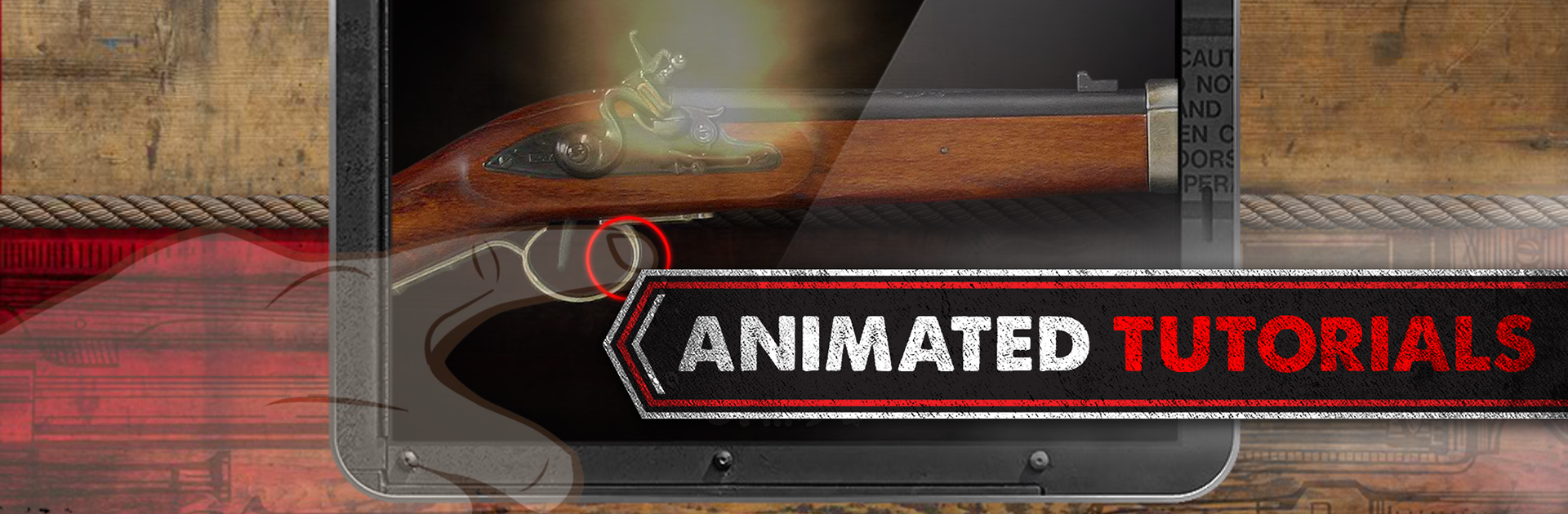
  • Step-by-Step Animated Tutorials
    Not familiar with a Blunderbuss or don’t quite get how a Flintlock works? Animated guides walk you through each weapon so you can handle them confidently.

  • Hands-On Customization
    Adjust the layout and scale of weapons on your device. Flip for lefty use, rotate, move—make it fit your grip just right.

  • Adjustable Gameplay Options
    Tweak settings like unlimited ammo, auto-reload, or accelerometer reloading if you want a faster pace or to experiment with features.

  • All Content, No Gimmicks
    No in-app purchases or tricky upgrades—everything’s included. Updates come free, so what you see is really what you get.

  • Ultra-Detailed Graphics
    Each gun is rendered with crisp detail, making it feel almost tangible. Every latch, lever, and cap is there for you to play with.

  • Helpful Weapon State Indicators
    Not sure why your rifle won’t fire? Visual cues help you figure out if you’ve missed a step.

  • Signature Weapons to Try
    From the iconic Colt 1851 Navy and Single Action Revolver to the Winchester 1873, Blunderbuss, Coach Gun, and Flintlock Rifle—each has its own unique handling and quirks.

  • Multi-Touch and Accelerometer Support
    Explore firing and reloading using touch gestures or by moving your device—just like handling the real deal.

  • Seamless Experience on BlueStacks
    You can even run Weaphones™ Antiques Gun Sim on BlueStacks for an extra-smooth, responsive session if you prefer a bigger screen.

Make your gaming sessions memorable with precise controls that give you an edge in close combats and visuals that pop up, bringing every character to life.


Game Features

Enhancements

  • Macros
  • Multi Instance
  • Multi Instance Sync
  • Script
  • Enhancements
Macros

Macros

Automate the predictable in Weaphones™ Antiques Gun Sim and transform your gameplay with Macros. Get access to inventive Macros in the BlueStacks Macro Community
Multi Instance

Multi Instance

Play Weaphones™ Antiques Gun Sim on one window. And chat with your friend on the other. Press CTRL + Shift + 8 to open the Multi-Instance Manager. And start creating fresh instances or clone an existing one.
Multi Instance Sync

Multi Instance Sync

Play Weaphones™ Antiques Gun Sim with the power of Multi-Instance Sync. Replicate what you are doing on the main instance on all other instances. Level up faster, play more.
Script

Script

Script your way to gaming glory in Weaphones™ Antiques Gun Sim with BlueStacks Script. Write and run a set of commands to automate repeated tasks. Trigger the command by assigning it to any key.
Read More

How to Download and Play Weaphones™ Antiques Gun Sim on PC or Mac

  • Download and install BlueStacks on your PC or Mac

  • Complete Google sign-in to access the Play Store, or do it later

  • Look for Weaphones™ Antiques Gun Sim in the search bar at the top right corner

  • Click to install Weaphones™ Antiques Gun Sim from the search results

  • Complete Google sign-in (if you skipped step 2) to install Weaphones™ Antiques Gun Sim

  • Click the Weaphones™ Antiques Gun Sim icon on the home screen to start playing

video
Watch Video

Minimum System Requirements

With BlueStacks 5, you can get started on a PC that fulfills the following requirements.

  • Operating System

    Microsoft Windows 7 or above, macOS 11 (Big Sur) or above

  • Processor

    Intel, AMD or Apple Silicon Processor

  • RAM

    at least 4GB

  • HDD

    10GB Free Disk Space

Note:

* You must be an Administrator on your PC. Up to date graphics drivers from Microsoft or the chipset vendor.

Weaphones™ Antiques Gun Sim - FAQs

  • How to play Weaphones™ Antiques Gun Sim on Windows PC & Mac?

    Play Weaphones™ Antiques Gun Sim on your PC or Mac by following these simple steps.

    • Click on 'Play Weaphones™ Antiques Gun Sim on PC’ to download BlueStacks
    • Install it and log-in to Google Play Store
    • Launch and play the game.
  • Why is BlueStacks the fastest and safest platform to play games on PC?

    BlueStacks respects your privacy and is always safe and secure to use. It does not carry any malware, spyware, or any sort of additional software that could harm your PC.

    It is engineered to optimize speed and performance for a seamless gaming experience.

  • What are Weaphones™ Antiques Gun Sim PC requirements?

    Minimum requirement to run Weaphones™ Antiques Gun Sim on your PC

    • OS: Microsoft Windows 7 or above MacOS 11 (Big Sur) or above
    • Processor: Intel, AMD or Apple Silicon Processor
    • RAM: Your PC must have at least 4GB of RAM. (Note that having 4GB or more disk space is not a substitute for RAM)
    • HDD: 10GB Free Disk Space.
    • You must be an Administrator on your PC.