FIFA Panini Collection

FIFA Panini Collection

Sports

| Panini S.p.A.

Play on PC with BlueStacks or from our cloud

  • Overview
  • Game Features
  • How to Play

Page Modified On: May 12, 2026

Play FIFA Panini Collection on PC or Mac

From the innovators and creators at Panini S.p.A., FIFA Panini Collection is another fun addition to the World of Sports games. Go beyond your mobile screen and play it bigger and better on your PC or Mac. An immersive experience awaits you.

About the Game

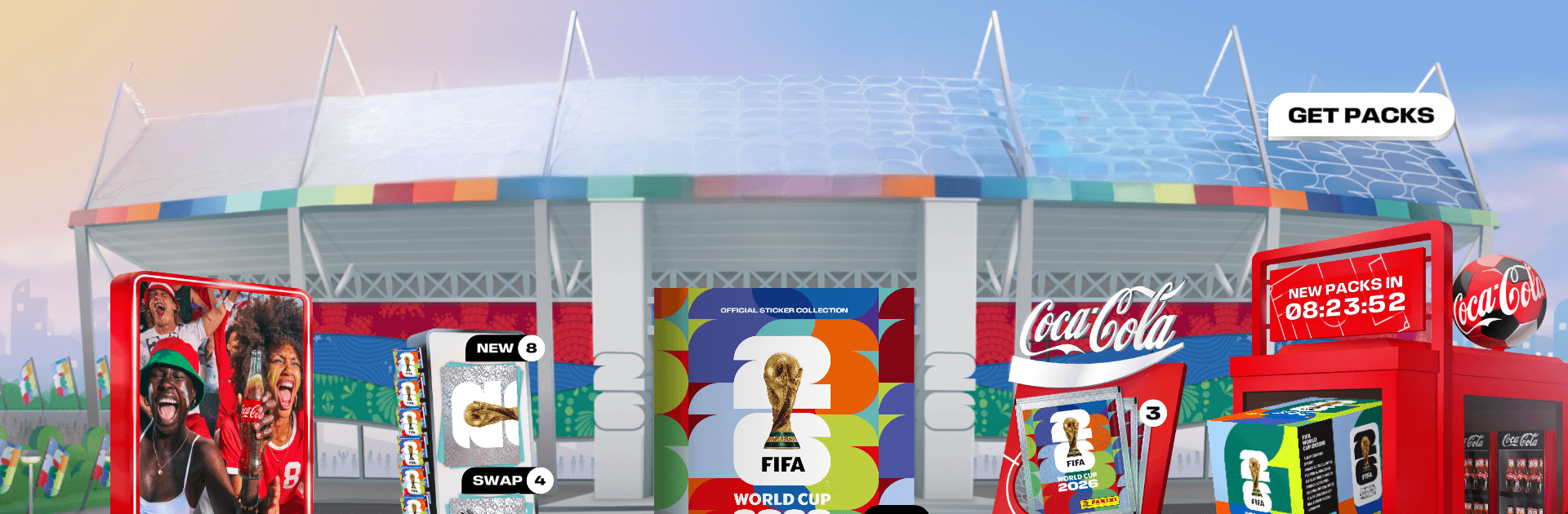
FIFA Panini Collection brings the classic sticker‑album ritual to your phone, refreshed for the FIFA World Cup 2026. Rip open digital packs, uncover stars and shiny specials, and fill an interactive album that scratches that collector itch. It’s an easygoing Sports fix from Panini S.p.A., and if you’d rather play on a bigger screen, it runs smoothly on PC with BlueStacks.

Game Features

  • Official Digital Album: Complete the official collection for the tournament with pages for every squad, logos, mascots, trophies, and more.
  • 48 National Teams: Hunt down 528 player stickers across all qualified countries, plus unique sets tied to Coca‑Cola.
  • Open Packs, Stick, Repeat: Crack packs, place stickers into your album with a satisfying tap, and watch each page come to life.
  • Trade Worldwide: Got doubles? Swap with collectors around the globe, team up with friends, and keep your wishlist moving.
  • Track and Celebrate: See your progress at a glance, hit milestones, and rack up badges by finishing pages and meeting goals.
  • Dream Team Lineup: Build a custom eleven from your favorites and show off your personal take on the world’s best.
  • Daily Perks and Challenges: Log in for regular rewards, complete rotating challenges, and keep the streak going.
  • Scan for Extra Packs: In participating countries, scan Coca‑Cola labels or stickers, plus Panini packets and album covers, to score more packs.
  • Redeem Real‑World Codes: Enter codes from physical Panini packs, multi‑use promos from Panini, FIFA & Coca‑Cola, and McDonald’s codes where available.
  • Coca‑Cola Exclusives: Collect #AllTheFeels Team players and unlock Fan Stickers as you trade and expand your set.
  • Deluxe Packs Option: Want a faster push? Deluxe gets you 20 stickers per pack, no opening limits, special EFFECT stickers, and unique Poster stickers.
  • Accessibility Info: Find the Accessibility Statement inside the app from the More menu.

Start your journey now. Download the game on BlueStacks, invite your friends, and march on a new adventure.


Game Features

Enhancements

  • Macros
  • Multi Instance
  • Multi Instance Sync
  • Script
  • Enhancements
Macros

Macros

Automate the predictable in FIFA Panini Collection and transform your gameplay with Macros. Get access to inventive Macros in the BlueStacks Macro Community
Multi Instance

Multi Instance

Play FIFA Panini Collection on one window. And chat with your friend on the other. Press CTRL + Shift + 8 to open the Multi-Instance Manager. And start creating fresh instances or clone an existing one.
Multi Instance Sync

Multi Instance Sync

Play FIFA Panini Collection with the power of Multi-Instance Sync. Replicate what you are doing on the main instance on all other instances. Level up faster, play more.
Script

Script

Script your way to gaming glory in FIFA Panini Collection with BlueStacks Script. Write and run a set of commands to automate repeated tasks. Trigger the command by assigning it to any key.
Read More

How to Download and Play FIFA Panini Collection on PC or Mac

  • Download and install BlueStacks on your PC or Mac

  • Complete Google sign-in to access the Play Store, or do it later

  • Look for FIFA Panini Collection in the search bar at the top right corner

  • Click to install FIFA Panini Collection from the search results

  • Complete Google sign-in (if you skipped step 2) to install FIFA Panini Collection

  • Click the FIFA Panini Collection icon on the home screen to start playing

video
Watch Video

Minimum System Requirements

With BlueStacks 5, you can get started on a PC that fulfills the following requirements.

  • Operating System

    Microsoft Windows 7 or above, macOS 11 (Big Sur) or above

  • Processor

    Intel, AMD or Apple Silicon Processor

  • RAM

    at least 4GB

  • HDD

    10GB Free Disk Space

Note:

* You must be an Administrator on your PC. Up to date graphics drivers from Microsoft or the chipset vendor.

FIFA Panini Collection - FAQs

  • How to play FIFA Panini Collection on Windows PC & Mac?

    Play FIFA Panini Collection on your PC or Mac by following these simple steps.

    • Click on 'Play FIFA Panini Collection on PC’ to download BlueStacks
    • Install it and log-in to Google Play Store
    • Launch and play the game.
  • Why is BlueStacks the fastest and safest platform to play games on PC?

    BlueStacks respects your privacy and is always safe and secure to use. It does not carry any malware, spyware, or any sort of additional software that could harm your PC.

    It is engineered to optimize speed and performance for a seamless gaming experience.

  • What are FIFA Panini Collection PC requirements?

    Minimum requirement to run FIFA Panini Collection on your PC

    • OS: Microsoft Windows 7 or above MacOS 11 (Big Sur) or above
    • Processor: Intel, AMD or Apple Silicon Processor
    • RAM: Your PC must have at least 4GB of RAM. (Note that having 4GB or more disk space is not a substitute for RAM)
    • HDD: 10GB Free Disk Space.
    • You must be an Administrator on your PC.