プロサッカークラブをつくろう!ロード・トゥ・ワールド

プロサッカークラブをつくろう!ロード・トゥ・ワールド

Sports

| SEGA CORPORATION

Play on PC with BlueStacks or from our cloud

  • Overview
  • Game Features
  • How to Play

Page Modified On: August 18, 2025

Play プロサッカークラブをつくろう!ロード・トゥ・ワールド on PC or Mac

プロサッカークラブをつくろう!ロード・トゥ・ワールド brings the Sports genre to life, and throws up exciting challenges for gamers. Developed by SEGA CORPORATION, this Android game is best experienced on BlueStacks, the World’s #1 app player for PC and Mac users.

So, プロサッカークラブをつくろう!ロード・トゥ・ワールド is a soccer club management game that really goes all in on the whole “run everything yourself” feeling. It’s got that classic mix of managing a team, developing players, making tactical choices, and then just watching to see if those decisions pay off in matches. The actual matches play out automatically, so there’s no stressing over button controls during the action—your real job is making the right calls before game day. There’s a huge roster, too—over 2,000 real players from European leagues and the Japanese national team, plus a bunch of original characters that keep things interesting if you’ve played other games in the series.

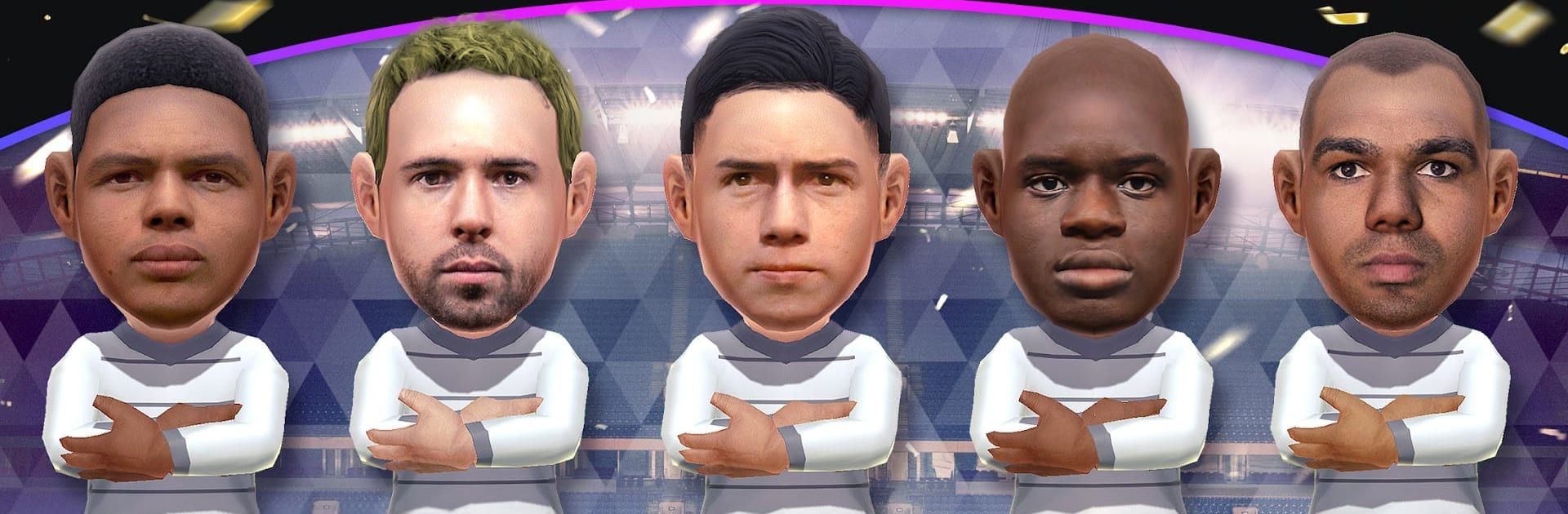
If you care about getting details right, the stats, team strengths and weaknesses, and player development are all laid out in a way that makes picking your squad and planning strategies pretty satisfying, even if you’re new to management sims. Fans of the old “Sakatsuku” games will notice the same core cycle: scout, recruit, train, and try to outsmart other clubs. But there are some fun extra features, like “Representative Mode,” where you coach a national team through big tournaments. There’s even this bit where you can use a photo to make your own player—yeah, actually snap a face and bring that person into your lineup. Playing on PC with BlueStacks, everything looks sharp and runs smooth, which makes the whole management and menu-jumping thing feel way nicer than poking at it on a small screen.

For anyone who likes the idea of building a team from the ground up, watching how tactics play out, and seeing their club rise through the ranks, it’s easy to get hooked. And for those who care about real soccer stars, keeping up with up-to-date teams, or just want to build a lineup of friends’ faces, there’s a lot to dig into here.

Start your journey now. Download the game on BlueStacks, invite your friends, and march on a new adventure.


Game Features

Enhancements

  • Macros
  • Multi Instance
  • Multi Instance Sync
  • Script
  • Enhancements
Macros

Macros

Automate the predictable in プロサッカークラブをつくろう!ロード・トゥ・ワールド and transform your gameplay with Macros. Get access to inventive Macros in the BlueStacks Macro Community
Multi Instance

Multi Instance

Play プロサッカークラブをつくろう!ロード・トゥ・ワールド on one window. And chat with your friend on the other. Press CTRL + Shift + 8 to open the Multi-Instance Manager. And start creating fresh instances or clone an existing one.
Multi Instance Sync

Multi Instance Sync

Play プロサッカークラブをつくろう!ロード・トゥ・ワールド with the power of Multi-Instance Sync. Replicate what you are doing on the main instance on all other instances. Level up faster, play more.
Script

Script

Script your way to gaming glory in プロサッカークラブをつくろう!ロード・トゥ・ワールド with BlueStacks Script. Write and run a set of commands to automate repeated tasks. Trigger the command by assigning it to any key.
Read More

How to Download and Play プロサッカークラブをつくろう!ロード・トゥ・ワールド on PC or Mac

  • Download and install BlueStacks on your PC or Mac

  • Complete Google sign-in to access the Play Store, or do it later

  • Look for プロサッカークラブをつくろう!ロード・トゥ・ワールド in the search bar at the top right corner

  • Click to install プロサッカークラブをつくろう!ロード・トゥ・ワールド from the search results

  • Complete Google sign-in (if you skipped step 2) to install プロサッカークラブをつくろう!ロード・トゥ・ワールド

  • Click the プロサッカークラブをつくろう!ロード・トゥ・ワールド icon on the home screen to start playing

video
Watch Video

Minimum System Requirements

With BlueStacks 5, you can get started on a PC that fulfills the following requirements.

  • Operating System

    Microsoft Windows 7 or above, macOS 11 (Big Sur) or above

  • Processor

    Intel, AMD or Apple Silicon Processor

  • RAM

    at least 4GB

  • HDD

    10GB Free Disk Space

Note:

* You must be an Administrator on your PC. Up to date graphics drivers from Microsoft or the chipset vendor.

プロサッカークラブをつくろう!ロード・トゥ・ワールド - FAQs

  • How to play プロサッカークラブをつくろう!ロード・トゥ・ワールド on Windows PC & Mac?

    Play プロサッカークラブをつくろう!ロード・トゥ・ワールド on your PC or Mac by following these simple steps.

    • Click on 'Play プロサッカークラブをつくろう!ロード・トゥ・ワールド on PC’ to download BlueStacks
    • Install it and log-in to Google Play Store
    • Launch and play the game.
  • Why is BlueStacks the fastest and safest platform to play games on PC?

    BlueStacks respects your privacy and is always safe and secure to use. It does not carry any malware, spyware, or any sort of additional software that could harm your PC.

    It is engineered to optimize speed and performance for a seamless gaming experience.

  • What are プロサッカークラブをつくろう!ロード・トゥ・ワールド PC requirements?

    Minimum requirement to run プロサッカークラブをつくろう!ロード・トゥ・ワールド on your PC

    • OS: Microsoft Windows 7 or above MacOS 11 (Big Sur) or above
    • Processor: Intel, AMD or Apple Silicon Processor
    • RAM: Your PC must have at least 4GB of RAM. (Note that having 4GB or more disk space is not a substitute for RAM)
    • HDD: 10GB Free Disk Space.
    • You must be an Administrator on your PC.