Car Driving School: Car Sim 3D

Car Driving School: Car Sim 3D

Strategy

| Solo Gamerz

Play on PC with BlueStacks or from our cloud

  • Overview
  • Game Features
  • How to Play

Page Modified On: October 30, 2026

Play Car Driving School: Car Sim 3D on PC or Mac

Explore a whole new adventure with Car Driving School: Car Sim 3D, a Strategy game created by Solo Gamerz. Experience great gameplay with BlueStacks, the most popular gaming platform to play Android games on your PC or Mac.

About the Game

Car Driving School: Car Sim 3D turns everyday road rules into a Strategy challenge where patience and planning matter as much as speed. You’ll practice real-world driving—signals, lanes, parking, the whole deal—while juggling fuel, traffic, and strict mission goals. Prefer a bigger screen and tighter control? It also plays smoothly on BlueStacks.

Game Features

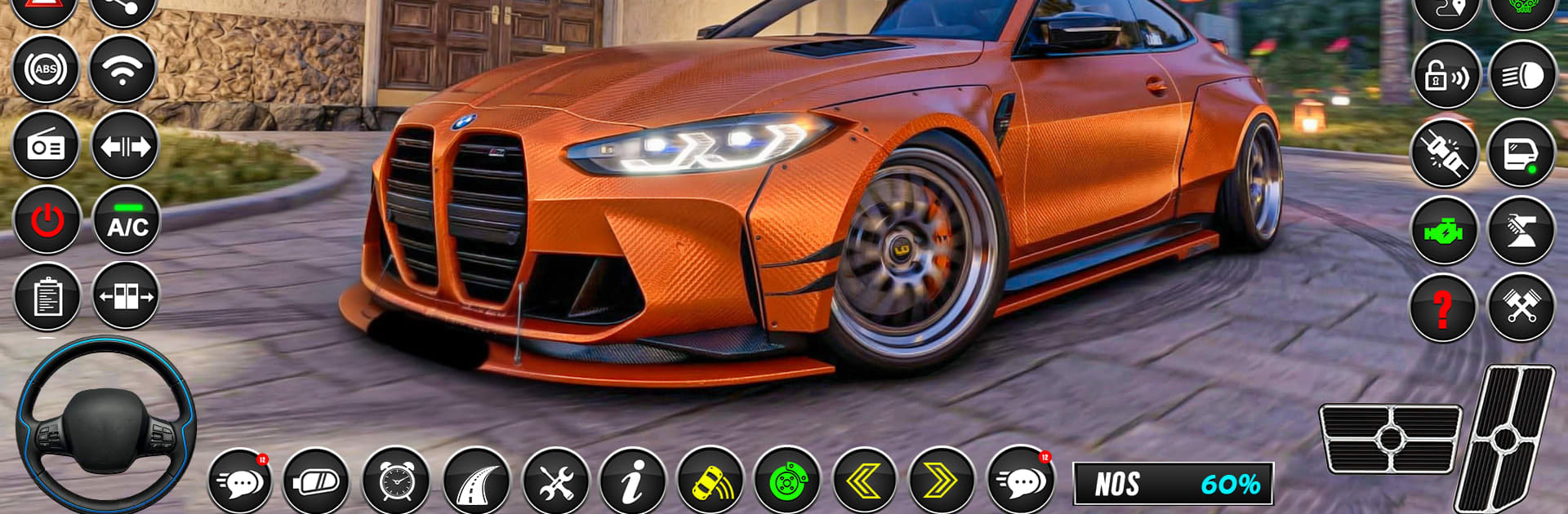
  • Realistic handling: Feel weight, grip, braking distance, and smooth steering that make every car behave differently.
  • Manual or automatic: Practice shifting and clutch timing, or flip to an easier setup when you just want to cruise.
  • Rule-based missions: Obey signals, stop fully, yield to pedestrians, and keep it clean—break the rules and you’ll redo the lesson.
  • Dynamic city traffic: AI cars and busy crosswalks force smart timing, careful gaps, and quick decisions.
  • Parking and navigation: Thread through cones, reverse into tight bays, and plot clean routes across crowded streets.
  • Pick-and-drop objectives: Run chauffeur-style trips, pick up passengers, and deliver them safely without dents or drama.
  • Multiple camera views: Swap between cockpit, hood, and chase cams to drive the way you like.
  • Customizable controls: Adjust layouts and sensitivity until steering, throttle, and brakes feel just right.
  • Garage of modern and classic cars: Test sleek sedans, compacts, and vintage rides, each with distinct handling and style.
  • Damage and fuel systems: Drive carefully to avoid repair penalties and keep an eye on the gas gauge so you don’t roll to a stop.
  • Helpful feedback and voice cues: Hear timely prompts and see on-screen tips that nudge you toward cleaner, safer driving.

Get ready for a buttery smooth, high-performance gaming action only on BlueStacks.

Game Features

Enhancements

  • Macros
  • Multi Instance
  • Multi Instance Sync
  • Eco Mode
  • Enhancements
Macros

Macros

Skip the boring parts of a game. Play Car Driving School: Car Sim 3D with Macros and get the edge. Simply record a sequence of commands and execute them at any moment.
Multi Instance

Multi Instance

Why limit to one game on your phone when you can play many on your PC? Open multiple instances of Car Driving School: Car Sim 3D at once with Multi-Instance. Leverage the power of different accounts by doing more.
Multi Instance Sync

Multi Instance Sync

Get the best out of Car Driving School: Car Sim 3D with Multi-Instance Sync. Play the game from different accounts and build your own empire. Use Multi-instance sync to repeat the action in the main BlueStacks instance on all other instances.
Eco Mode

Eco Mode

Find the rarest heroes by making multiple summons in Car Driving School: Car Sim 3D. And while you are at it, reduce your PC’s resource consumption with the Eco Mode. Farm efficiently. Get the best results.
Read More

How to Download and Play Car Driving School: Car Sim 3D on PC or Mac

  • Download and install BlueStacks on your PC or Mac

  • Complete Google sign-in to access the Play Store, or do it later

  • Look for Car Driving School: Car Sim 3D in the search bar at the top right corner

  • Click to install Car Driving School: Car Sim 3D from the search results

  • Complete Google sign-in (if you skipped step 2) to install Car Driving School: Car Sim 3D

  • Click the Car Driving School: Car Sim 3D icon on the home screen to start playing

video
Watch Video

Minimum System Requirements

With BlueStacks 5, you can get started on a PC that fulfills the following requirements.

  • Operating System

    Microsoft Windows 7 or above, macOS 11 (Big Sur) or above

  • Processor

    Intel, AMD or Apple Silicon Processor

  • RAM

    at least 4GB

  • HDD

    10GB Free Disk Space

Note:

* You must be an Administrator on your PC. Up to date graphics drivers from Microsoft or the chipset vendor.

Car Driving School: Car Sim 3D - FAQs

  • How to play Car Driving School: Car Sim 3D on Windows PC & Mac?

    Play Car Driving School: Car Sim 3D on your PC or Mac by following these simple steps.

    • Click on 'Play Car Driving School: Car Sim 3D on PC’ to download BlueStacks
    • Install it and log-in to Google Play Store
    • Launch and play the game.
  • Why is BlueStacks the fastest and safest platform to play games on PC?

    BlueStacks respects your privacy and is always safe and secure to use. It does not carry any malware, spyware, or any sort of additional software that could harm your PC.

    It is engineered to optimize speed and performance for a seamless gaming experience.

  • What are Car Driving School: Car Sim 3D PC requirements?

    Minimum requirement to run Car Driving School: Car Sim 3D on your PC

    • OS: Microsoft Windows 7 or above MacOS 11 (Big Sur) or above
    • Processor: Intel, AMD or Apple Silicon Processor
    • RAM: Your PC must have at least 4GB of RAM. (Note that having 4GB or more disk space is not a substitute for RAM)
    • HDD: 10GB Free Disk Space.
    • You must be an Administrator on your PC.