Holy Land Wars
Holy Land Wars

Holy Land Wars

Strategy

| Ladik Apps & Games

Play on PC with BlueStacks or from our cloud

  • Overview
  • Game Features
  • How to Play

Page Modified On: June 25, 2026

Play Holy Land Wars on PC or Mac

Step into the World of Holy Land Wars, a thrilling Strategy game from the house of Ladik Apps & Games. Play this Android game on BlueStacks App Player and experience immersive gaming on PC or Mac.

About the Game

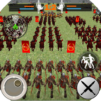
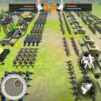
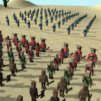
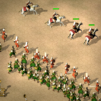
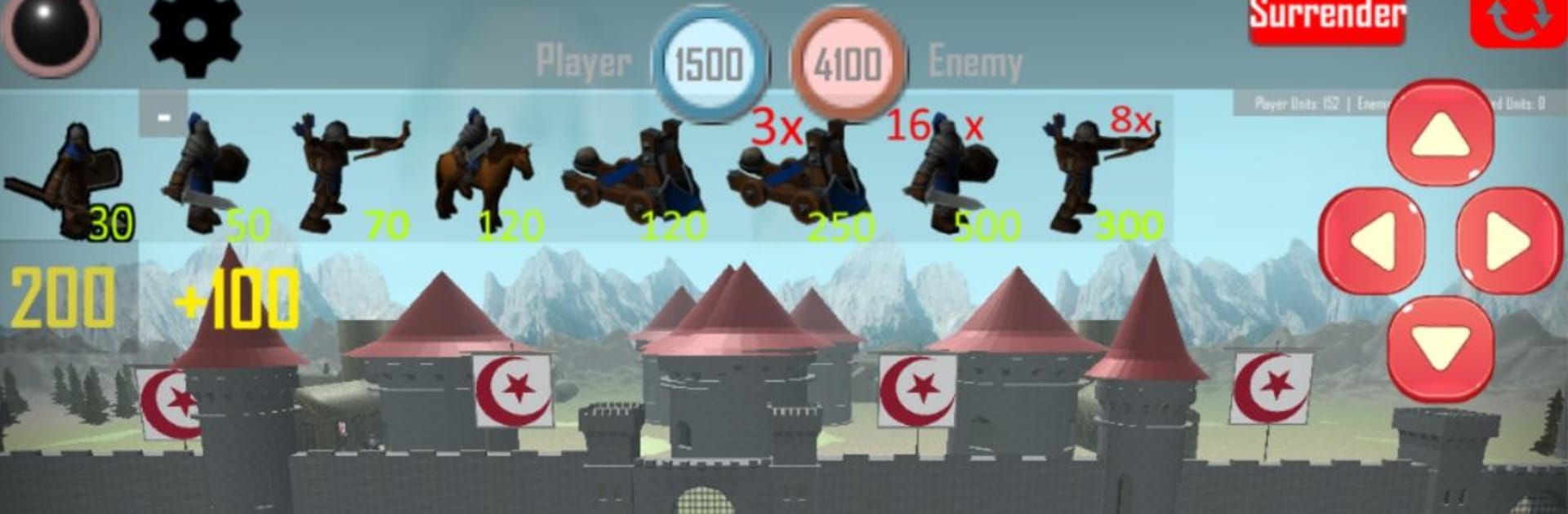
Holy Land Wars is a Strategy campaign that puts you in charge of a gritty medieval army pushing across fortified strongholds. Every fight feels like a fast, tactical puzzle—position your infantry, time your cavalry charge, and bring down walls with proper siege support. If you like close-quarters clashes with swords and arrows, this one’s got that classic boots-on-the-ground feel.

Game Features

  • Historic campaign trail: March from Cyprus and Acre through Tripoli, Antioch, Edessa, Aleppo, Baghdad, Damascus, and Cairo, with the final push toward Jerusalem.
  • Diverse medieval units: Field light and heavy infantry, quick-firing archers, armored knights, catapults for sieges, and bomb specialists that can turn a stalemate into a breakthrough.
  • Tactical parity, real tension: Your opponents fight with comparable strength, so smart timing, flanking, and target focus matter more than simple numbers.
  • Siege power that matters: Catapults are purpose-built for battering castles, while explosive support helps you punch holes in stubborn defenses at critical moments.
  • Free-form war map: Choose when and where to strike using a campaign map that lets you plan your route and set your own pace within a historical backdrop.
  • Clear battlefield awareness: A handy mini-map and detailed combat zones help you track enemy movement, locate choke points, and spot openings.
  • Fast, hands-on deployment: Toggle the deployment mode, tap to place units, and use simple camera controls to survey the field before committing to an attack.
  • Scalable formations: Set up 8- or 16-unit deployments to suit your strategy—compact for control, expanded for overwhelming pressure.
  • Gear variety: Mix equipment and unit compositions to tailor your army for open-field skirmishes, city assaults, or prolonged defenses.
  • PC-friendly option: Prefer a bigger view and mouse control? Playing on BlueStacks makes managing large battles feel smooth and comfortable.

Get ready for a buttery smooth, high-performance gaming action only on BlueStacks.

Game Features

Enhancements

  • Macros
  • Multi Instance
  • Multi Instance Sync
  • Eco Mode
  • Enhancements
Macros

Macros

Skip the boring parts of a game. Play Holy Land Wars with Macros and get the edge. Simply record a sequence of commands and execute them at any moment.
Multi Instance

Multi Instance

Why limit to one game on your phone when you can play many on your PC? Open multiple instances of Holy Land Wars at once with Multi-Instance. Leverage the power of different accounts by doing more.
Multi Instance Sync

Multi Instance Sync

Get the best out of Holy Land Wars with Multi-Instance Sync. Play the game from different accounts and build your own empire. Use Multi-instance sync to repeat the action in the main BlueStacks instance on all other instances.
Eco Mode

Eco Mode

Find the rarest heroes by making multiple summons in Holy Land Wars. And while you are at it, reduce your PC’s resource consumption with the Eco Mode. Farm efficiently. Get the best results.
Read More

How to Download and Play Holy Land Wars on PC or Mac

  • Download and install BlueStacks on your PC or Mac

  • Complete Google sign-in to access the Play Store, or do it later

  • Look for Holy Land Wars in the search bar at the top right corner

  • Click to install Holy Land Wars from the search results

  • Complete Google sign-in (if you skipped step 2) to install Holy Land Wars

  • Click the Holy Land Wars icon on the home screen to start playing

video
Watch Video

Minimum System Requirements

With BlueStacks 5, you can get started on a PC that fulfills the following requirements.

  • Operating System

    Microsoft Windows 7 or above, macOS 11 (Big Sur) or above

  • Processor

    Intel, AMD or Apple Silicon Processor

  • RAM

    at least 4GB

  • HDD

    10GB Free Disk Space

Note:

* You must be an Administrator on your PC. Up to date graphics drivers from Microsoft or the chipset vendor.

Holy Land Wars - FAQs

  • How to play Holy Land Wars on Windows PC & Mac?

    Play Holy Land Wars on your PC or Mac by following these simple steps.

    • Click on 'Play Holy Land Wars on PC’ to download BlueStacks
    • Install it and log-in to Google Play Store
    • Launch and play the game.
  • Why is BlueStacks the fastest and safest platform to play games on PC?

    BlueStacks respects your privacy and is always safe and secure to use. It does not carry any malware, spyware, or any sort of additional software that could harm your PC.

    It is engineered to optimize speed and performance for a seamless gaming experience.

  • What are Holy Land Wars PC requirements?

    Minimum requirement to run Holy Land Wars on your PC

    • OS: Microsoft Windows 7 or above MacOS 11 (Big Sur) or above
    • Processor: Intel, AMD or Apple Silicon Processor
    • RAM: Your PC must have at least 4GB of RAM. (Note that having 4GB or more disk space is not a substitute for RAM)
    • HDD: 10GB Free Disk Space.
    • You must be an Administrator on your PC.