Roman Empire: Rise of Rome

Roman Empire: Rise of Rome

Strategy

| Ladik Apps & Games

Play on PC with BlueStacks or from our cloud

  • Overview
  • Game Features
  • How to Play

Page Modified On: June 17, 2026

Play Roman Empire: Rise of Rome on PC or Mac

Bring your A-game to Roman Empire: Rise of Rome, the Strategy game sensation from Ladik Apps & Games. Give your gameplay the much-needed boost with precise game controls, high FPS graphics, and top-tier features on your PC or Mac with BlueStacks.

About the Game

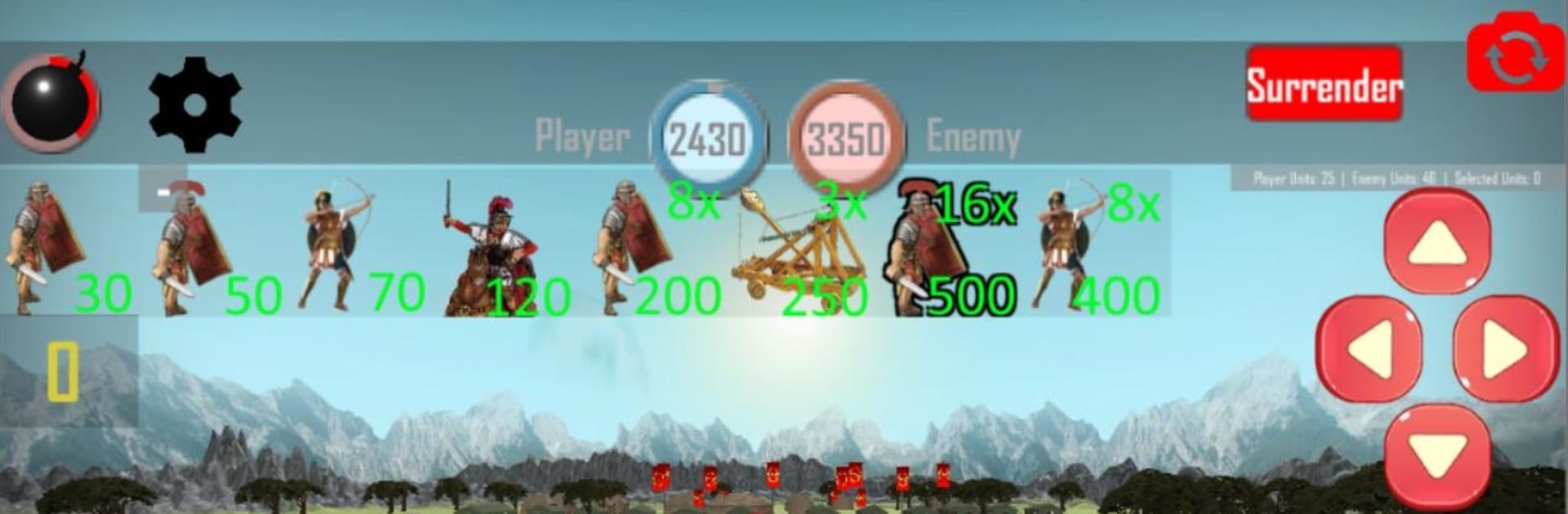
Roman Empire: Rise of Rome puts you in charge of a scrappy city that’s about to become the center of the world. It’s a real-time Strategy experience where every decision—who to attack, what to defend, when to push—shapes the fate of your republic. Expect gritty battles, shifting fronts, and a campaign that follows Rome’s early struggles and breakout victories across Italy and the Mediterranean.

Game Features

  • Real-time warfare: Command legions on the move, react to flanking maneuvers, and time your charges. It’s fast, tactical, and never the same twice.
  • From republic to empire: Start with a humble foothold in Rome, build a senate, and push outward—Capua, Pompeii, Veii, and beyond—one hard-fought win at a time.
  • Historic foes that hit back: Hold the line against Gaul tribes, grind through the Samnite wars, clash with the Kingdom of Epirus in costly Pyrrhic battles, then square off against Carthage across seas and islands.
  • Legendary commanders: Face King Pyrrhus and, later, Hannibal—iconic tacticians who’ll punish sloppy play.
  • Unit variety: Field 10 types of warriors and officers, each with a job to do—from front-line brawlers to support units that keep the formation intact.
  • Six distinct factions: Meet and fight 6 nations with their own strengths, battle styles, and terrain advantages.
  • Handcrafted battlefields: Take on 18 detailed historical maps and over two dozen scenarios that escalate from border skirmishes to sprawling island campaigns.
  • Different ways to win: Sometimes you’ll storm a city, other times you’ll dismantle forts or wipe out entrenched camps—objectives change how you plan each assault.
  • Tactically grounded Romans: Authentic legion formations, disciplined ranks, and meaningful positioning reward smart play over brute force.
  • Easy to settle in on PC: Prefer big-screen strategy? Playing on BlueStacks makes it simple to manage formations, read the field, and issue quick commands.

Start playing Roman Empire: Rise of Rome on BlueStacks and get a smoother, more comfortable PC or Mac setup.


Game Features

Enhancements

  • Macros
  • Multi Instance
  • Multi Instance Sync
  • Eco Mode
  • Enhancements
Macros

Macros

Skip the boring parts of a game. Play Roman Empire: Rise of Rome with Macros and get the edge. Simply record a sequence of commands and execute them at any moment.
Multi Instance

Multi Instance

Why limit to one game on your phone when you can play many on your PC? Open multiple instances of Roman Empire: Rise of Rome at once with Multi-Instance. Leverage the power of different accounts by doing more.
Multi Instance Sync

Multi Instance Sync

Get the best out of Roman Empire: Rise of Rome with Multi-Instance Sync. Play the game from different accounts and build your own empire. Use Multi-instance sync to repeat the action in the main BlueStacks instance on all other instances.
Eco Mode

Eco Mode

Find the rarest heroes by making multiple summons in Roman Empire: Rise of Rome. And while you are at it, reduce your PC’s resource consumption with the Eco Mode. Farm efficiently. Get the best results.
Read More

How to Download and Play Roman Empire: Rise of Rome on PC or Mac

  • Download and install BlueStacks on your PC or Mac

  • Complete Google sign-in to access the Play Store, or do it later

  • Look for Roman Empire: Rise of Rome in the search bar at the top right corner

  • Click to install Roman Empire: Rise of Rome from the search results

  • Complete Google sign-in (if you skipped step 2) to install Roman Empire: Rise of Rome

  • Click the Roman Empire: Rise of Rome icon on the home screen to start playing

video
Watch Video

Minimum System Requirements

With BlueStacks 5, you can get started on a PC that fulfills the following requirements.

  • Operating System

    Microsoft Windows 7 or above, macOS 11 (Big Sur) or above

  • Processor

    Intel, AMD or Apple Silicon Processor

  • RAM

    at least 4GB

  • HDD

    10GB Free Disk Space

Note:

* You must be an Administrator on your PC. Up to date graphics drivers from Microsoft or the chipset vendor.

Roman Empire: Rise of Rome - FAQs

  • How to play Roman Empire: Rise of Rome on Windows PC & Mac?

    Play Roman Empire: Rise of Rome on your PC or Mac by following these simple steps.

    • Click on 'Play Roman Empire: Rise of Rome on PC’ to download BlueStacks
    • Install it and log-in to Google Play Store
    • Launch and play the game.
  • Why is BlueStacks the fastest and safest platform to play games on PC?

    BlueStacks respects your privacy and is always safe and secure to use. It does not carry any malware, spyware, or any sort of additional software that could harm your PC.

    It is engineered to optimize speed and performance for a seamless gaming experience.

  • What are Roman Empire: Rise of Rome PC requirements?

    Minimum requirement to run Roman Empire: Rise of Rome on your PC

    • OS: Microsoft Windows 7 or above MacOS 11 (Big Sur) or above
    • Processor: Intel, AMD or Apple Silicon Processor
    • RAM: Your PC must have at least 4GB of RAM. (Note that having 4GB or more disk space is not a substitute for RAM)
    • HDD: 10GB Free Disk Space.
    • You must be an Administrator on your PC.